KRAMER: SIMPLE CREATIVE TECHNOLOGY
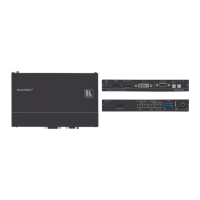
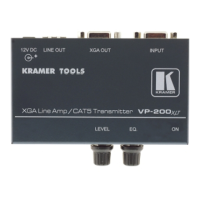
Your TP-123EDID XGA / Audio / Data Line Transmitter
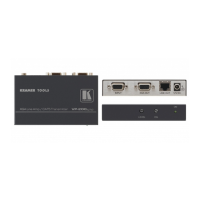
To connect the TP-123EDID and the TP-124 to configure a twisted pair
transmitter and receiver system, as the example in
Figure 4 illustrates, do the
following:
1. On the TP-123EDID, connect:
An XGA source (for example, a laptop’s graphics card) to the XGA
IN 15-pin HD (F) connector and an audio source to the Audio IN
3.5mm mini jack, for example, using a Kramer C-GMA/GMA cable
(VGA 15-pin HD (M) +Audio jack to VGA 15-pin HD (M) +Audio
jack)
1
An RS-232 cable with a 9-pin D-sub connector at one end to the
laptop, and a 2-pin terminal block connector at the other end to the
TP-123EDID RS-232 port
2
2. On the TP-124, connect:
The XGA OUT 15-pin HD (F) connector to a display
The S/PDIF Audio OUT RCA connector to a digital AV Receiver
(leave the ANALOG Audio OUT 3.5mm mini jack unconnected)
An RS-232 cable with a 2-pin terminal block connector at one
end to the TP-124 RS-232 port
2
, and a 9-pin D-sub connector
at the other end to the RS-232 port on an RS-232 controllable
device (for example, a switcher)
3. Connect the Line OUT RJ-45 connector on the TP-123EDID to the LINE
IN RJ-45 connector on the TP-124, via CAT 5 cabling
3
4. Connect the 12V DC power adapter to the power socket and connect the
adapter to the mains electricity on both
(with a range of
more than 300ft (>100m)).
4
5. On the TP-124:
the TP-123EDID and the TP-124.
If required, adjust
5
If necessary, set the H SYNC and V SYNC switches
the video output signal level and/or cable
compensation equalization level,
6
1 Not supplied. The full list of Kramer cables is on our Web site at
, on the
underside
http://www.kramerelectronics.com. Alternatively, you can
connect an XGA source to the XGA IN 15-pin HD (F) connector, and a separate audio source to the AUDIO IN 3.5mm mini
jack
2 As defined in
Figure 5 and Table 4 (see section 8)
3 For details of how to wire a CAT 5 LINE IN / LINE OUT RJ-45 connector, see section
8
4 If you cannot connect the power to both the TP-123EDID and TP-124, you can just connect the power to any one unit
5 Use a screwdriver to carefully rotate the trimmer, adjusting the appropriate level
6 By default, both switches are set down (for negative V SYNC and H SYNC polarity)



 To Next Page