3. Service work
WARNING! Danger due to electric current!
Be sure to disconnect the power plug before opening the device.
After operation, increased surface temperatures may occur on components and
parts.
3.1 Opening the Kröber O2
WARNING! Danger due to electric current!
Be sure to disconnect the power plug before opening the device.
NOTE!
To simplify work on the Kröber O2, it is advisable to place the device on a clean
surface. Any humidifier that may be screwed on must be completely emptied or
dismantled.
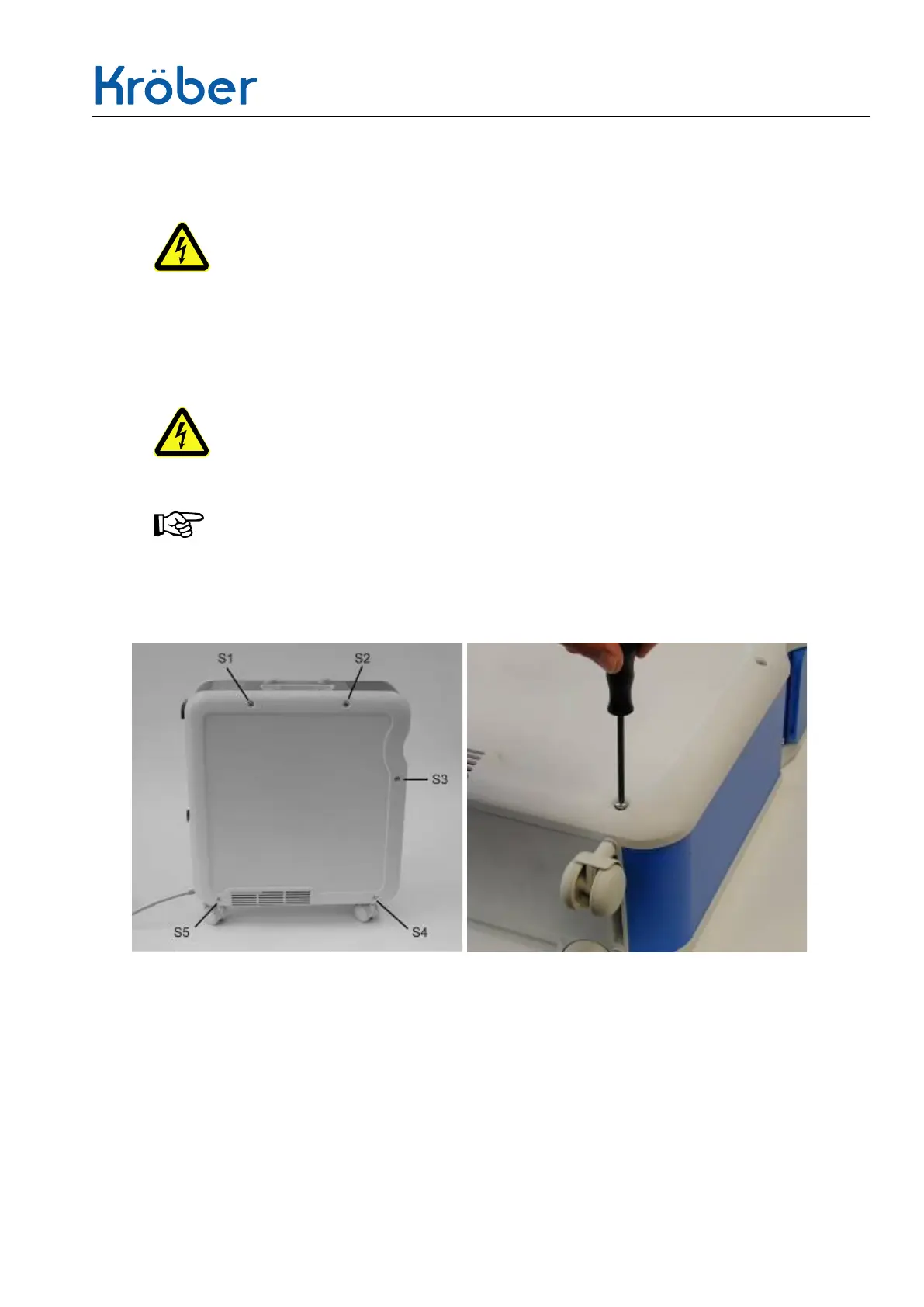
2. Unscrew 5 screws (S1 to S5).
3. Carefully remove the housing cover.
4. Remove the blue service flap and store it separately.
a. Control board
b. Functional unit


 To Next Page