7 DISPLAY 33
Press the right but-
ton for 3 – 5 sec-
onds.
DST2 is reset to 0.0.
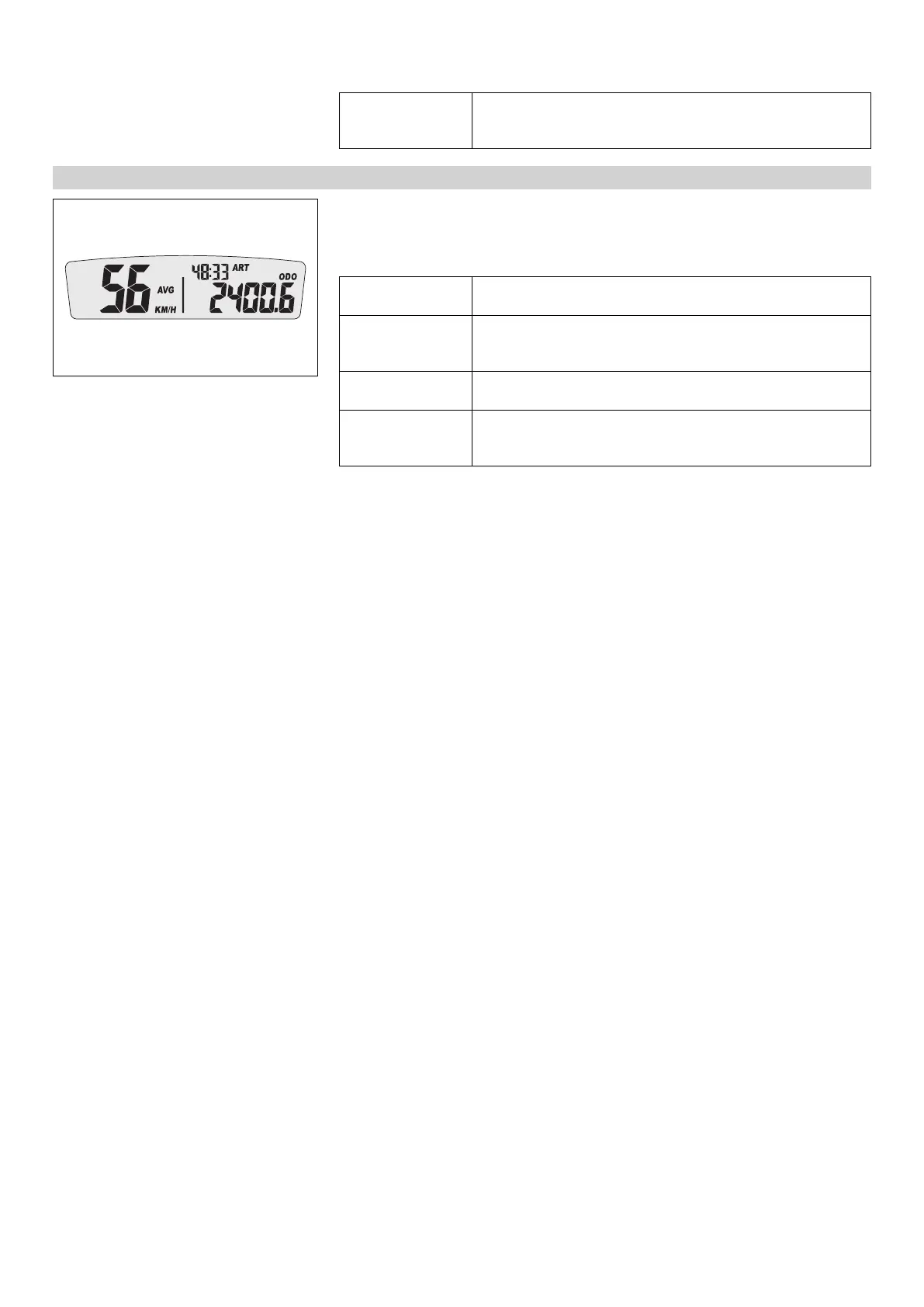
7.3.10 AVG average speed, ART operating hours, and ODO total distance covered
401903-01
– Press one of the buttons until AVG, ART and ODO appear in the speedometer.
AVG shows the average speed since the last reset.
ART shows the operating hours.
ODO shows the total distance covered.
Press the left but-
ton briefly.
Next display mode
Press the left but-
ton for 3 – 5 sec-
onds.
The OPEN END WRENCH SYMBOL shows the remaining oper-
ating hours until the next service is due.
Press the right but-
ton briefly.
Next display mode
Press the right but-
ton for 3 – 5 sec-
onds.
AVG is reset to 0.0.





 To Next Page