EasyManua.ls Logo

Kwikset SmartCode 909 - User Manual

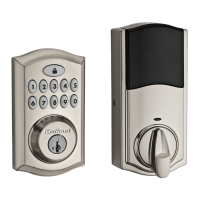
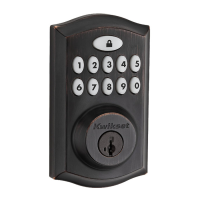
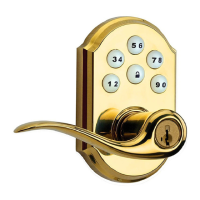
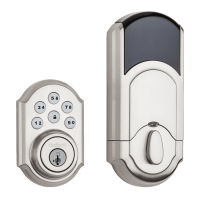
Kwikset SmartCode 909
6 pages
Print Icon
To Next Page IconTo Next Page
Loading...
A
B
W
F
Parts in the box
Latch
“B” is not included. If needed,
please contact Kwikset to order
a drive-in latch for your lock.
Exterior
Assembly
Strike Adapter
ring
C D
E
Keys
Mounting
Plate
SmartKey
Tool
G
H
03809 46780
N
Q
S
P
Fasteners
48654 27526 64109
Interior
Assembly
K L M
T
U V
A
N or P
(2x)
NP
S
Q
A
A
B
B
B
A
B
If drilling a new door, use the supplied template and the complete
door drilling instructions available at www.kwikset.com/doorprep.
Note: Additional door preparation may be
required for doors with 11/2" (38 mm) holes.
Consult the deadbolt drilling instructions at
www.kwikset.com/doorprep.
or
backset
Measure to conirm that the hole in
the door is either 21/8" (54 mm) or
11/2" (38 mm).
Measure to conirm that the backset is
either 23/8" or 23/4" (60 or 70 mm).
23/8" or 23/4"
60 or 70 mm
13/8" – 13/4"*
35 – 44 mm*
Measure to conirm that the hole in
the door edge is 1" (25 mm).
Measure to conirm that the door is
between 13/8" and 13/4"* (35 mm
and 44 mm*) thick.
A
A B
C
D
B C D
Is the door edge chiseled?
Are the latch holes centered in the door hole?
Which latch are you installing?Hold the latch in front of the door hole, with the latch
face lush against the door edge.
21/8"
54 mm
11/2"
38 mm
1"
25 mm
YES
YES
NO
NO
Use latch “A”. If the
latch bolt is not already
extended, extend the
latch bolt as shown.
No adjustment is required.
Proceed to next step.
Rotate latch face as
shown to extend latch.
wood
block
actual
size
Use latch “B” (not
included). If the latch
bolt is not already
extended, extend the
latch bolt as shown.
Latch “A Latch “B”
S (2x)
C
Q (2x)
Longer screws
install closest to
the door jamb.
door frame
E
Install strike on the door frame.
Make sure the hole in the door frame is drilled a
minimum of 1" (25 mm) deep.
or
chiseled
not
chiseled
or
or
1
Prepare the door and check dimensions
2
Install the latch and strike
*Service kits for 21/4" (57 mm) thick doors
are available through Kwikset.
1 / 4
62888 / 01
Installation and User Guide
Kwikset
1-800-327-5625
www.kwikset.com
ENGLISH
Required tools
Ruler4 AA Batteries
Hammer Wood block
Phillips head screwdriver
Additional Tools (depending on application)

Other manuals for Kwikset SmartCode 909

Questions and Answers

  • S
    sanchezstevenJul 27, 2025
    Why does my Kwikset lock keypad flash red 10 times?
    • J
      johnmaysJul 27, 2025
      If your Kwikset lock keypad flashes red 10 times accompanied by 10 beeps, this indicates a low battery. You should replace the batteries as soon as possible.
  • A
    April ReevesAug 2, 2025
    What to do if my Kwikset lock keypad flashes red 15 times?
    • M
      Marcus LongAug 2, 2025
      If your Kwikset lock keypad flashes red 15 times and beeps 15 times, it means three incorrect codes were entered within one minute. Wait for 60 seconds due to the keypad lockout before re-entering the code.
  • J
    jwarrenAug 7, 2025
    Why does my Kwikset lock flash red 3 times?
    • E
      Edwin PhelpsAug 7, 2025
      Your Kwikset lock flashes red 3 times for a few reasons: - An incorrect code was entered. - No user code is programmed. To resolve this: 1. Re-enter the code. 2. Program at least one user code. 3. Attempt the programming procedure again.
  • T
    Tracy GreeneAug 13, 2025
    What to do if Kwikset lock beeps 2 times and keypad flashes red 3 times?
    • A
      Andrea ParkerAug 13, 2025
      If your Kwikset lock beeps 2 times and the keypad flashes red 3 times, this indicates a programming timeout. Try the programming procedure again, ensuring you do not pause for more than 5 seconds.
  • J
    jennifer02Aug 20, 2025
    How to fix Kwikset lock when keypad flashes red 1 time?
    • J
      James SosaAug 20, 2025
      If the Kwikset lock keypad flashes red once and beeps once, it means the door jammed while attempting to lock. Manually re-lock the door. If needed, reposition the strike.

Summary

Prepare the Door and Check Dimensions

Measure Door Hole Diameter

Confirm the hole diameter is 2-1/8" (54 mm) or 1-1/2" (38 mm).

Measure Backset

Confirm the backset is 2-3/8" or 2-3/4" (60 or 70 mm).

Measure Edge Bore Diameter

Confirm the hole in the door edge is 1" (25 mm).

Measure Door Thickness

Confirm door thickness is between 1-3/8" and 1-3/4" (35-44 mm).

Install the Latch and Strike

Identify Door Edge Condition

Determine if the door edge is chiseled to select the correct latch.

Position and Center the Latch

Hold the latch flush against the door edge, aligned with the hole.

Select Correct Latch

Choose between latch 'A' or 'B' based on door edge condition.

Install the Strike

Mount the strike on the door frame, ensuring minimum hole depth.

Install the Exterior Keypad

Insert Cylinder into Keypad

Insert the cylinder into the exterior keypad assembly.

Install Exterior Assembly and Mounting Plate

Mount the exterior assembly, routing the cable through the correct holes.

Install the Interior Assembly

Prepare Interior Assembly

Remove battery cover and pack; ensure turnpiece is vertical.

Connect Cable and Secure Assembly

Connect cable, lay flat, attach turnpiece shaft, and secure interior assembly.

Install Batteries and Perform Door Handing

Initiate Door Handing Process

Install batteries while holding the Lock button to start process.

Verify Successful Door Handing

Confirm latch bolt retraction/extension for successful orientation.

Add User Codes

Enter Programming Mode

Open door, press Program button corresponding to code position.

Input New User Code

Enter a unique user code between 4 and 8 digits.

Confirm Code Addition

Press Lock button to finalize the programming of the user code.

Interpret Programming Feedback

Understand LED flashes and beeps for success or failure.

Test Lock Operation

Test Locking Function

Press the Lock button to verify the door locks.

Test Unlocking Function

Enter a user code to verify the door unlocks.

Re-key Lock and Install Battery Cover

Re-key the Lock

Follow instructions to re-key using the SmartKey tool if needed.

Install Battery Cover

Secure the battery cover after completing other installation steps.

SmartCode Lock Overview

Identify Exterior and Interior Parts

Locate and identify the main components of the lock from the exterior and interior.

System Alerts and Troubleshooting

Understand System Alerts

Review alert types, their reasons, and suggested solutions for lock issues.

Consult Troubleshooting Guide

Refer to the online guide for comprehensive programming and troubleshooting support.

Lock Settings and Status

Configure Switch Settings

Understand the function of each switch for lock behavior customization.

Interpret Status LED Colors

Learn the meaning of LED colors indicating lock status or battery level.

User Code Management

Delete User Codes

Override existing user codes to delete them from the lock's memory.

Factory Reset Procedure

Perform Factory Reset

Reset the lock to its default settings following specific button and battery steps.

Important Safety Information

General Safety Precautions

Read and follow all safety instructions for proper and secure lock operation.

Security and Usage Warnings

Be aware of security risks and limitations; use common sense for property security.

Install Knobs

Prepare Knobs for Installation

Align round edges, twist to catch screws, then push while twisting.

Secure Knobs to Door

Push knobs up while tightening screws to keep latch horizontal and centered.

Install Strike on Door Frame

Test Latch and Adjust Strike

Check latch fit in strike; adjust strike tab for better grip if needed.

Privacy Lock Features

Save Emergency Unlock Tool

Keep the emergency unlock tool (G) for future use on privacy locks.

Kwikset SmartCode 909 Specifications

General IconGeneral
TypeElectronic Deadbolt
KeypadYes
Battery4 AA batteries
Finish OptionsSatin Nickel, Venetian Bronze, Polished Brass
Door Thickness1-3/8" to 1-3/4"
HandingReversible
Locking MechanismMotorized Deadbolt
StyleTraditional
Re-key TechnologySmartKey
ConnectivityNo
Voice GuidanceNo
Security GradeGrade 2
Battery Life1 year
Backup PowerNo
SecurityBumpGuard
Number of User CodesUp to 30

Related product manuals