2-23
Installing and Setting up the Machine > Network Setup
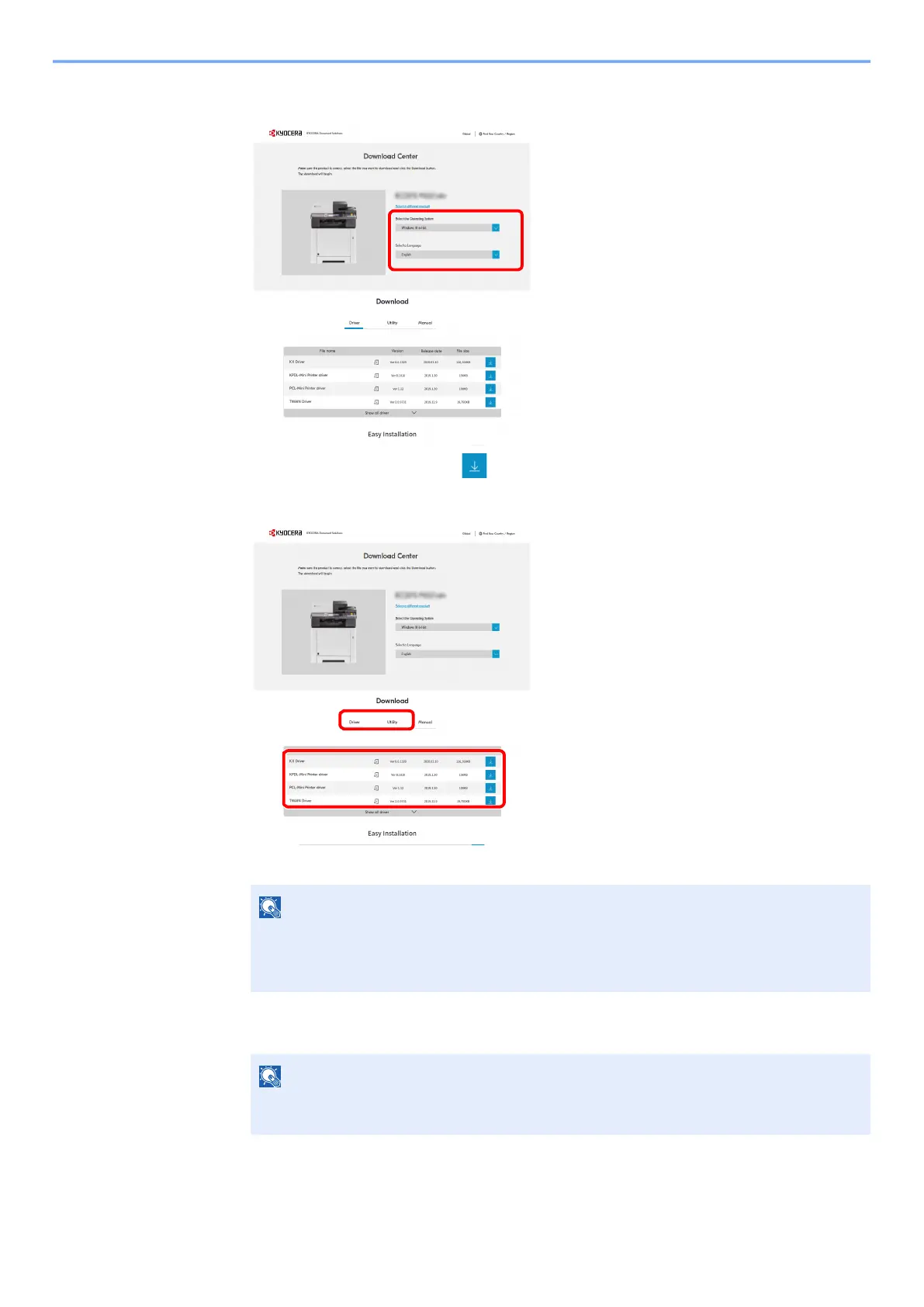
4 Change the selected operating system and its language setting as needed.
5 Utility tab > "Wi-Fi Setup Tool"
The Wi-Fi Setup Tool will be downloaded.
6 Double-click the downloaded installer to launch.
7 Click [Search] in charms, and enter "Wi-Fi Setup Tool" in the search box. Select [Wi-Fi
Setup Tool] in the search list
NOTE
• Installation on Windows must be done by a user logged on with administrator
privileges.
• If the user account management window appears, click [Yes] ([Allow]).
NOTE
In Windows 8.1, click [Search] in charms, and enter "Wi-Fi Setup Tool" in the search box.
Select [Wi-Fi Setup Tool] in the search list
1
2


 To Next Page
 Loading...