EasyManua.ls Logo

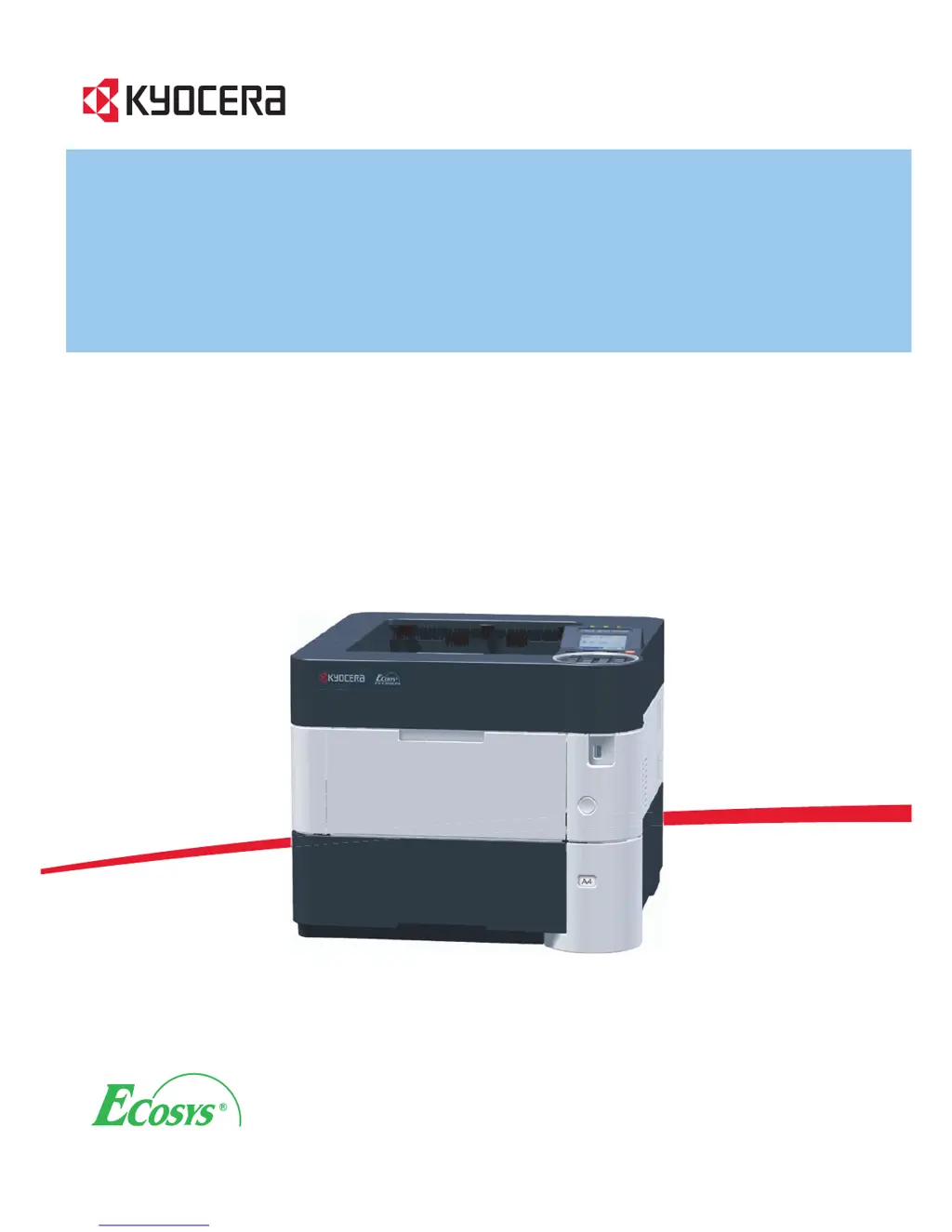
Kyocera FS-2100D - User Manual

Kyocera FS-2100D
310 pages
Print Icon
To Next Page IconTo Next Page
Loading...
O
PERATI
O
N
GU
ID
E
FS-2100D
FS-4100DN
FS-4300DN
FS-2100DN
FS-4200DN

Table of Contents

Other manuals for Kyocera FS-2100D

Questions and Answers

  • B
    bryan64Aug 20, 2025
    What to do if Kyocera Printer prints status page but not computer jobs?
    • J
      jamestuckerAug 20, 2025
      First, ensure both ends of the printer cable are securely connected. If the issue persists, try replacing the printer cable or the interface cable. Also, test printing with another file or print command. If the problem is specific to a file or application, examine the printer driver settings for that application.
  • M
    Megan GriffinAug 22, 2025
    How to fix Kyocera Printer when nothing lights up?
    • K
      Kathy NewmanAug 22, 2025
      If nothing lights up on the operation panel of your Kyocera printer, and the fan makes no noise, start by checking that the power cord is properly plugged into the power outlet. If it is, securely plug it in and try turning the printer on again. If the problem persists, unplug the power cord, wait for more than a minute, then plug it back in and try again. Also, ensure that the power switch is pressed.
  • T
    Thomas LambertAug 25, 2025
    Why is my Kyocera Printer printing faint or blurred?
    • A
      Anna WillisAug 25, 2025
      If your Kyocera printer is producing faint or blurred prints, first check the EcoPrint settings on the operation panel and ensure it is switched off. Also, verify that the paper type setting matches the paper you are using. If the issue continues, replacing the paper with a newer, dryer paper may help.
  • J
    jefferyjonesAug 26, 2025
    What to do if Kyocera Printer shows 'Check cassette #'?
    • M
      Mr. Jason HoodAug 26, 2025
      If your Kyocera printer displays the message 'Check cassette #,' it indicates a paper lift error in the specified paper source's cassette. To resolve this, pull out the indicated cassette (either the paper cassettes or optional paper feeders) and ensure the paper is loaded correctly.
  • A
    Ashley TaylorAug 28, 2025
    What does 'Check waste toner box' mean on Kyocera Printer?
    • H
      Hannah RobinsonAug 28, 2025
      The 'Check waste toner box' message on your Kyocera printer indicates one of two things: either a new waste toner box needs to be installed, or the current waste toner box is full.
  • B
    Brent GarciaAug 29, 2025
    What to do if Kyocera Printer says 'Developer unit is not installed'?
    • D
      Diane FrancoAug 30, 2025
      If your Kyocera printer displays the message 'Developer unit is not installed,' it means the developer unit is either not installed or incorrectly inserted. Ensure the developer unit is securely inserted. If the problem persists, contact your Service Representative.
  • S
    sherylwoodsSep 1, 2025
    What to do if Kyocera Printer shows 'Drum unit is not installed'?
    • C
      chapmanjustinSep 1, 2025
      If your Kyocera printer shows the message 'Drum unit is not installed,' the drum unit is either missing or not correctly inserted. Make sure the drum unit is securely inserted. If the issue continues, contact your Service Representative.
  • D
    Deborah HowardSep 2, 2025
    Why is my Kyocera Printer emitting steam?
    • E
      Evan WilliamsSep 2, 2025
      The steam emitted from your Kyocera printer is likely due to the evaporation of moisture from the paper during printing, especially in low room temperatures or when using damp paper. This is generally not a problem, and you can continue printing. If the steam is a concern, try raising the room temperature or using newer, dryer paper.
  • X
    xpowellSep 4, 2025
    How to fix 'Close left cover' message on Kyocera Printer?
    • E
      elijahcomptonSep 4, 2025
      The message 'Close left cover' on your Kyocera printer simply means that the left cover of the printer is open. Ensure that you close the left cover.
  • M
    Michael ReedSep 6, 2025
    What does 'Account error' mean on Kyocera Printer?
    • D
      dominic83Sep 6, 2025
      The 'Account error' message on your Kyocera printer appears when the Job Accounting function is enabled and an attempt to specify job accounting settings or to register or delete an account fails. Press [OK] to return the printer to a print-ready status.

Kyocera FS-2100D Specifications

General IconGeneral
Print TechnologyLaser
Print Resolution1200 x 1200 dpi
Standard Paper Capacity250 sheets
Duplex PrintingYes
ConnectivityUSB 2.0, Ethernet
Operating System CompatibilityWindows, Mac, Linux
Warm-up Time15 seconds
First Page Out Time8.5 seconds
Input Capacity250 sheets
FunctionsPrint, Copy, Scan
Copy Resolution600 x 600 dpi
Scan Resolution600 x 600 dpi
Maximum Paper SizeLegal
Memory256 MB
Weight14 kg

Related product manuals