1
Device Basics
Battery
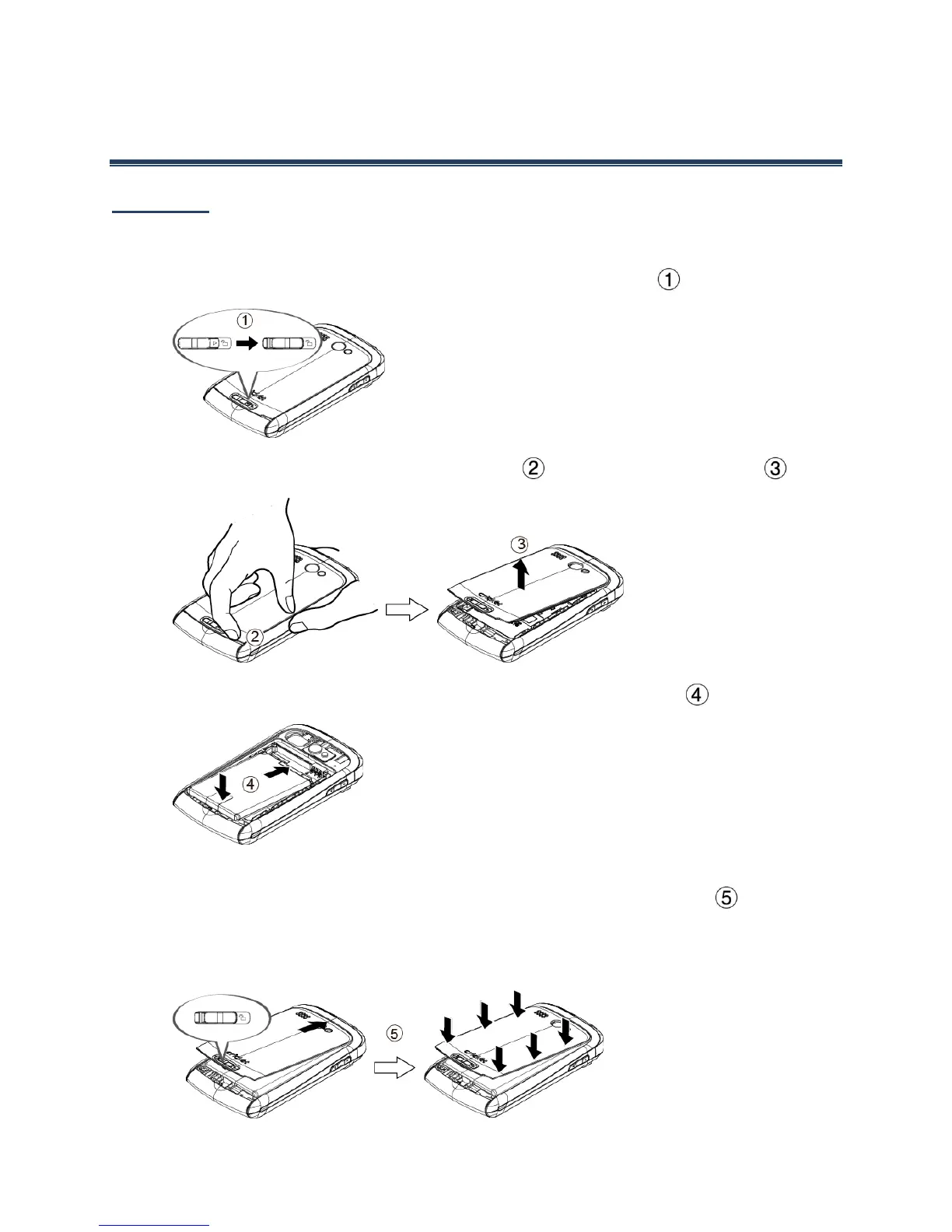
Install the Battery
1.
Slide the battery cover release latch to the unlocked position ( ).
2.
Insert your thumb- or fingernail into the slit ( ) and lift the battery cover ( ).
3.
Insert the battery, contacts end first, and gently press into place ( ).
4.
Replace the cover, applying equal pressure from the top down on both sides and
making sure all the locking tabs of the cover are seated with no gaps ( ).
Caution: Ensure that the battery cover release latch is in the unlocked position when
replacing the cover.











 To Next Page