90
Camera and Video
You can use the camera or camcorder to take and share pictures and videos. Your device
comes with a 3.2 megapixel camera that lets you capture sharp pictures and videos.
Take Pictures
Important: Make sure the microSD card is installed before you use the camera or camcorder.
All pictures or videos that you capture using your device are stored on the
microSD card. For more information on how to install a microSD card on your
device, see Install a microSD Card.
Open the Camera
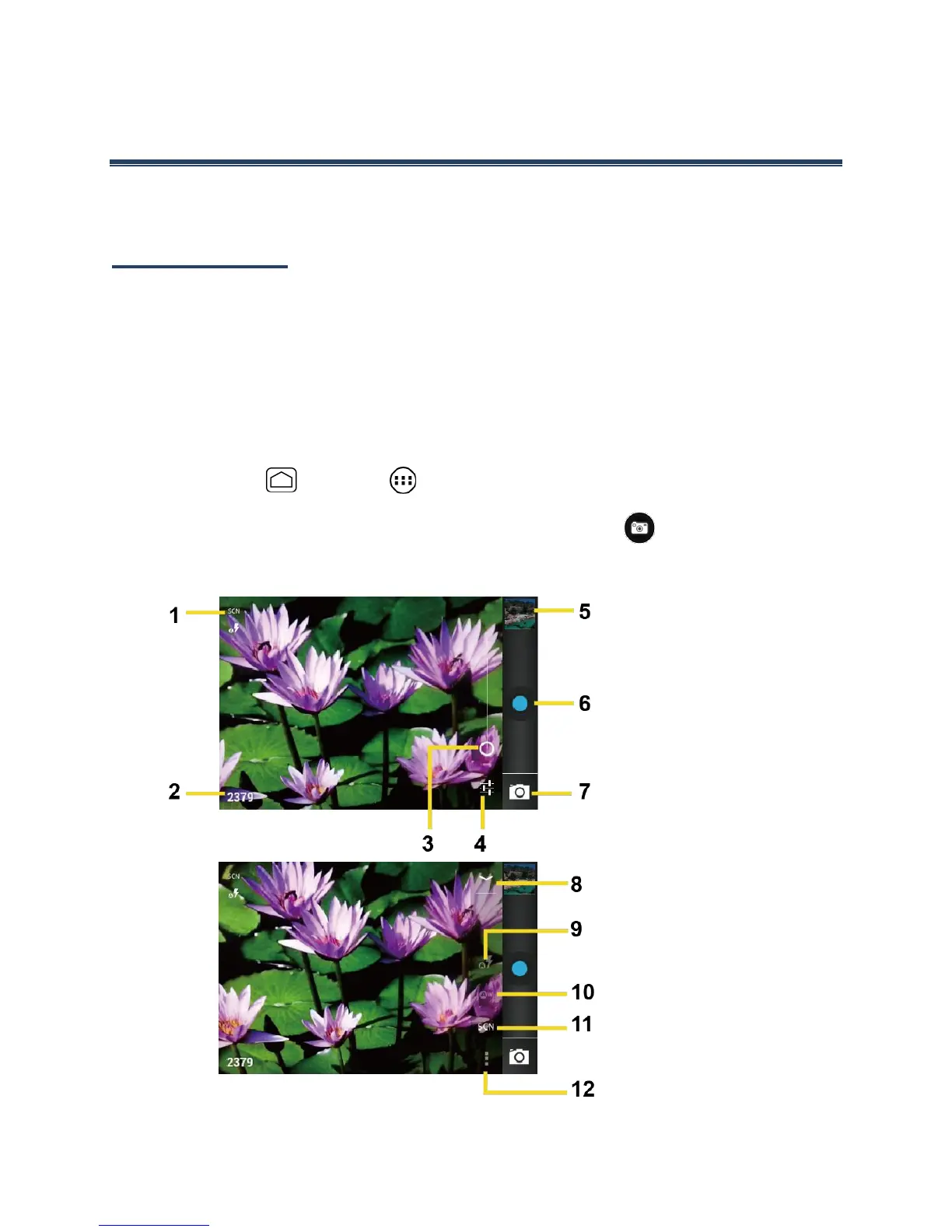
Follow the instructions below to open the camera in photo mode and take photos.
►
Press Home and touch > Camera.
Tip: You can open the camera from the slide lock screen. Flick .
Camera Viewfinder Screen











 To Next Page