16
Tip: For tips on using Swype, touch and hold the Swype key and then touch How to
Swype.
Keyboard Functions
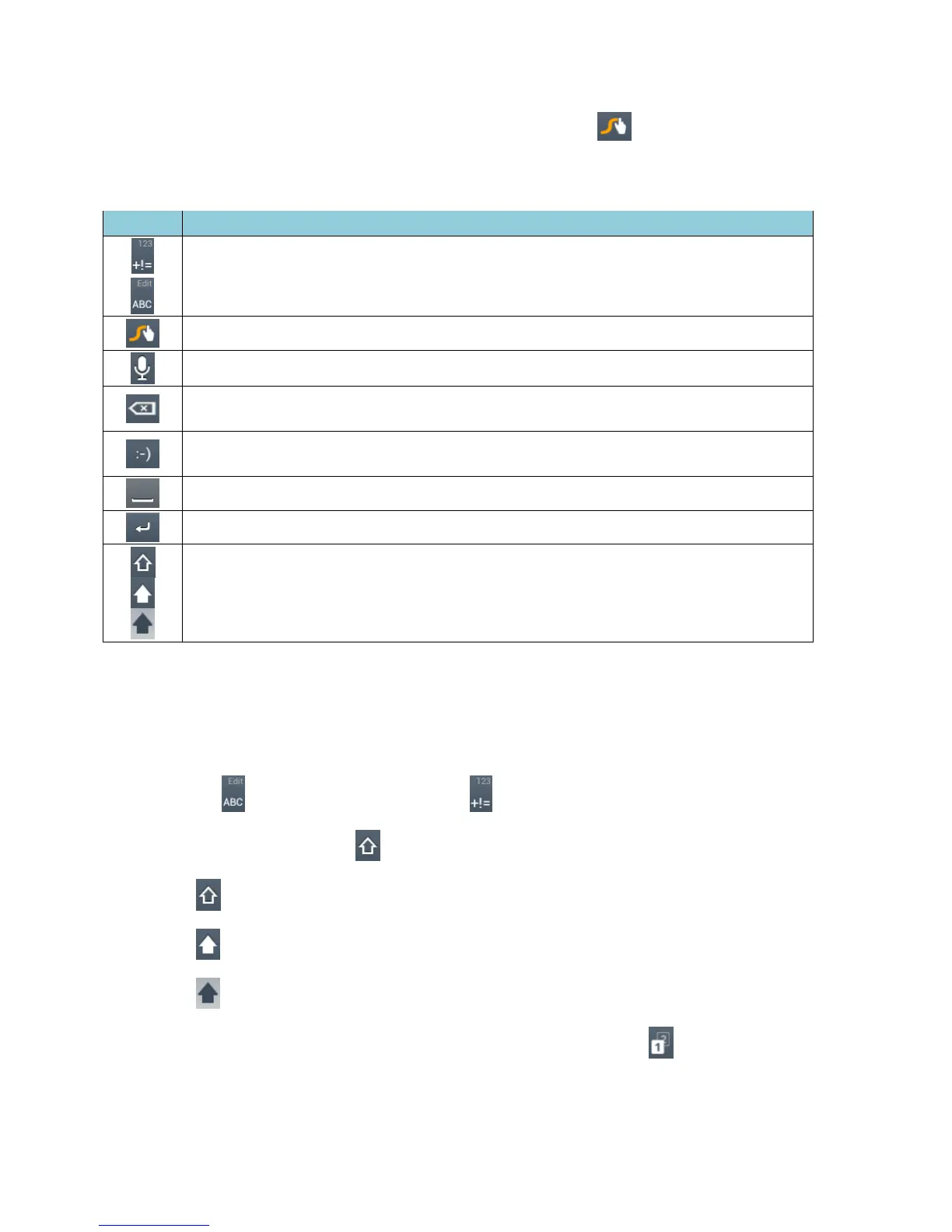
Text mode: Touch to toggle between the Alphabet keyboard and Number &
Symbol keyboard.
Swype: Touch and hold to access the tips or the settings of Swype.
Voice input mode: Touch to enter text using your voice.
Backspace: Touch to delete a character. Touch and hold to delete multiple
characters.
Smiley: Touch to insert a smiley. Touch and hold to view and select other
smileys.
Space: Touch to insert a space.
Enter: Touch to confirm your entry.
Shift: Touch to toggle between the uppercase, lowercase and caps lock text
input.
Text Mode
ABC mode is primarily used for entering letters while Number & Symbol mode for numbers
and symbols.
►
Touch to select ABC mode. Touch to select Number & Symbol mode.
In ABC mode, touch to alter the capitalization:
(Unshifted) to enter all letters in a word lowercase.
(One-character-shifted) to capitalize only the first letter of a word.
(Caps Lock) to enter all letters in a word uppercase.
The Number & Symbol keyboards are in two layers. Touch to display the
second keyboard.











 To Next Page