2RV/2RW/2RX/2RY/3RA
4-73
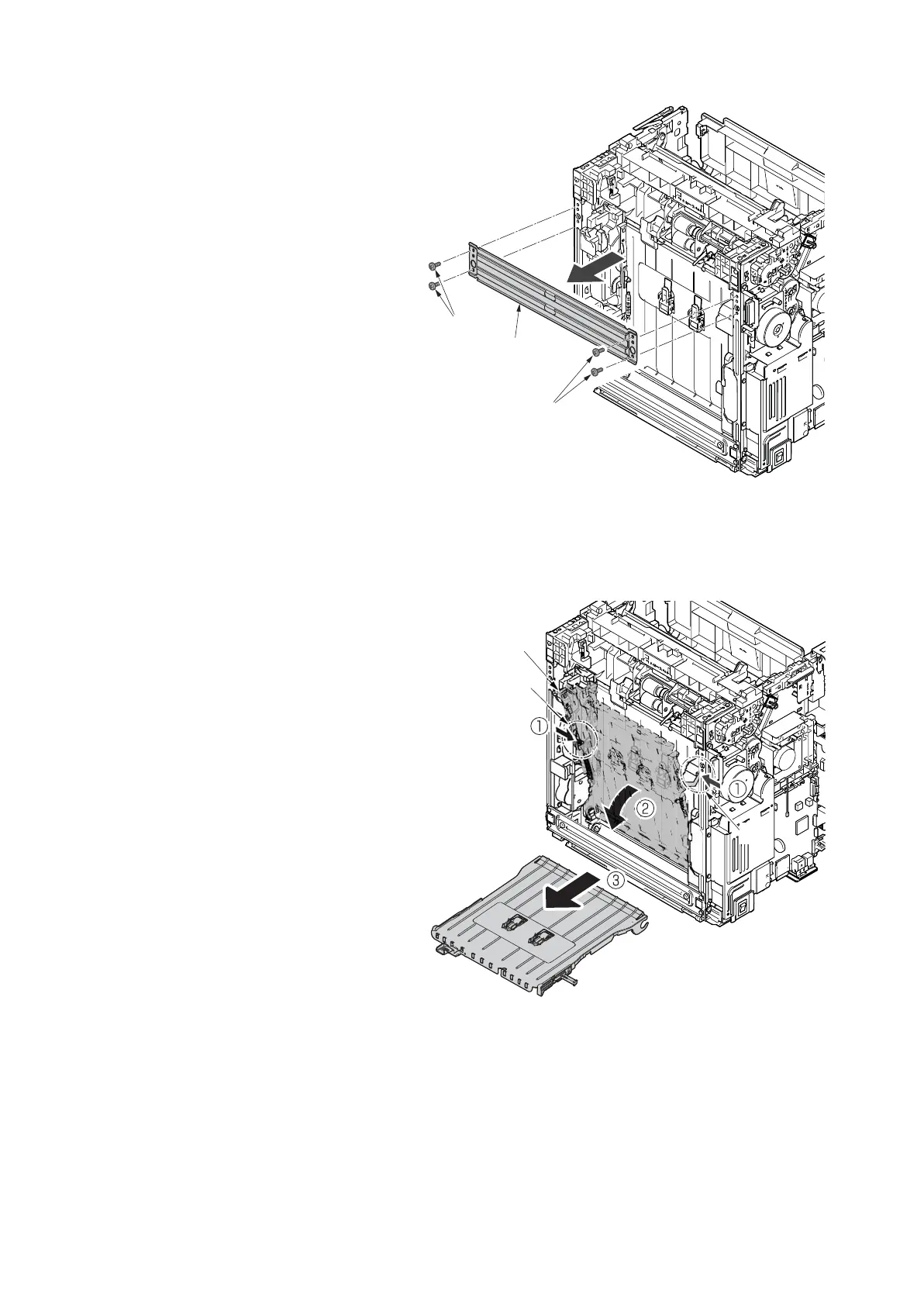
24. Stand the main unit so that you can see
the bottom side.
25. Remove four screws(M3x8S tight)(a)
and detach the front stay(b).
Figure 4-132
26. Tilt the DU assembly (a) and detach two
stoppers(b) while pushing them inside.
27. Lift down the DU assembly(a) to the
bottom and pull it toward you to detach
it.
Figure 4-133
b
a
a
a
b
b



 To Next Page
 Loading...