7-5
Status/Job Cancel > Checking Job Status
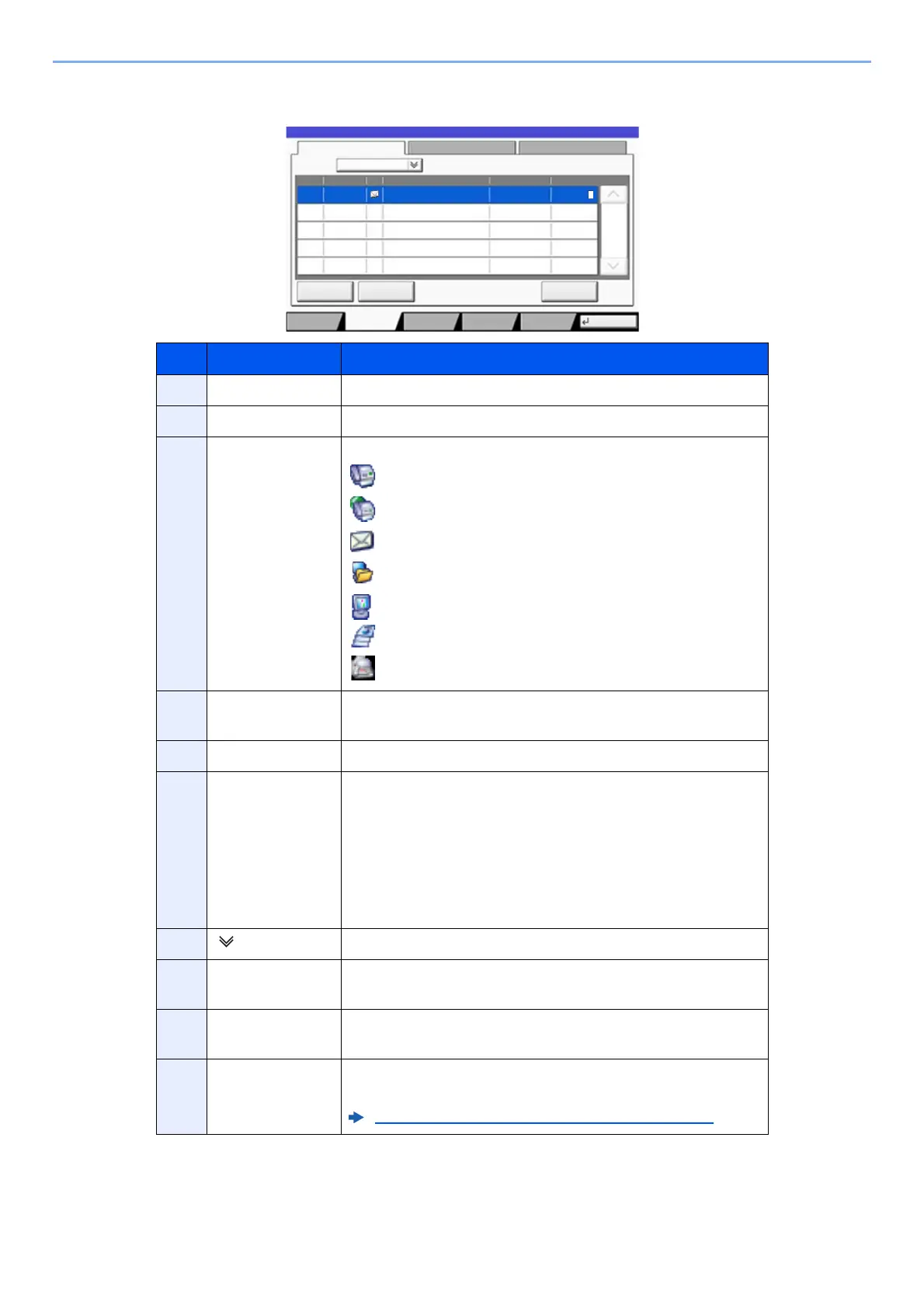
Send Job Status screen
No. Item Description
1 Job No. Acceptance No. of job
2 Accepted Time Accepted Time of job
3 Type Icons that indicate the job type
Sending Job FAX
Sending Job i-FAX
Sending Job E-mail
Sending Job Folder
Sending Job Application
Multi Sending
Sending Job FAX Server
4 Destination Destination (Either destination name, FAX number, E-mail
address, or server name)
5 User Name User Name for the executed job
6 Status Status of job
InProcess: The status before starting sending such as
during scanning originals
Sending: Sending
Waiting: Waiting Sending
Canceling: Canceling the job
Pause: Pausing the job
7 [ ] of "Job Type" Only selected type of jobs is displayed.
8 [Cancel] Select the job you want to cancel from the list, and press this
key.
9 [Priority
Override]
Select the job to be overridden, and press this key.
Only displayed when the optional fax kit is installed.
10 [Detail] Select the job whose detailed information you want to
display from the list, and press this key.
Checking Detailed Information of Jobs (page 7-8)
Log
abc@def.com
438
14:47
1/1
Status
Detail
InProcess
Status
User NameDestinationType
Accept Time
Job No.
Cancel
Job Type All
Status
Status
Scheduled Job
Priority
Override
Close
Paper/
Supplies
Storing JobsSending JobsPrinting Jobs Device/
Communicate
t0201











 To Next Page