8-31
Setup and Registration (System Menu) > System Menu
Display Status/Log
[System Menu/Counter] key > [Common Settings] > [Display Status/Log]
Set the display method of the Status/Log.
Message Banner Print
[System Menu/Counter] key > [Common Settings] > [Message Banner Print]
Customize Status Display
[System Menu/Counter] key > [Common Settings] > [Customize Status Display]
Set the items that appear in the status screens for printing jobs, sending jobs, and storing jobs.
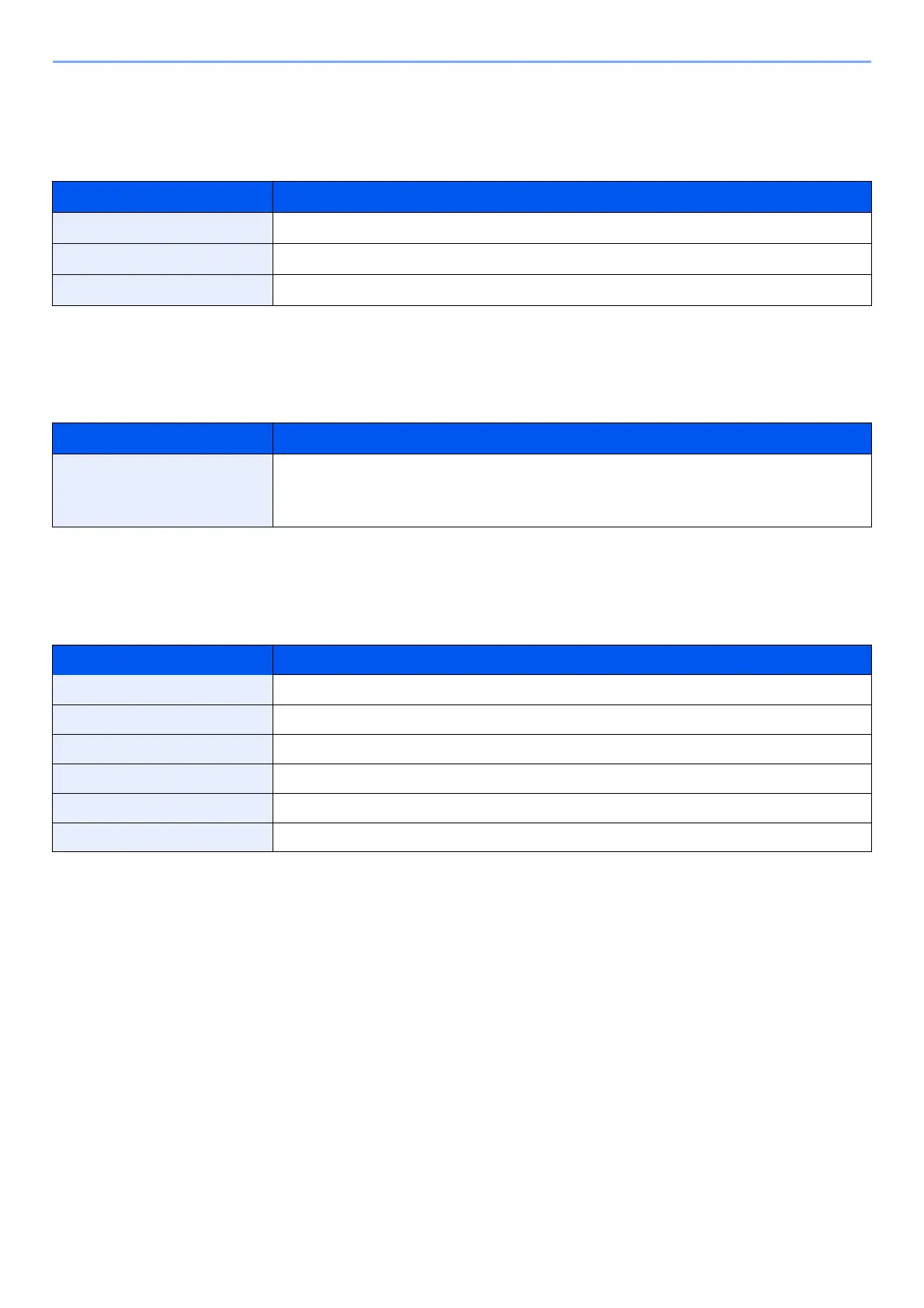
Item Description
Display Jobs Detail Status Value: Show All, My Jobs Only, Hide All
Display Jobs Log Value: Show All, My Jobs Only, Hide All
Display FAX Log
*1
*1 Displayed only when the optional FAX Kit is installed.
Value: Show All, Hide All
Item Description
Message Banner Print Set whether the confirmation screen appears before each sheet is printed when
printing multiple banner sheets.
Value: Off, On
Item Description
Printing Jobs Column 1 Value: Job Name, User Name, Print Pages x Copies, Total Printed Pages
Printing Jobs Column 2 Value: Job Name, User Name, Print Pages x Copies, Total Printed Pages
Sending Jobs Column 1 Value: Job Name, User Name, Destination, Original Pages, Color/Black & White
Sending Jobs Column 2 Value: Job Name, User Name, Destination, Original Pages, Color/Black & White
Storing Jobs Column 1 Value: Job Name, User Name, Original Pages, Color/Black & White
Storing Jobs Column 2 Value: Job Name, User Name, Original Pages, Color/Black & White






 To Next Page