10
condition for reception is at night, between midnight and 6:00 am—
when there is less atmospheric interference. To keep your time as
accurate as possible, the thermo station conducts a WWVB search
every night between these hours, and overrides any manually set time.
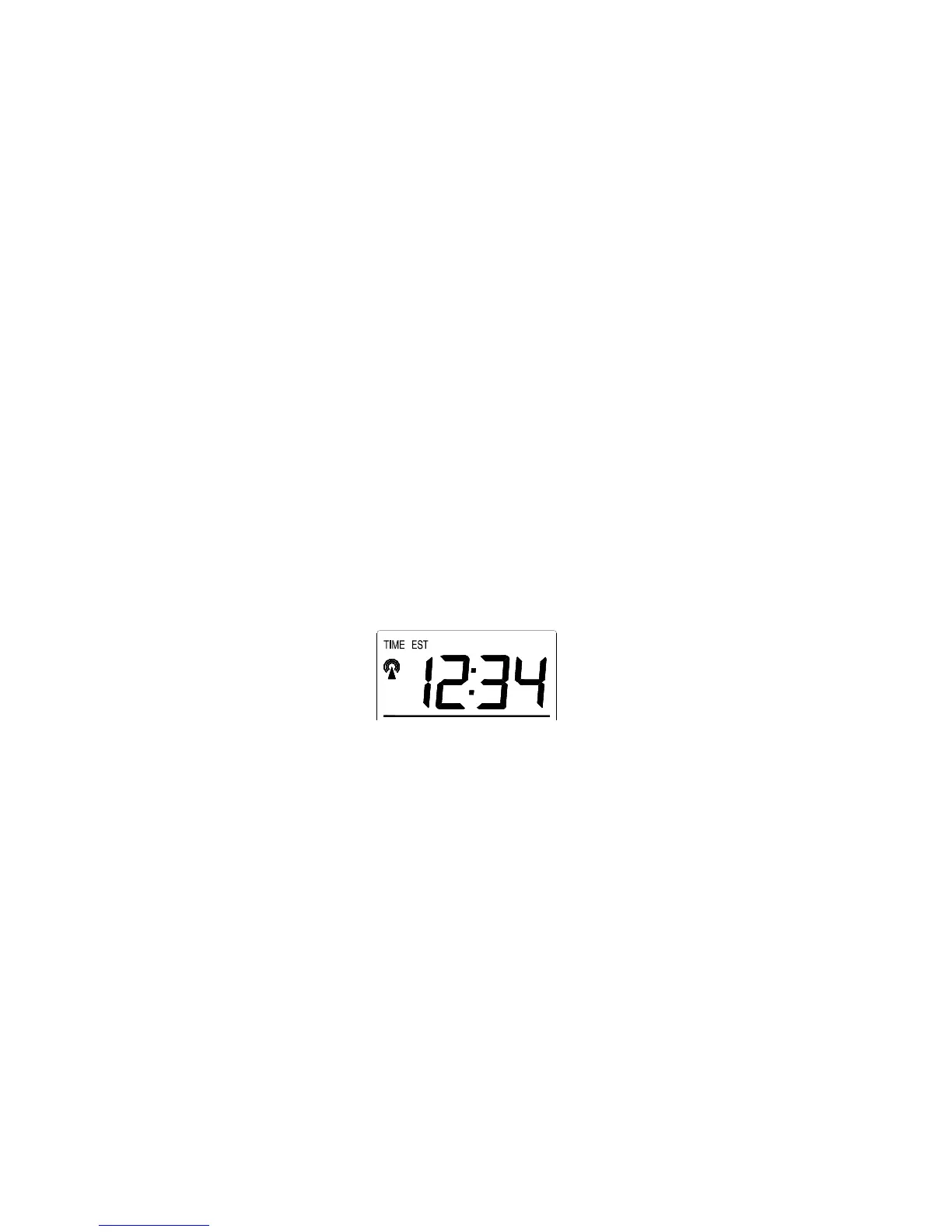
The WWVB tower icon (appearing in the TIME LCD) will flash when
a signal-search is in progress and a signal is being received, and will
remain steady when the signal has been received. If the WWVB time
has not been received after 10 minutes of battery installation, you may
manually set the time or leave the time function alone (reception will
occur regardless).
B. MANUAL TIME SETTING
Note: When in the 12-hour format “P.M.” will appear to the left of the
hour in the time LCD between the hours of noon and midnight.
1. Press and hold the SET button for 5 seconds.
2. “LCD” will show in the time LCD and the number setting will
flash.
3. Press and release the SET button five times.
4. The time will flash in the time LCD.
5. Press and release the IN button to advance the hours.
6. Press and release the OUT button to advance the minutes.
7. Press and release the SET button to confirm and advance to the
year setting.









 To Next Page