7
IV. TIME ZONE SETTING
1. Press and hold the SET button for 5 seconds.
2. “LCD” will show in the time LCD and the number setting
will flash.
3. Press and release the SET button again.
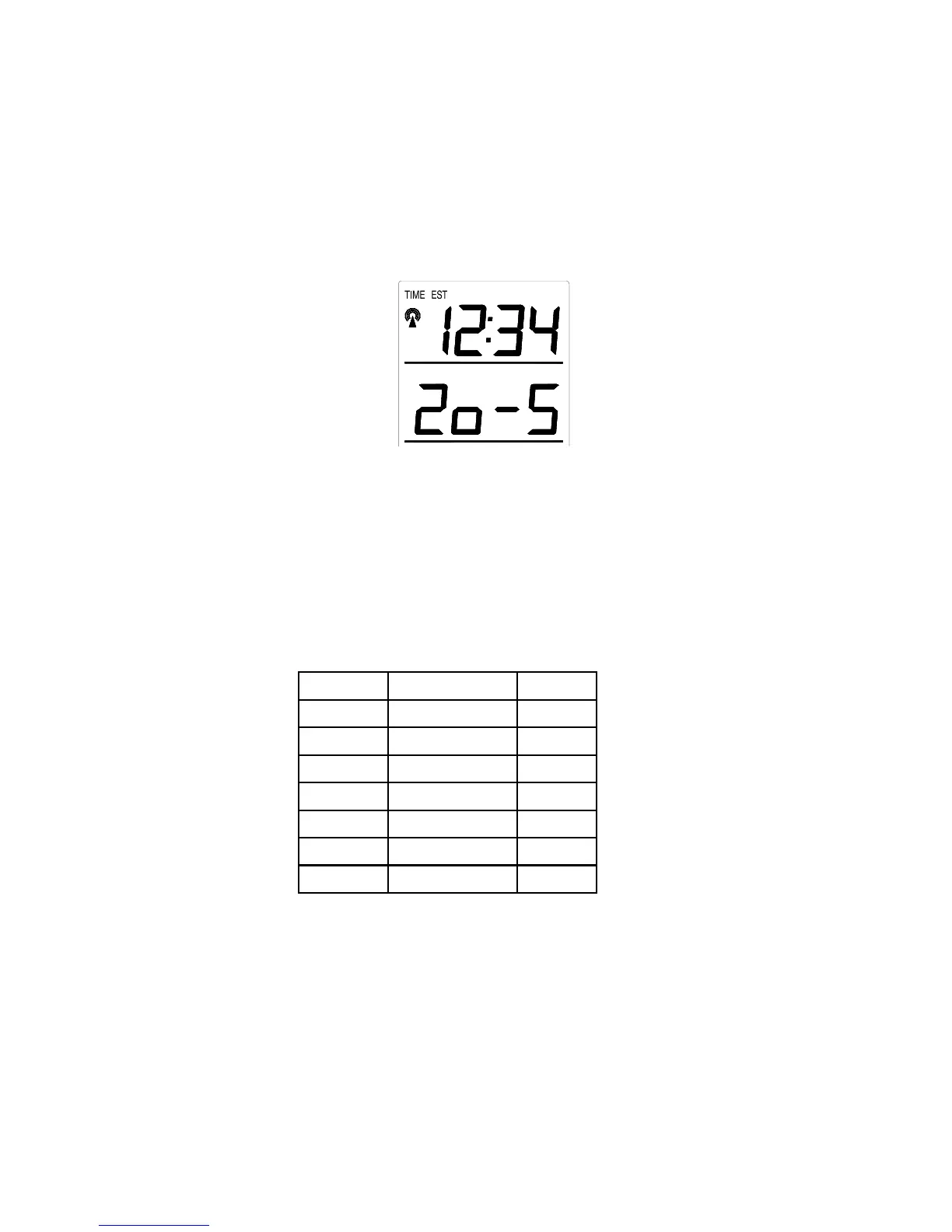
4. The time zone will flash in the date LCD.
5. Press and release the IN button to select your time zone.
Note: When a time zone for the U.S. is selected the corresponding
abbreviation will appear above the time (please see the table). It is
possible to select any time zone from –12 GMT to +12 GMT (for
example to see the time in another country)
TIME ZONES
GMT 0
Atlantic -4
EST; Eastern -5
CST; Central -6
MST; Mountain -7
PST; Pacific -8
ALA; Alaska -9
HAW; Hawaii -10
6. Press and release the SET button to confirm and advance to
the Daylight Saving Time setting.









 To Next Page