6
II. FUNCTION KEYS
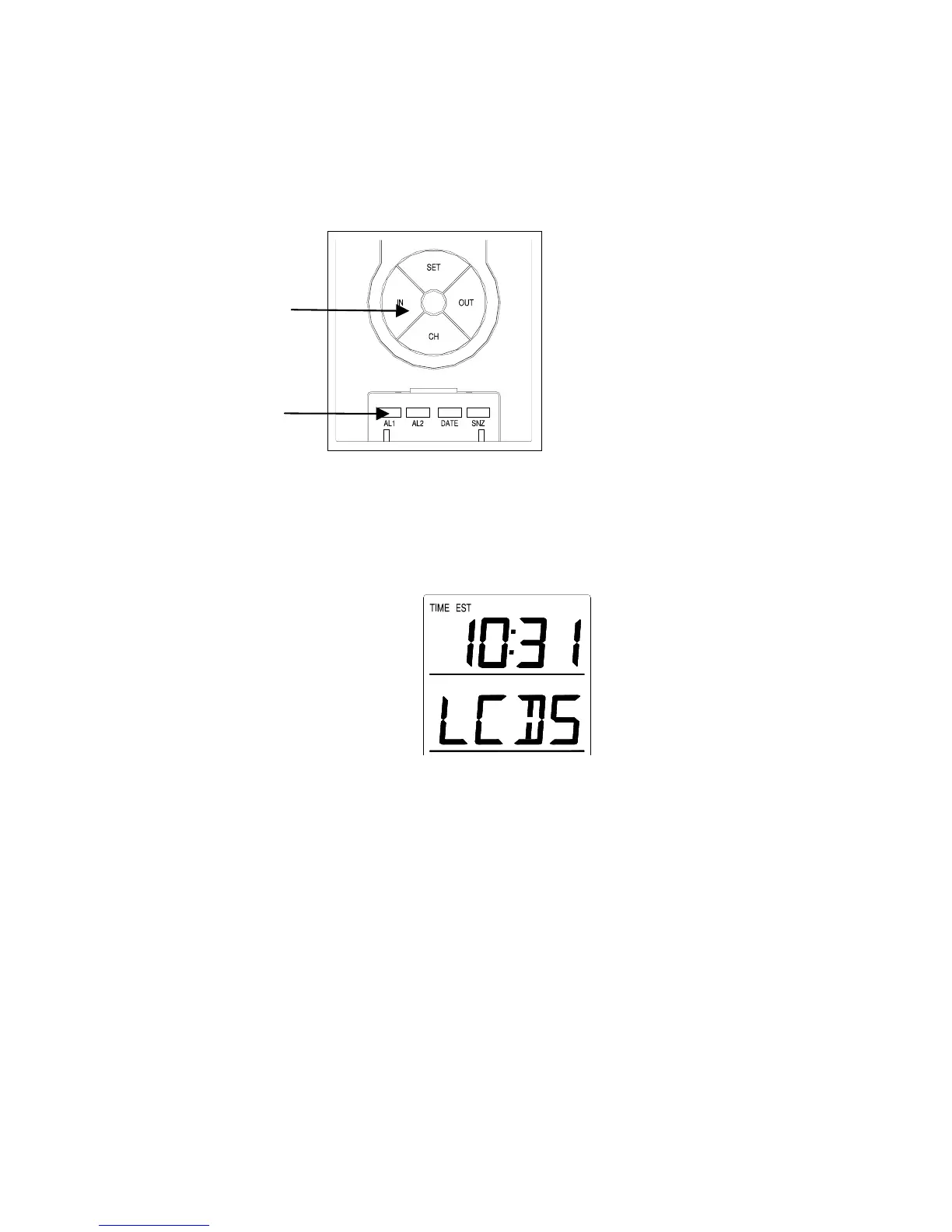
The Secondary Buttons are located directly below the Primary Buttons, and
behind the shield on the face of the unit. To access the Secondary Buttons:
place a solid object in the slot (above the shield) and gently pull out and
down.
III. SETTING THE LCD CONTRAST
1. Press and hold the SET button for 5 seconds.
2. “LCD” will show in the time LCD and the number setting will
flash.
Note: There are 8 LCD contrast levels to choose from—“Lcd 0” is
the lightest, and “Lcd 7” is the darkest.
3. Press and release the IN button to select the level you desire.
4. Press and release the SET button to confirm and advance to
the Time Zone setting.









 To Next Page