CloudBox User Manual 33
Note on Password: The default Username is “admin” and the default password is also “admin”, both with
small letters. Using capital letters will create an error for the backup. Please note that the username and
password may be different if you have launched the management tool (Add Users and Private Access). Enter
the username and password created by the administrator of the LaCie CloudBox. The administrator is the
first person to log on to the CloudBox Dashboard.
LACIE GENIE TIMELINE
To download the backup software, please go to LaCie Genie Timeline for Windows.
Install LaCie Genie Timeline.1.
Launch LaCie Genie Timeline at Start > All Programs > Genie-Soft > Genie Timeline.2.
Select the LaCie CloudBox Family folder if it is one of the recommended backup destinations. If you do not3.
see the LaCie CloudBox, click on Select a different destination to browse for Network >
LACIE-CLOUDBOX > Family.
Click ok then next.4.
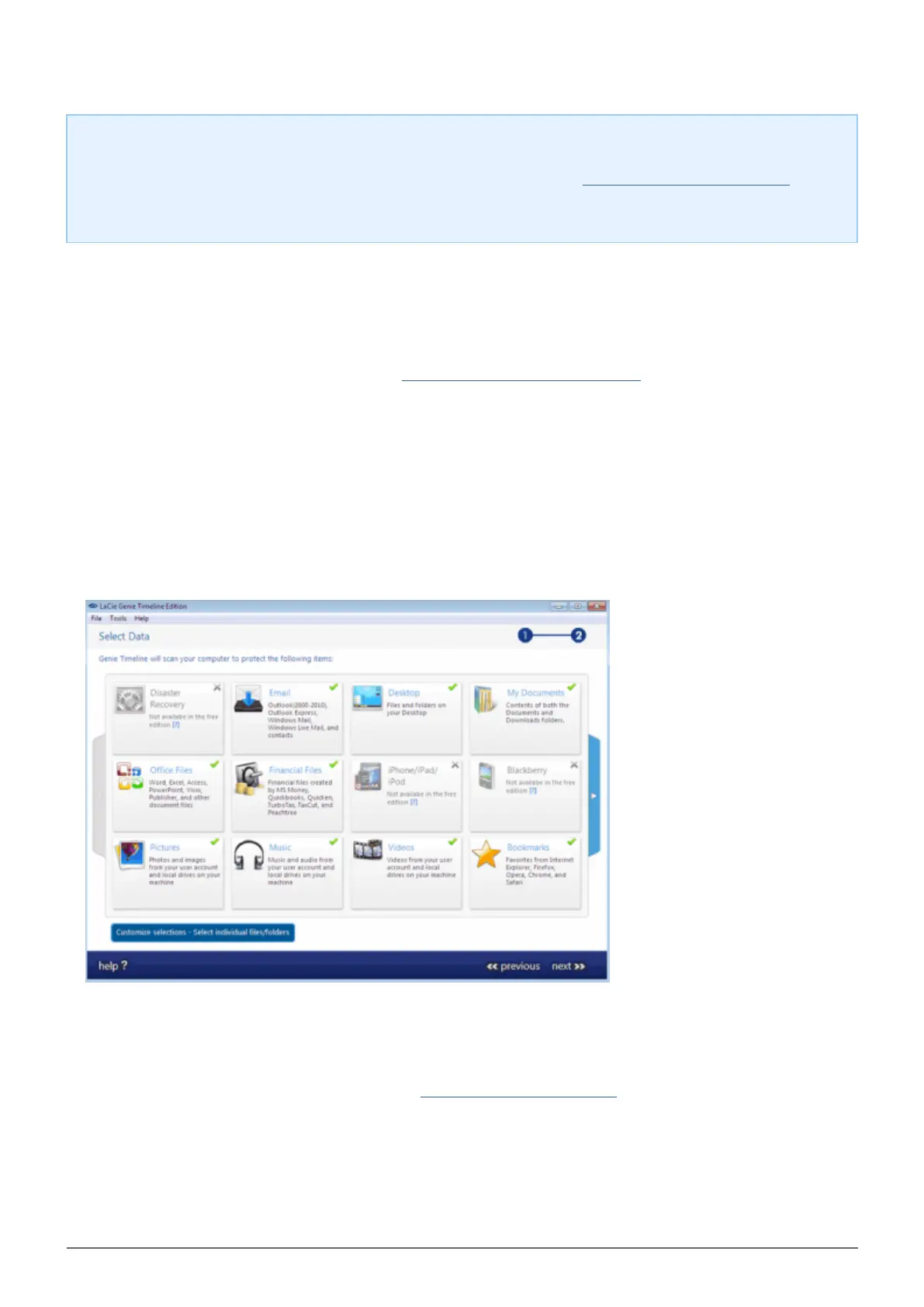
By default, LaCie Genie Timeline will select most of the files on your computer to backup. Click next to5.
accept the default or Customize selections - Select individual files/folders to choose folders manually.
The backup will begin once you select finish.6.
To select specific folders as sources, click on Customize selections - Select individual files/folders. For
further information on how to use Genie Timeline: Genie Timeline User Manual.















 To Next Page