CloudBox User Manual 39
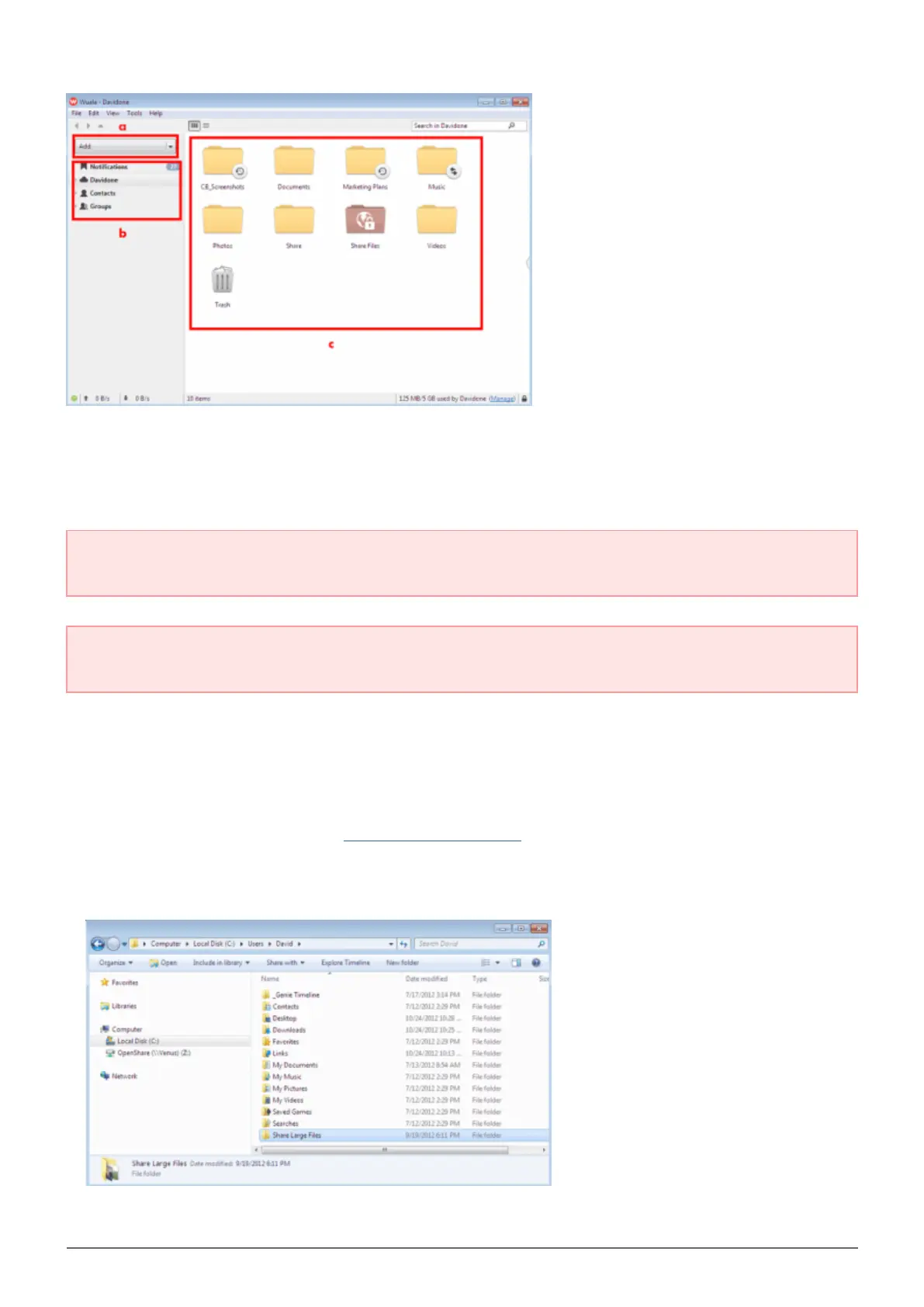
a. Click on the Add pulldown menu to create a new Folder, Backup, Sync, or Group.
■
b. Your account notifications, files, contacts (other Wuala members), and groups.
■
c. All your files are in the center of the window, kept safe on your Wuala secure cloud storage.
■
Important info regarding Wuala Cloud Storage: All Wuala users receive 5GB of secure cloud storage.
Your LaCie CloudBox gets you 10GB of additional Wuala cloud storage for one year.
Important info regarding the Wuala application: You can install the Wuala application on all the
computers in your home and office. Your logon will work no matter where you use Wuala.
Step 2: Sync the folder you want to share
Wuala can clone a folder on your computer to your Wuala cloud storage. Each folder will update, or synchronize,
whenever new files are added. See the Backup Files to the Cloud for details.
Create a folder on your computer. This will be the folder you use to share large files with family and friends.1.
In this example, the name of the folder is Share Large Files.















 To Next Page