CloudBox User Manual 40
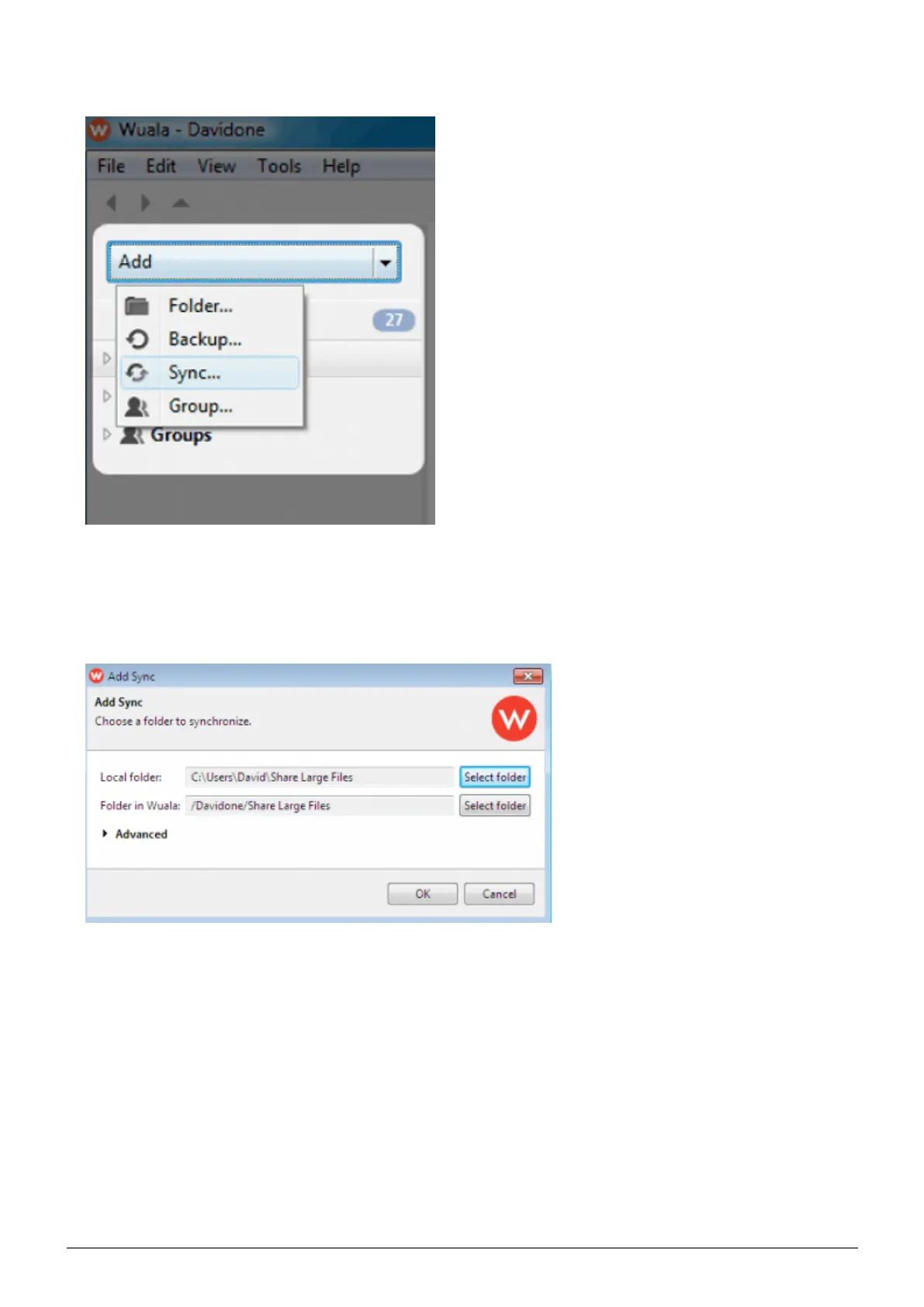
Launch Wuala then click on the pulldown menu Add > Sync.2.
Browse for the folder on your computer that you wish to share. In this example, Share Large Files. Wuala will3.
automatically synchronize the contents of the folder with a cloned folder on your Wuala cloud storage. DO
NOT turn off your computer or exit Wuala during the sync.
The Wuala folder will display a green check mark once the sync is complete.4.















 To Next Page