CloudBox User Manual 95
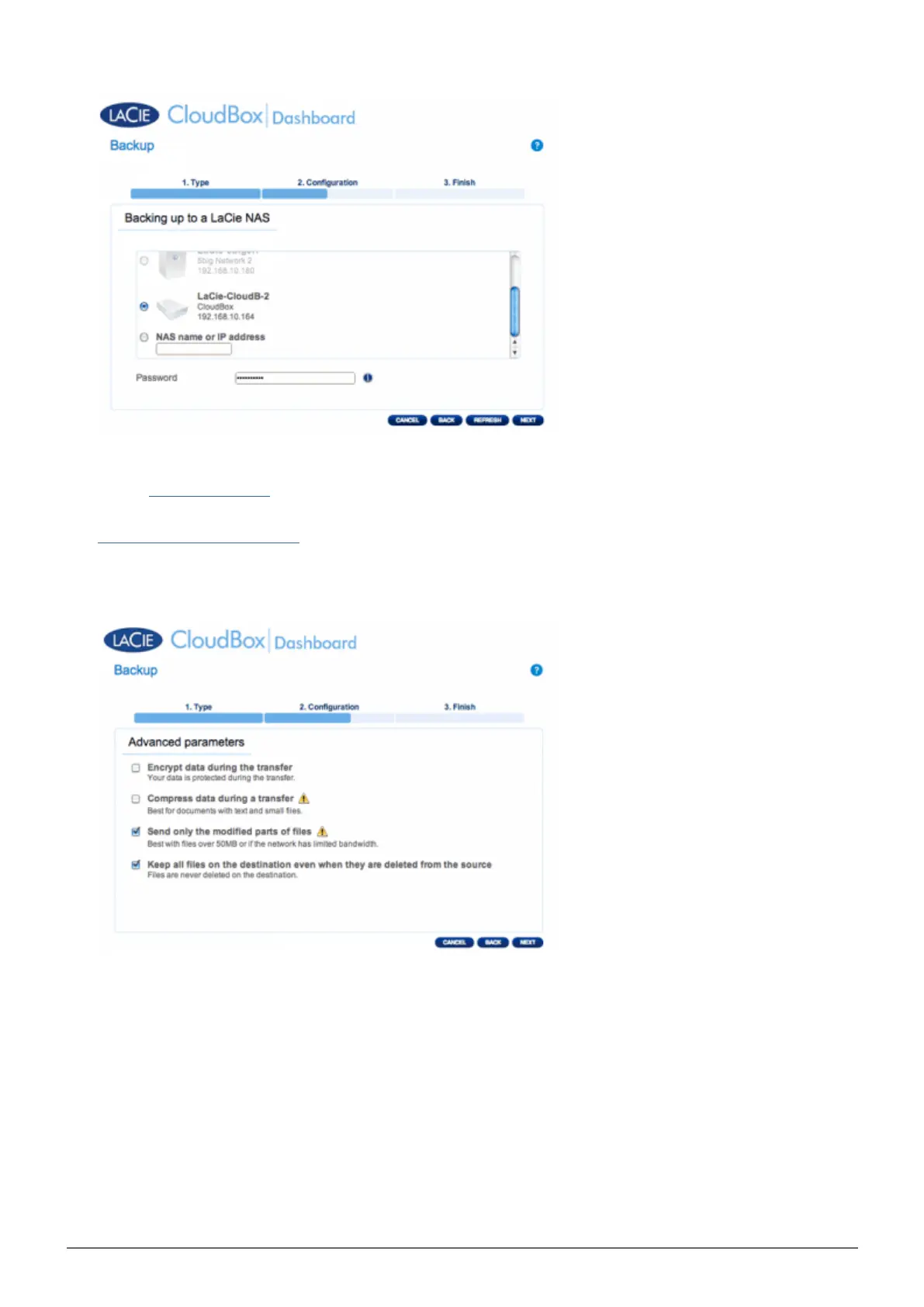
If the LaCie NAS is listed but cannot be selected, you must enable NetBackup Server. See the instructions
■
above, NetBackup Share.
If the LaCie NAS does not appear on the list, please make certain it is powered on and out of sleep mode (
■
Dashboard Eco Management).
The Advanced Parameters window lists four options for your backup (Please note that you do not have to8.
select one or more of the Advanced parameters to continue with the backup.):
Encryption provides secure data transfers over the network. This is ideal for offsite backups.
■
Compressing data will optimize data transmission rates. This is ideal for low bandwidth networks.
■
Sending modified parts of files is best used with backups that include files larger than 50MB. For example, if
■
you edit a Word document that has already been backed up, only the edits will be copied during the next
backup.
You can leave data on the Destination NAS even if it is deleted from your LaCie CloudBox. Please note that
■
this will take up a good amount of storage on your Destination NAS.
Click NEXT.9.
Set the frequency for the backup.10.















 To Next Page