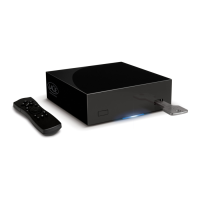
LaCie Network Space • DESIGN BY NEIL POULTON Table of Contents
User Manual page 1
Table of Contents
Health and Safety Precautions ....................................................................................................... 3
General Use Precautions
.............................................................................................................. 3
1. Introduction .............................................................................................................. 4
1.1. Box Content ................................................................................................................................ 5
1.2. Minimum System Requirements ..................................................................................................... 6
1.3. Views of the LaCie Network Space ................................................................................................. 7
2. Setting Up Your LaCie Network Space ...................................................................... 8
2.1. Turn the Drive On ........................................................................................................................ 9
2.2. Connect the Ethernet Cable ........................................................................................................ 10
2.3. Connect with LaCie Ethernet Agent .............................................................................................. 11
2.4. Configuring the LaCie Network Space on a Network Without a DHCP Server .................................. 13
2.5. Disconnecting the LaCie Network Space (Ethernet Connection) ...................................................... 14
3. Accessing and Managing Files ................................................................................ 15
3.1. Accessing Shared Folders ........................................................................................................... 15
3.2. Connecting External USB Hard Disks ........................................................................................... 17
3.3. FTP Access to Shares .................................................................................................................. 17
4. Administering Your LaCie Network Space .............................................................. 18
4.1. Accessing the NAS Administration Page ....................................................................................... 19
4.2. Configuration ............................................................................................................................ 20
4.2.1. Machine Name ............................................................................................................... 20
4.2.2. Windows Workgroup ....................................................................................................... 21
4.2.3. Date and Time ................................................................................................................ 21
4.2.4. Language ....................................................................................................................... 22
4.2.5. Network Configuration ..................................................................................................... 22
4.2.6. Edit Accounts .................................................................................................................. 23
4.2.7. Blue Light ........................................................................................................................ 24
4.3. Backup ..................................................................................................................................... 25
4.4. Disk .......................................................................................................................................... 26
4.4.1. Formatting the LaCie Network Space Disk ......................................................................... 26
4.4.2. Safely Removing an Attached External Disk ........................................................................ 27
4.5. Support ..................................................................................................................................... 28
4.5.1. Enabling FTP Service ........................................................................................................ 28
4.5.2. Media Server ................................................................................................................... 28
4.5.3. System Log ...................................................................................................................... 29
4.5.4. Restarting the Machine ..................................................................................................... 29
5. Troubleshooting ..................................................................................................... 30
6. Contacting Customer Support ................................................................................. 32
6.1. LaCie Technical Support Contacts ............................................................................................... 33
7. Warranty Information ............................................................................................. 34



 To Next Page
 General