LaCie Network Space • DESIGN BY NEIL POULTON Administration
User Manual page 22
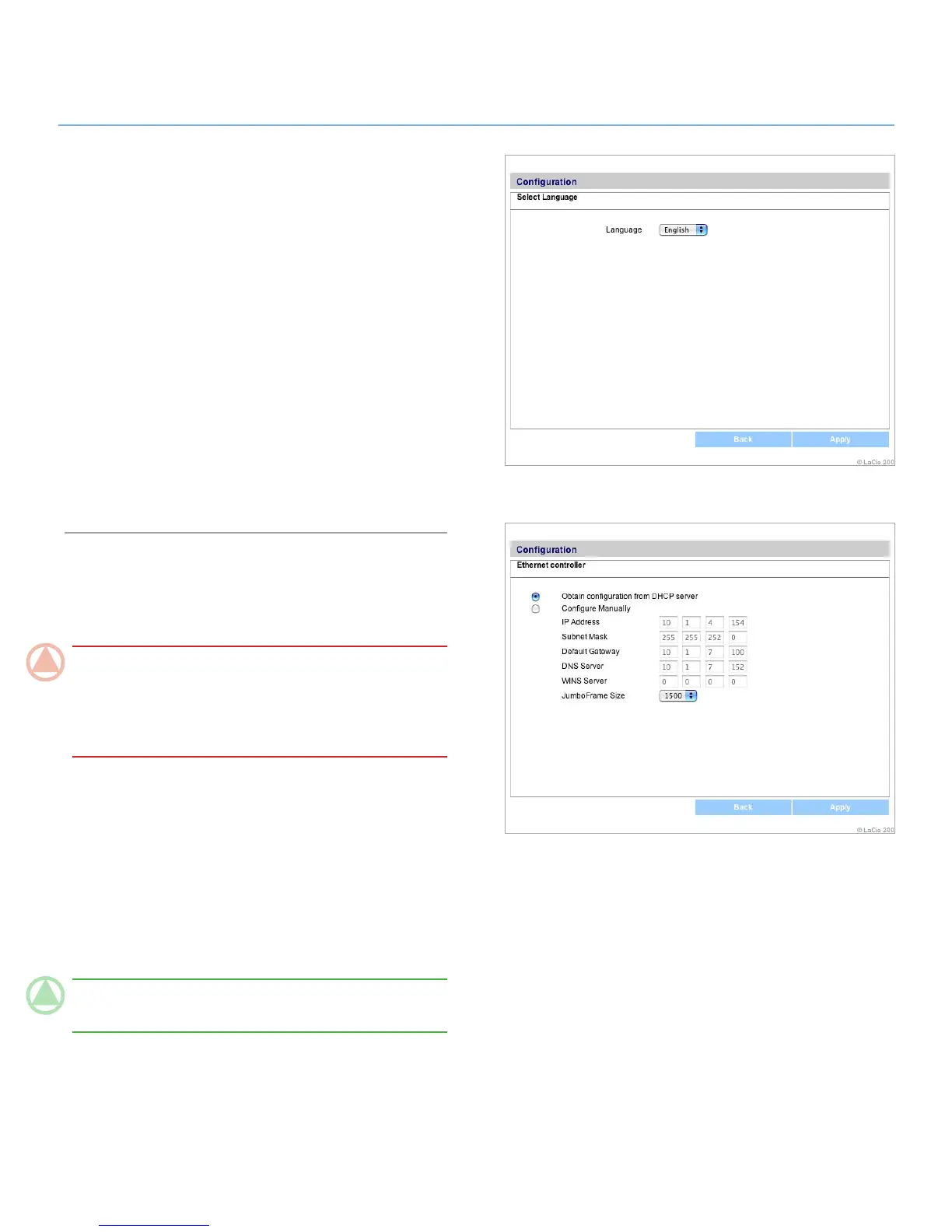
Figure 4.2.4
Figure 4.2.5
Language4.2.4.
To modify the LaCie Network Space admin page
language:
Click the oval button corresponding to “Language” on the 1.
Configuration page.
On the “Select Language“ page (Fig. 4.2.4), select a lan-
2.
guage from the dropdown menu.
Click
3. Apply.
Network Configuration4.2.5.
If your LaCie Network Space is connected to a hub or switch that
is not a DHCP server you can make network settings manually.
ImpOrTANT INfO: Do not make changes to the settings
on the Ethernet controller page if you are not familiar with their
meanings. If the fields on the Ethernet controller page are filled
when the “Obtain configuration from DHCP server” button is
selected, you do not need to make changes.
To change network settings:
Click the oval button corresponding to Network Configura-1.
tion on the Configuration page.
Click 2. Edit.
Click the 3. Configure Manually button and make changes
according to the configuration of your network.
Click
4. Apply.
TeChNICAl NOTe: Changing the IP address will cause the
language setting to revert to the default (English).













 To Next Page