LaCie Network Space • DESIGN BY NEIL POULTON Administration
User Manual page 24
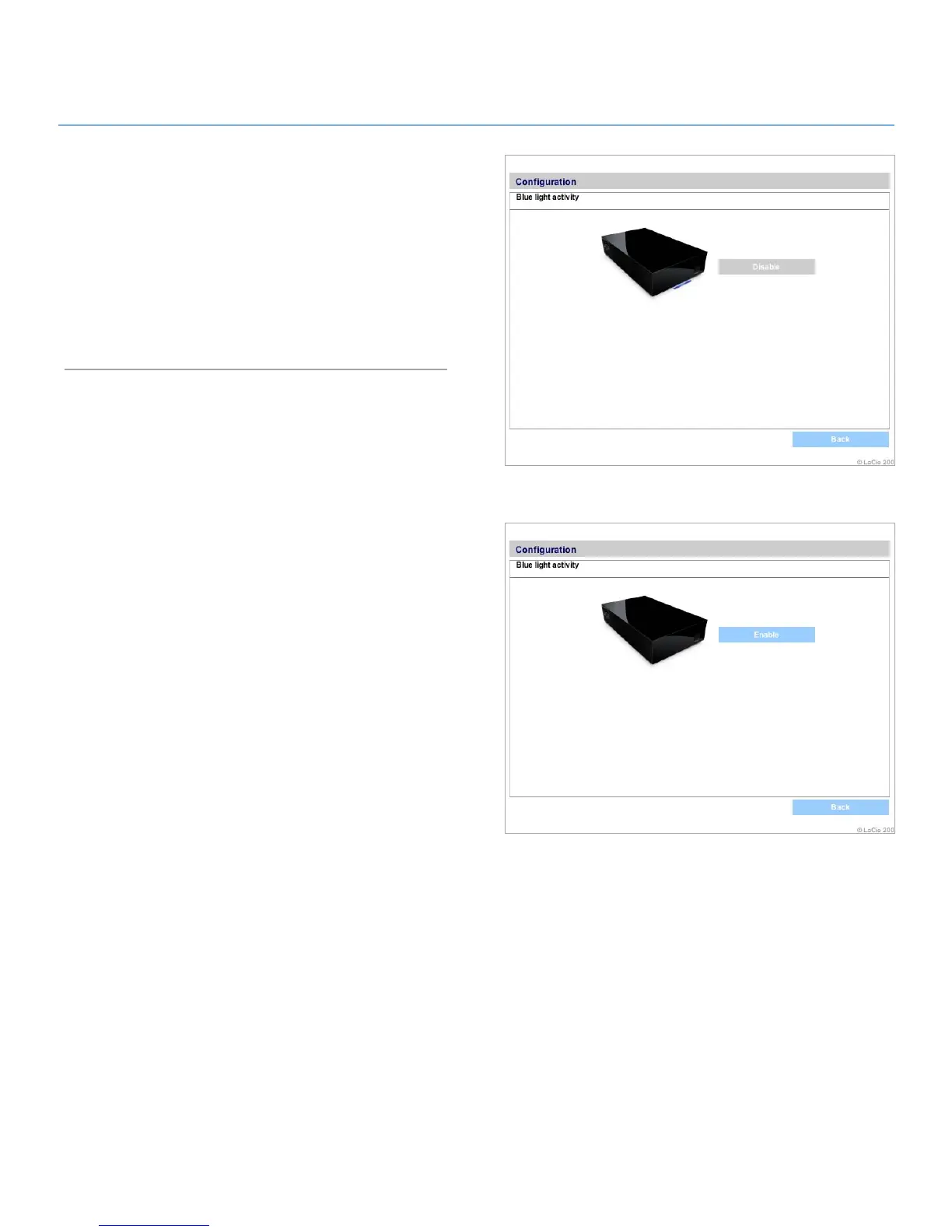
Figure 4.2.7-A
Figure 4.2.7-B
Blue Light4.2.7.
The blue LED at the front of the LaCie Network Space can be
turned off and on from the NAS administration page.
To turn the LED on and off:
Click the oval button corresponding to Activity.1.
If the light is on, click 2. Disable to turn it off (Fig. 4.2.7-A), or if
the light is off, click Enable to turn it on (Fig. 4.2.7-B).













 To Next Page