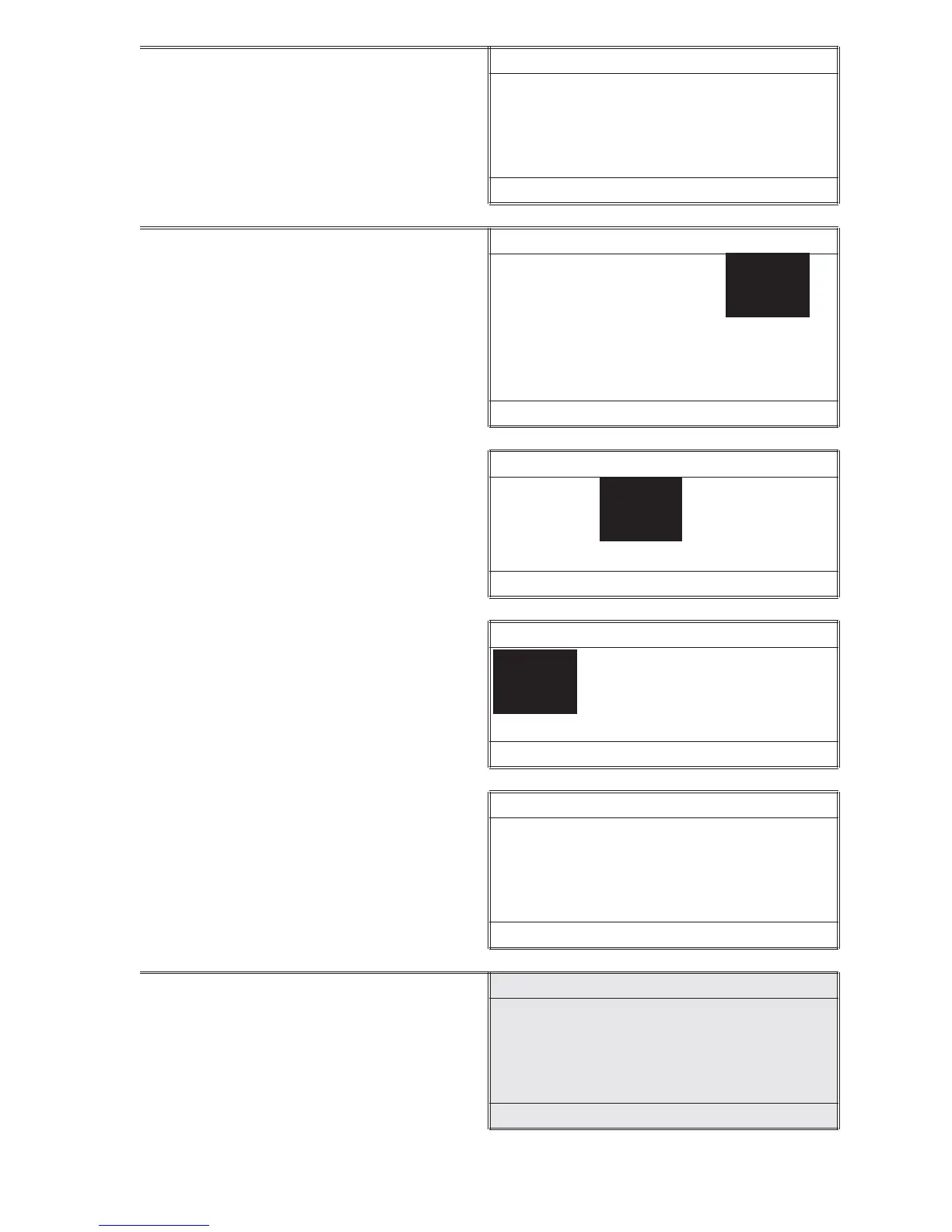
4. Press *IOK to select Set Date or
scroll down and then press *IOK to
select Set Time or Date Format.
Date/Time
*Set Date
Set Time
Date Format
16:02:19 01/04/05
5. When setting the time or the date,
use the or to change the
highlighted number on the display.
Press *IOK to accept the value and
move to the next value.
Set Date
01/0/4/05
q , * , p
16:02:19 01/04/05
Set Date
01/04/05
q , * , p
16:02:19 01/04/05
Set Date
01/04/05
q , * , p
16:02:19 01/04/05
When choosing a date format, use
the or to select a date format.
Press *IOK to accept format
Date/Time
*Set Date
Set Time
Date Format
16:02:19 01/04/05
6. Press to exit to a previous menu or
make another menu selection or
press OFF to turn the meter off.
OPTIONS & SETUP • SET DATE & TIME 13













 To Next Page