6
BASIC OPERATION
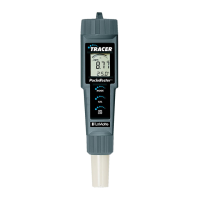
Powering the TRACER
The Tracer uses four CR2032 Lithium Ion batteries. If the batteries are weak,
the BAT indicator will appear on the display. Press the ON/OFF key to turn
the TRACER on or off. The auto power off feature will shut the TRACER off
automatically after ten minutes of inactivity.
TDS Compensation Ratio
The TDS value is determined by multiplying the conductivity measurement
by a known conversion ratio factor. The meter allows the selection of a
conversion ratio factor in the range of 0.4 to 1.0. The selected ratio will vary
with application but is typically set between 0.5 and 0.7. In the salinity mode,
the ratio is fixed at 0.5. The stored ratio factor will briefly appear in the lower
temperature display when the meter is first turned on or when changing the
measurement function to TDS.
NOTE: In the salinity mode the ratio is 0.4 to 0.6 automatic.
To Change the TDS Conversion Ratio:
1. Turn the TRACER on.
2. Press and release the CAL button twice.
The stored ratio will appear in the display.
3. Press the MODE button to change the ratio
value in steps of 0.1.
4. When the desired ratio is displayed, press and
release the CAL button to store the value and
return
to the normal mode.
5. If no buttons are pressed for 5 seconds, the
meter will return to the measurement mode.
0.7



 To Next Page
 Loading...