LANCOM Wireless DSL – LANCOM Wireless ADSL
Chapter 4: Setting up Internet access
48
EN
4.1 Instructions for LANconfig
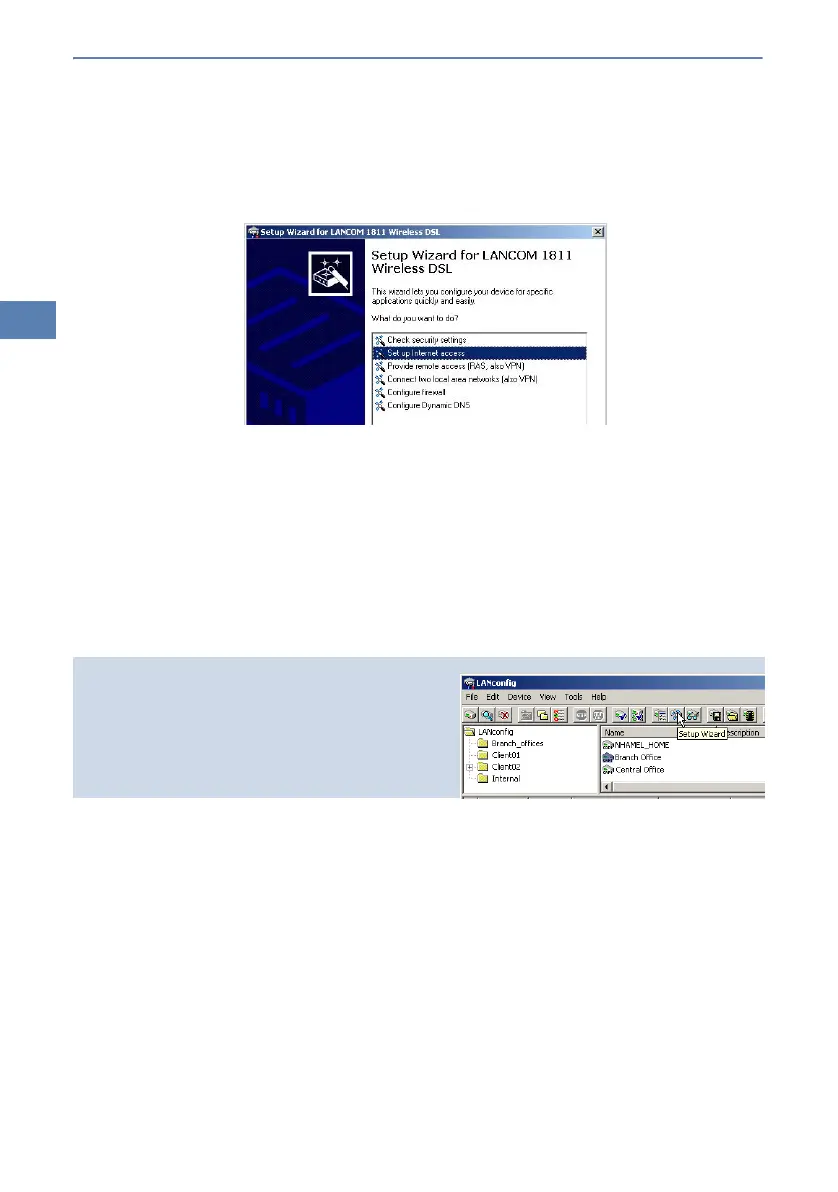
햲 Highlight the LANCOM Wireless DSL in the selection window. From the
menu bar, select Tools Setup Wizard.
햳 From the menu, select the Setup Internet access wizard and click Next.
햴 In the following window select your country and your Internet provider if
possible, and enter your access information.
햵 Depending on their availability, the wizard will display additional options
for your Internet connection.
햶 The wizard will inform you as soon as the entered information is complete.
Complete the configuration with Finish.
4.2 Instructions for WEBconfig
햲 In the main menu, select Setup Internet access.
햳 In the following window select your country and your Internet provider if
possible, and enter your access information.
햴 Depending on their availability, the wizard will display additional options
for your Internet connection.
햵 The wizard will inform you as soon as the entered information is complete.
Complete the configuration with Apply.
LANconfig:
Quick access to the setup wizards
Under LANconfig, the fastest way to launch the
setup wizards is via the button on the toolbar.



 To Next Page