Specifying the Custom Paper Size for the By-
pass Tray
Using the Control Panel 7 - 13
Specifying the Custom Paper Size for the Bypass Tray
1
Press {
User Tools
}.
2
Press {
4
} on the number keys.
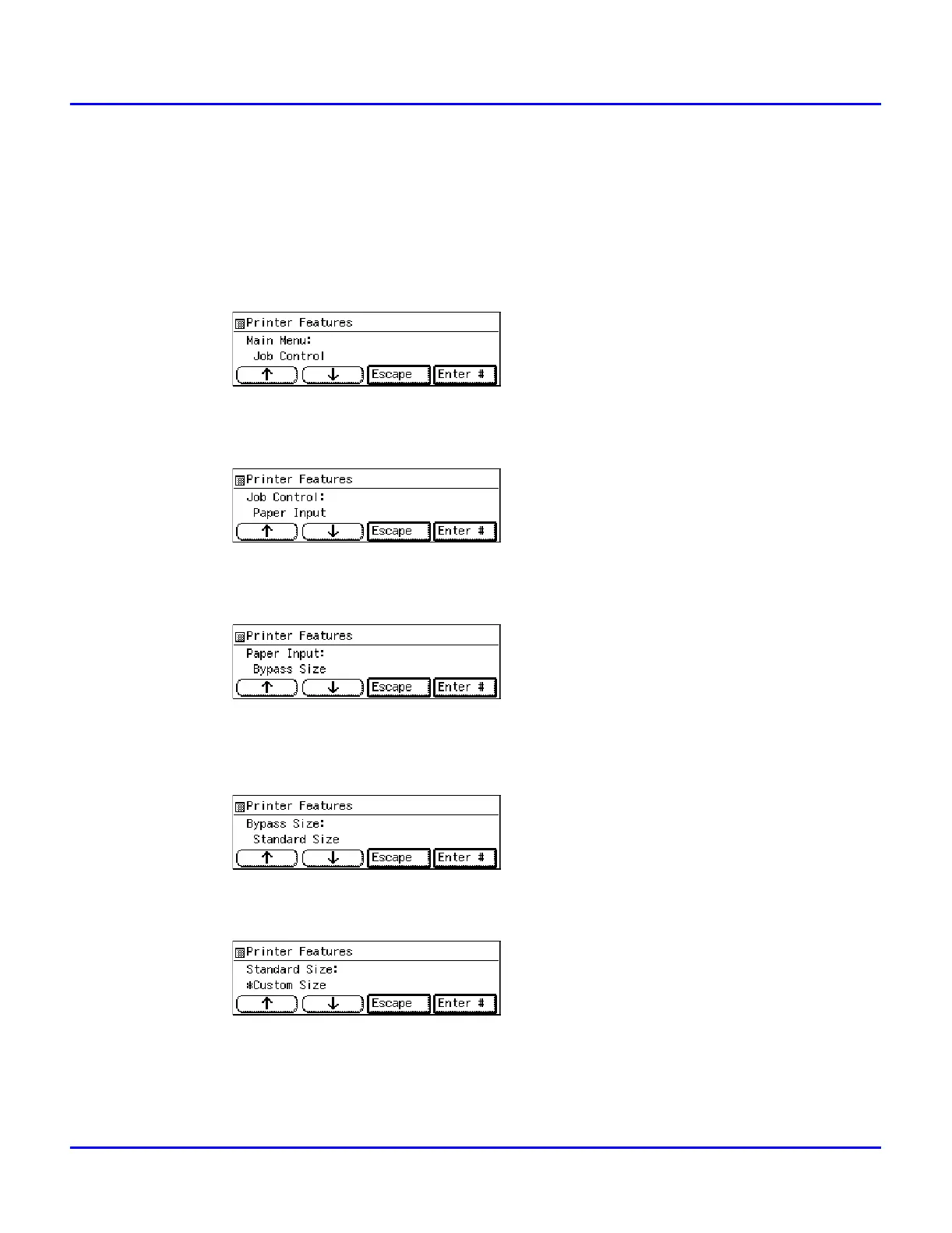
3
Press
[Up Arrow]
or
[Down Arrow] keys
until “Job Control” appears, and then press
[Enter #]
.
4
Press
[Up Arrow]
or
[Down Arrow] keys
until “Paper Input” appears, and then press
[Enter #]
.
5
Press
[Up Arrow]
or
[Down Arrow] keys
until “Bypass Size” appears, and then press
[Enter #]
.
6
Specifying the standard size.
1. After confirming that “Standard Size” is displayed, press
[Enter #]
.
2. Press
[Up Arrow]
or
[Down Arrow]
keys until “Custom Size” is displayed, and
then press
[Enter #]
.
7
Specify the Custom Size.
1. Press
[Up Arrow]
or
[Down Arrow]
until “Custom Size” is displayed, press



 To Next Page