Troubleshooting
140
6
Removing Jammed Staples
Note
❒ Curled paper may cause staples to jam. To avoid this, turn copy paper over
in the tray. If there is no improvement, change to a stiffer copy paper.
❒ When the 500-sheet finisher is installed, after removing jammed staples, sta-
ples will not be ejected the first few times you try to use the stapler.
Reference
For types of finisher, see p.21 “External Options”.
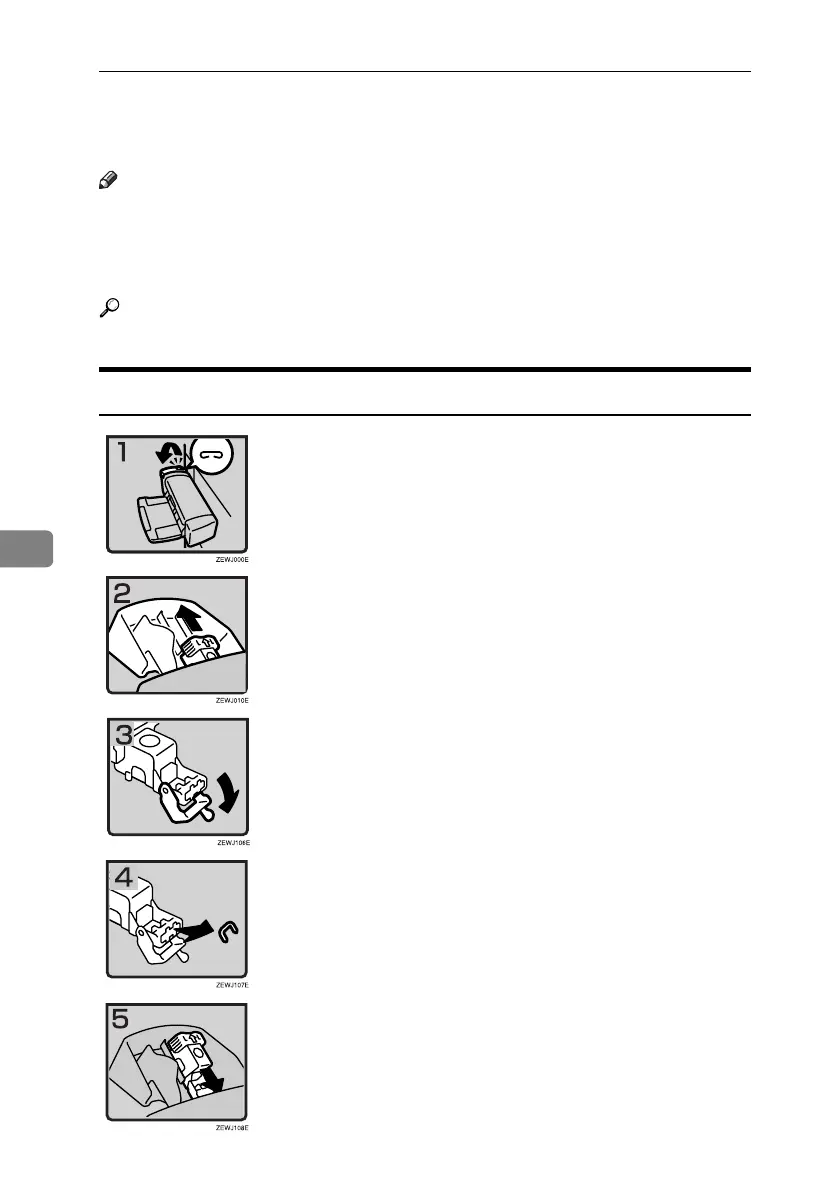
500-Sheet Finisher
• 1: Open the side cover.
• 2: Remove the cartridge.
• 3: Open the face plate.
• 4: Remove the jammed staples.
• 5: Reinstall the cartridge.
• 6: Close the side cover.
RuC4_EN_gsg-F_FM_forPaper.book Page 140 Tuesday, April 5, 2005 12:06 PM



 To Next Page