Document Server
38
3
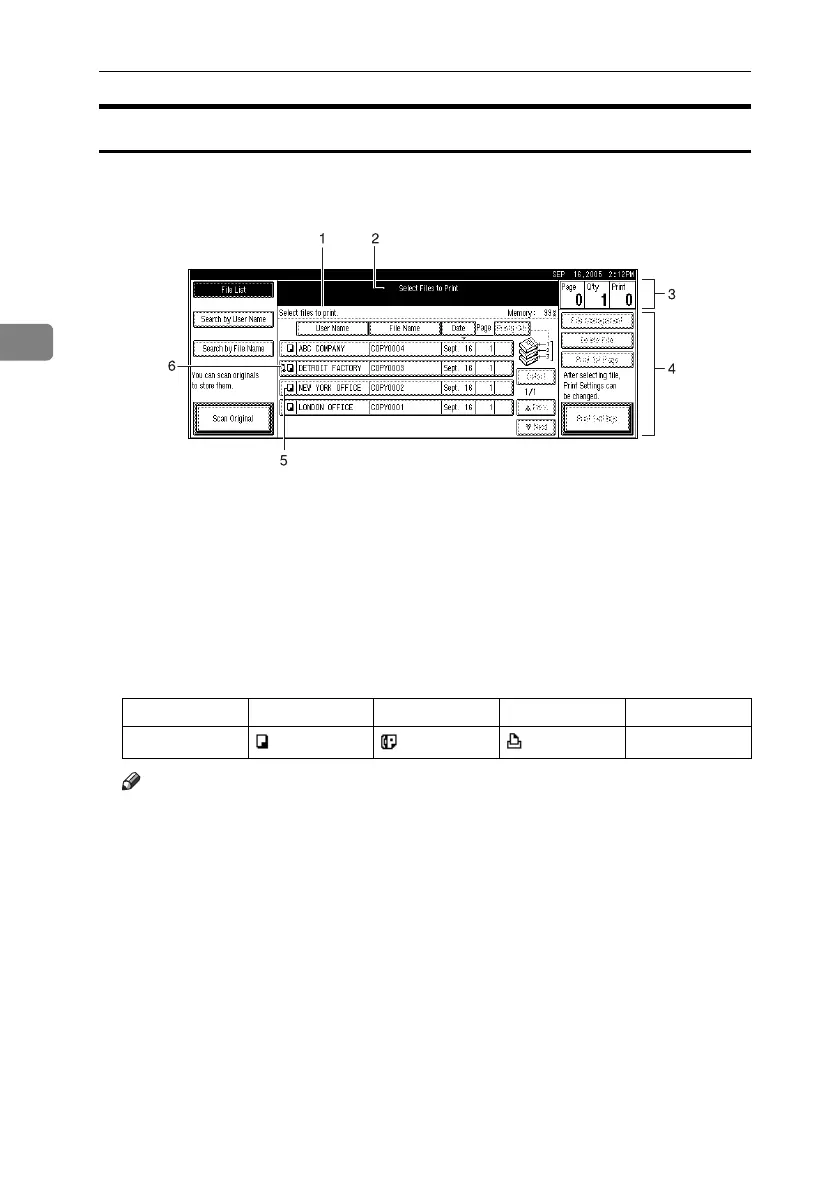
Document Server Display
❖ Document Server Main Display
1. Operating status and messages.
2. The title of the currently selected
screen.
3. The numbers of originals, copies,
and printed pages.
4. The operation keys.
5. The functions under which the
documents were stored.
6. A lock icon appears next to each
password-protected file.
The icons below show the functions active when the documents were stored
in the Document Server.
Note
❒ Depending on the settings of security functions, not all the stored docu-
ments may be displayed.
AHR036S
Function Copier Facsimile Printer Scanner
Icon --
RuC4_EN_gsg-F_FM_forPaper.book Page 38 Tuesday, April 5, 2005 12:06 PM



 To Next Page