Registering Addresses and Users for Facsimile/Scanner Functions
74
5
Registering Names
The user name is useful for selecting a
destination when sending faxes or e-
mail. You can also use it as a folder
destination.
Registering a Name
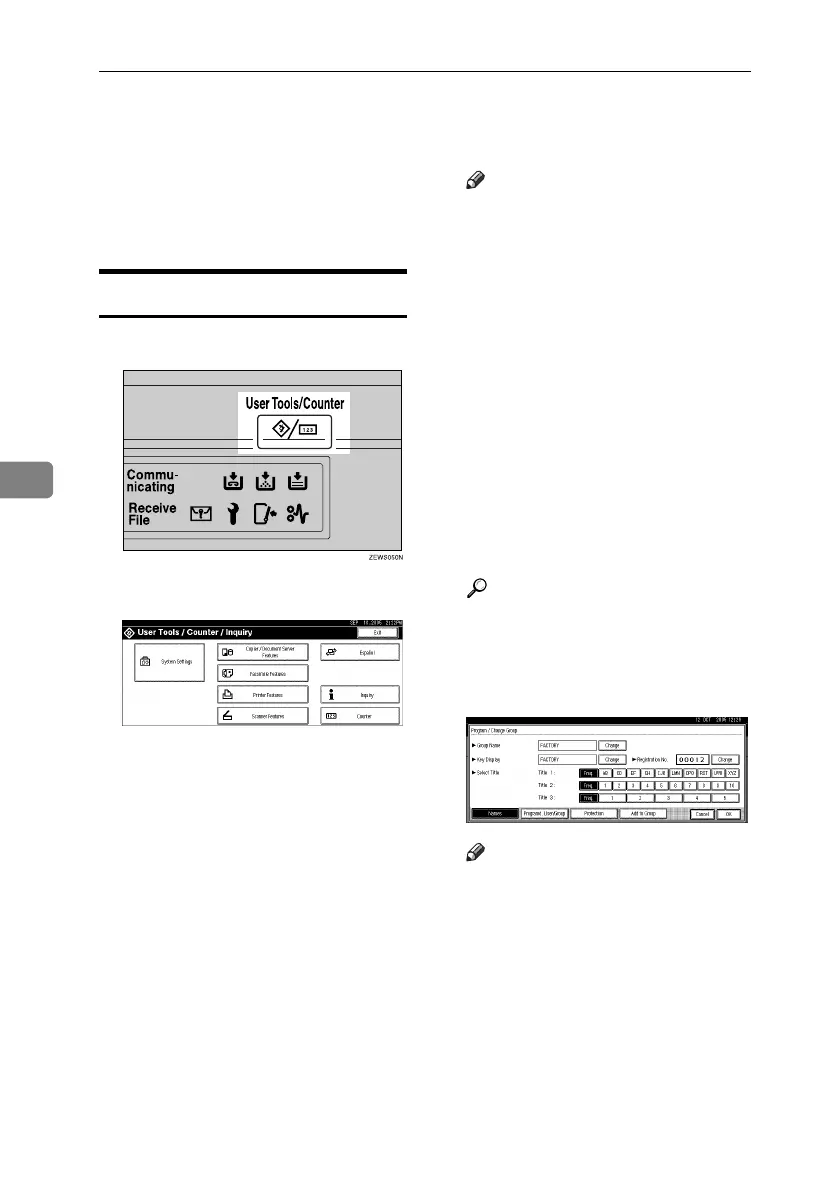
A Press the {User Tools/Counter} key.
B Press [System Settings].
C Press [Administrator Tools], and
then press [TNext].
D Press [Address Book Management].
E Press [New Program].
F Press [Change] on the right of the
Name.
The name entry display appears.
G Enter the name, and then press
[OK].
Note
❒ The name can be used for docu-
ments in the Document Server.
For details about the Document
Server, see p.39 “Using the Doc-
ument Server”.
❒ You can register up to 2000 pro-
grams and allocate them regis-
tration numbers between 00001
and 50000.
❒ Registration numbers are ini-
tially assigned automatically,
but you can change them after-
ward. To change a registration
number, press [Change] to the
right of “Registration No.”, and
enter a new number using the
number keys.
Reference
p.151 “Entering Text”
H Press the key for the classification
you want to use under Select Ti-
tle.
Note
❒ The keys you can select are as
follows:
• [Freq.]… Added to the page
that is displayed first.
• [AB], [CD], [EF], [GH], [IJK],
[LMN], [OPQ], [RST], [UVW],
[XYZ], [1] to [10]… Added to
the list of items in the select-
ed title.
❒ You can select [Freq.] and one
more page for each title.
RuC4_EN_gsg-F_FM_forPaper.book Page 74 Tuesday, April 5, 2005 12:06 PM



 To Next Page