134
6
ATI CrossFire Technology
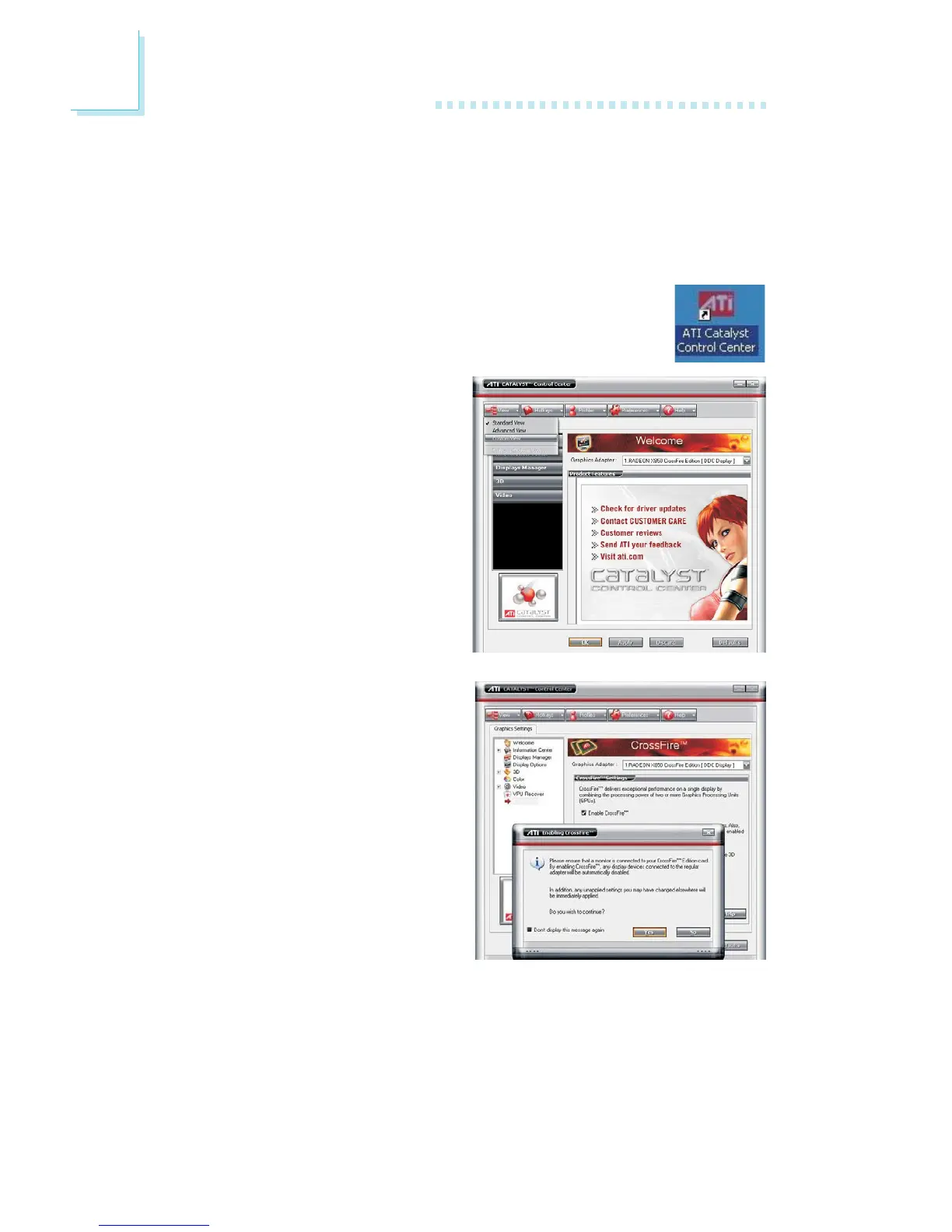
15. In the Graphics Settings
menu (left side of screen),
click CrossFire. The
CrossFire Settings screen
will appear on the main
window. Click “Enable
CrossFire” then click “Yes”
to continue.
14. Click the View tab then
select Custom View.
11. Connect auxiliary power source from the power supply unit to
the graphics cards.
12. Install the graphics cards’ drivers then restart the system for the
drivers to take effect.
13. When you enter the operating system, you will no-
tice the ATI Catalyst Control Center icon added
onto your desktop. Double-click this icon.


 To Next Page