21
2
Hardware Installation
Installing the Memory Module
Note:
The system board used in the following illustrations may not
resemble the actual board. These illustrations are for reference
only.
1. Make sure the PC and all other peripheral devices connected to
it has been powered down.
2. Disconnect all power cords and cables.
3. Locate the DIMM socket on the system board.
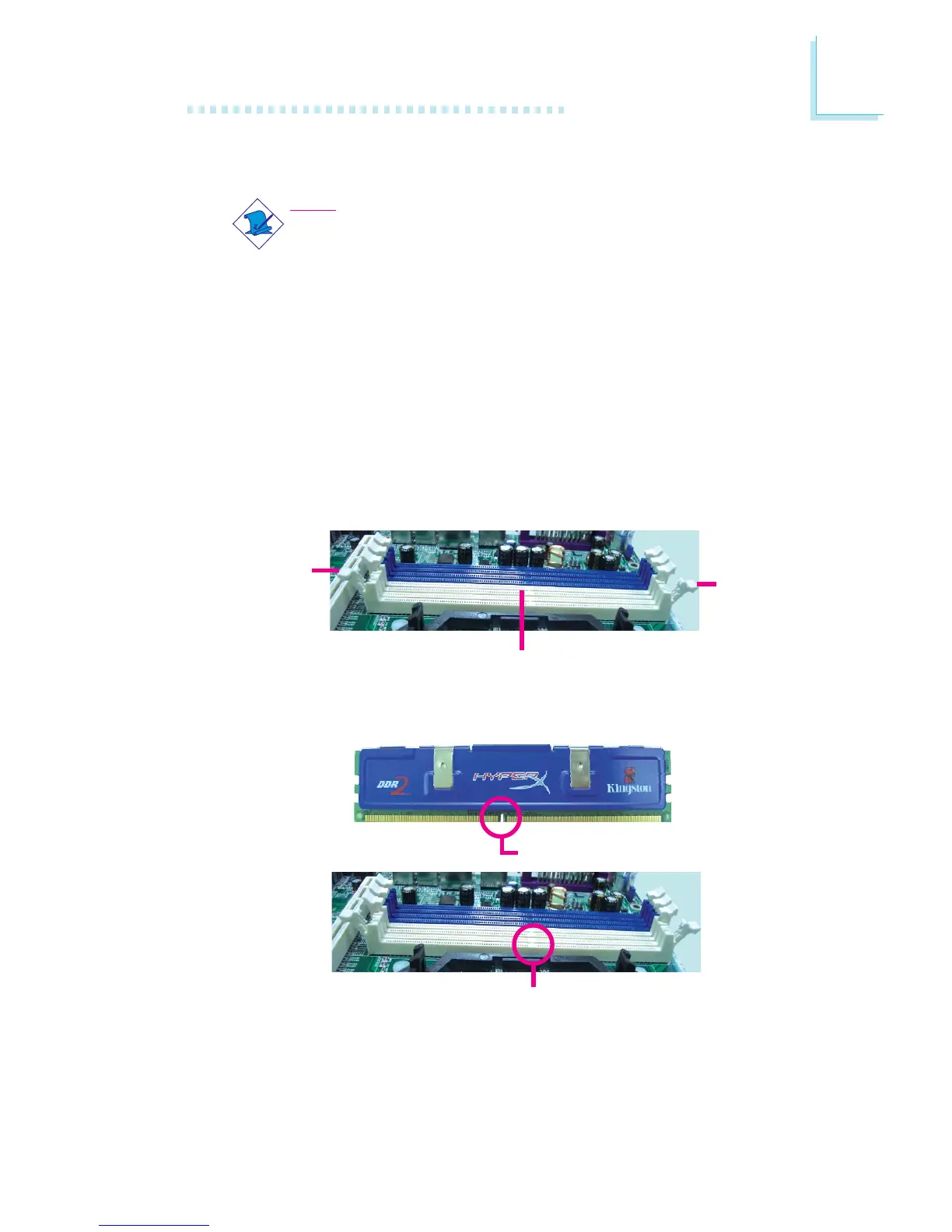
4. Push the “ejector tabs” which are at the ends of the socket to
the side.
Ejector
tab
5. Note how the module is keyed to the socket.
DIMM sockets
Ejector
tab
Key
Notch


 To Next Page