27
2
Hardware Installation
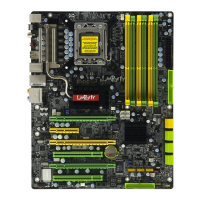
Fan
Heat sink
Stud
Groove
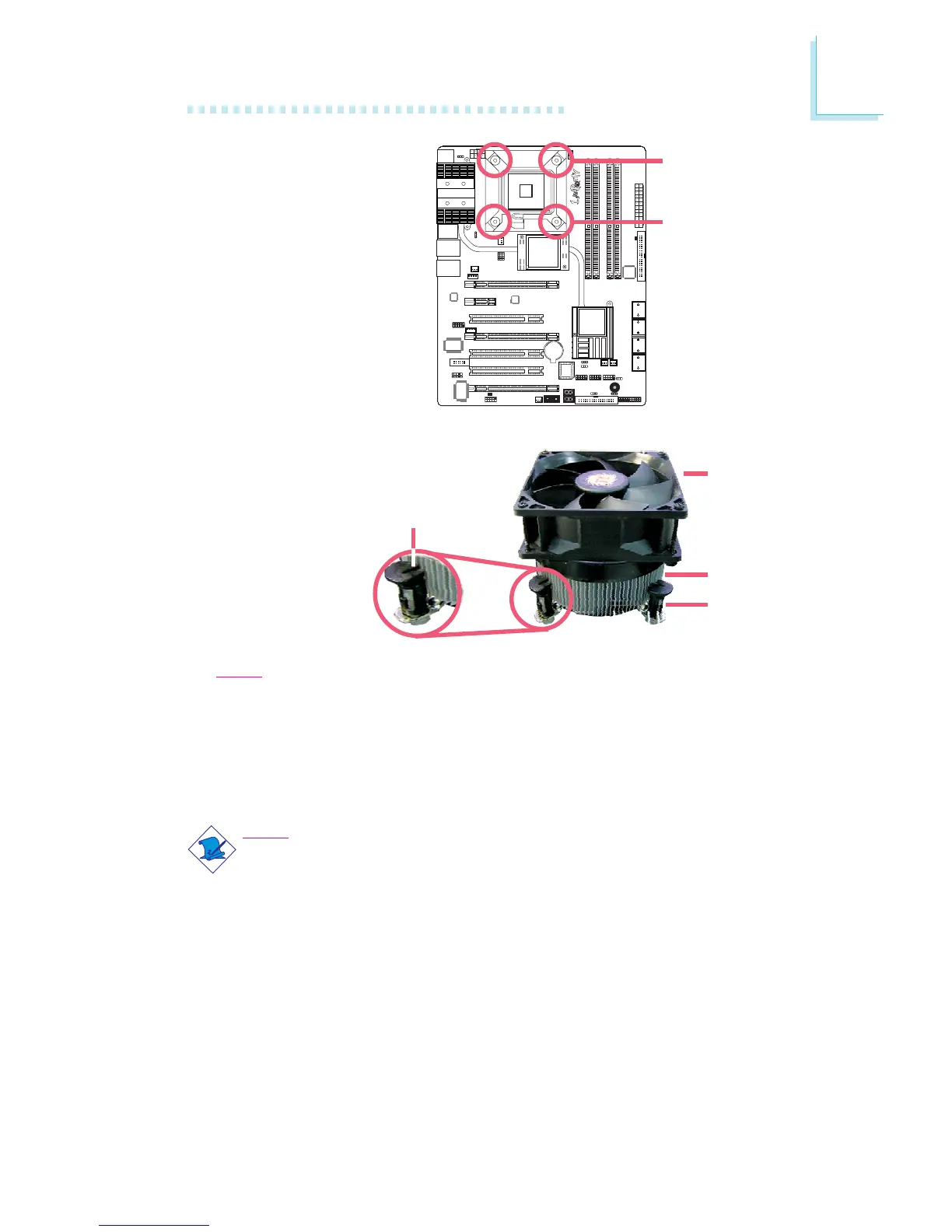
2. Place the heat sink on
top of the CPU. The 4
studs around the heat
sink which are used to
secure the heat sink
onto the system board
must match the 4
mounting holes around
the socket.
Position each stud so
that the groove faces
the heat sink then push
it down firmly until it
clicks into place.
Note:
You will not be able to secure the fan and heat sink assembly in place
if the groove is not facing the heat sink.
3. Connect the CPU fan’s cable connector to the CPU fan connector on
the system board.
Mounting hole
Mounting hole
Note:
LP UT series provides the option of using the Transpiper heat sink.
However, instead of using the push-pin type of CPU heat sink / fan
assembly, opt for an assembly that uses mounting screws. Refer to
the Transpiper Heat Sink section for details.


 To Next Page