35
2
Hardware Installation
Clearing CMOS Data using the EZ Clear
®
Function
EZ Clear
®
bypasses the manual process of using a jumper to clear
the CMOS by simply using the reset and power buttons.
Important:
EZ Clear
®
is supported only if standby power is present in the
system.
To use EZ Clear
®
:
1. Make sure the standby power is present.
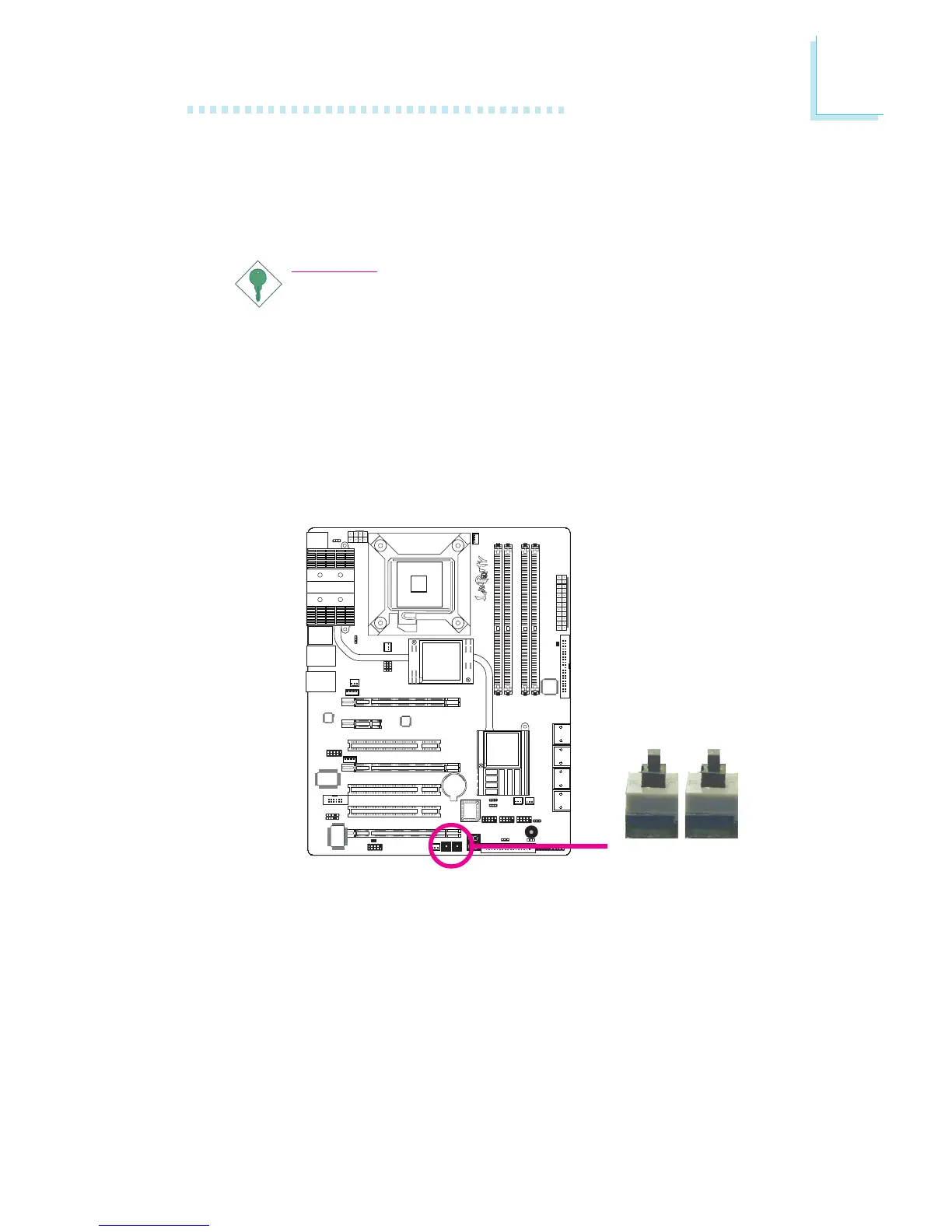
2. Using the EZ touch switches on the system board, first press the
Reset button then the Power button simultaneously for approxi-
mately 4 seconds.
If the system board is already enclosed in a chassis, apply the
same method using the Reset button and Power button located
at the front panel of the chassis.
3. After 4 seconds, release the power button first then the Reset
button.
4. The CMOS will restore the clock settings back to their default
values.
X
Reset
Power


 To Next Page