42
2
Hardware Installation
LAN 1
LAN 2
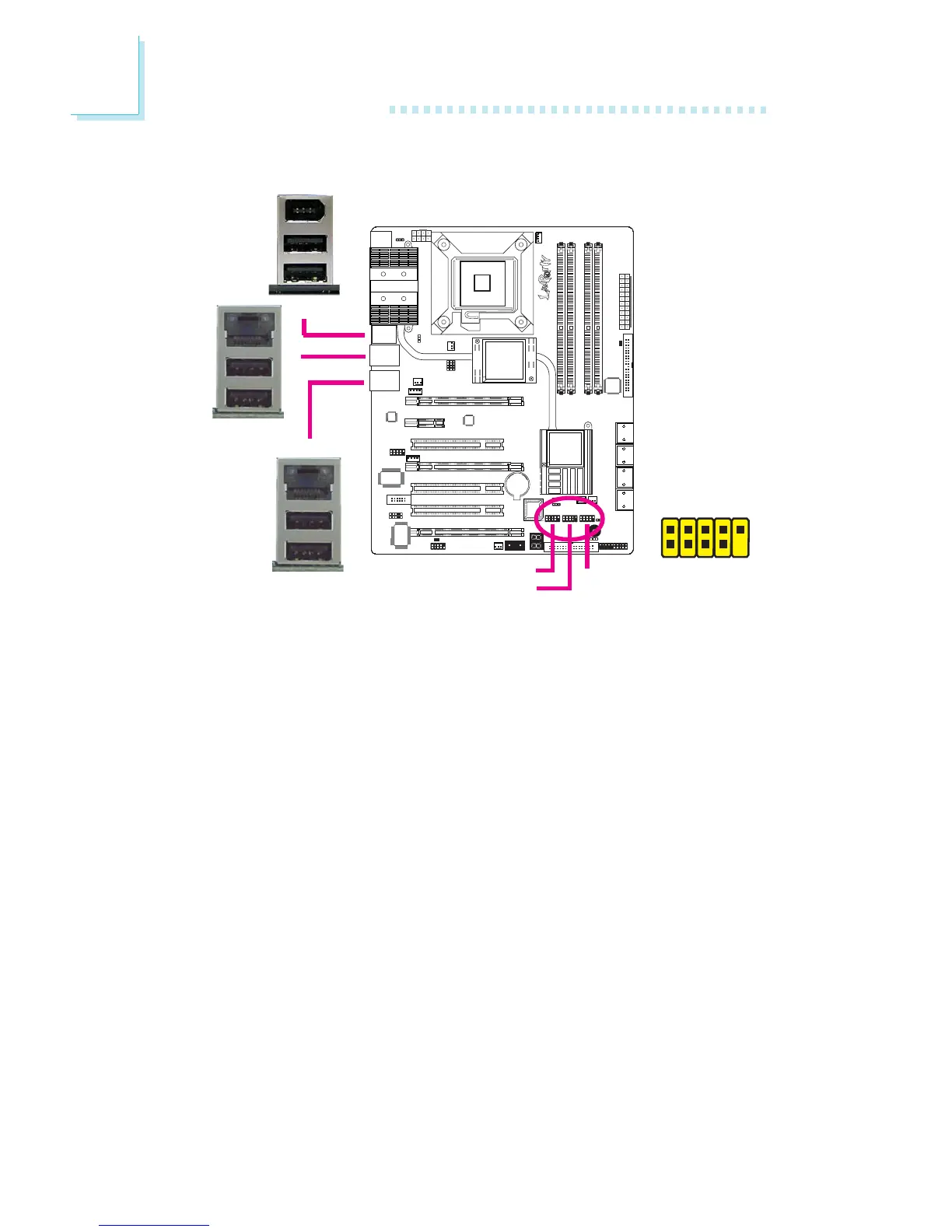
USB Ports and LAN Ports
USB Ports
The USB ports are used to connect USB 2.0/1.1 devices. The 10-pin
connectors allow you to connect 6 additional USB 2.0/1.1 ports.
Your USB ports may come mounted on a card-edge bracket. Install
the card-edge bracket to an available slot at the rear of the system
chassis then connect the USB port cables to these connectors.
LAN Ports
The LAN ports allow the system board to connect to a local area
network by means of a network hub.
W
W
W
USB 9
USB 8
USB 7
USB 6
USB 11
USB 10
1
VCC
-Data
+Data
GND
Key
VCC
-Data
+Data
GND
N. C.
2
10
9
USB 4-5
USB 2-3
USB 0-1


 To Next Page