44
2
Hardware Installation
Coaxial RCA S/PDIF-in and SPDIF-out Jacks
These jacks are used to connect external audio output devices using
coaxial S/PDIF cables.
CD-in Connector
The CD-in connector is used to receive audio from a CD-ROM
drive, TV tuner or MPEG card.
Front Audio Connector
The front audio connector is used to connect to the line-out and
mic-in jacks that are at the front panel of your system.
Optical S/PDIF Connector
The optical S/PDIF connector is used to connect an external audio
output device using an optical S/PDIF cable.
Important:
DO NOT use optical S/PDIF and coaxial RCA S/PDIF at the
same time.
Installing the Bernstein Audio Module
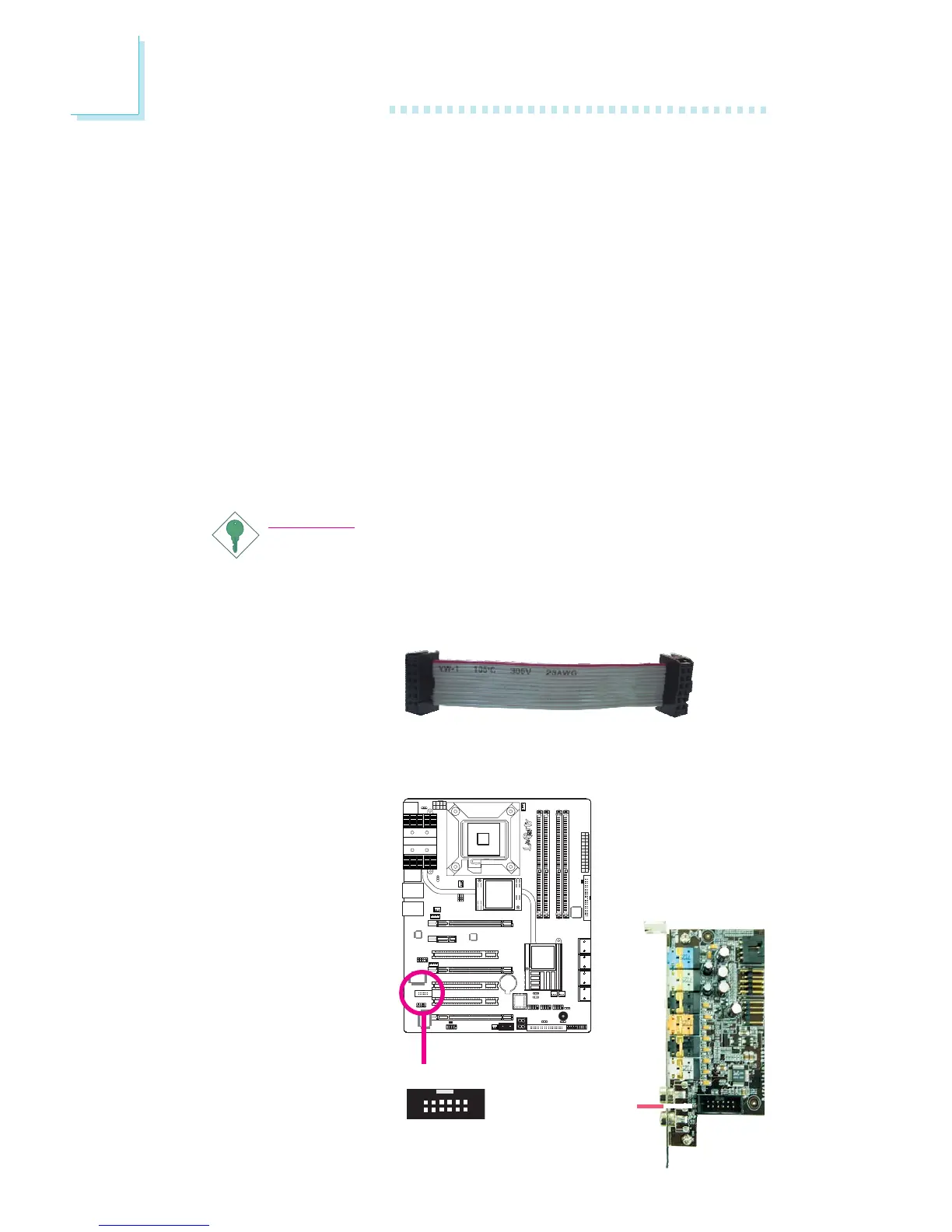
1. The Bernstein audio
module connects to the
system board by means
of the provided audio
cable.
2. Insert one end of the
cable to the Bernstein
audio connector on the
system board and the
other end to the corre-
sponding connector on
the audio module.
X
Bernstein audio
module connector
1
2
11
12


 To Next Page