Spartan 821/721 Manual Display Overview 14
2.4.1 Understanding Status Bar and Indicators
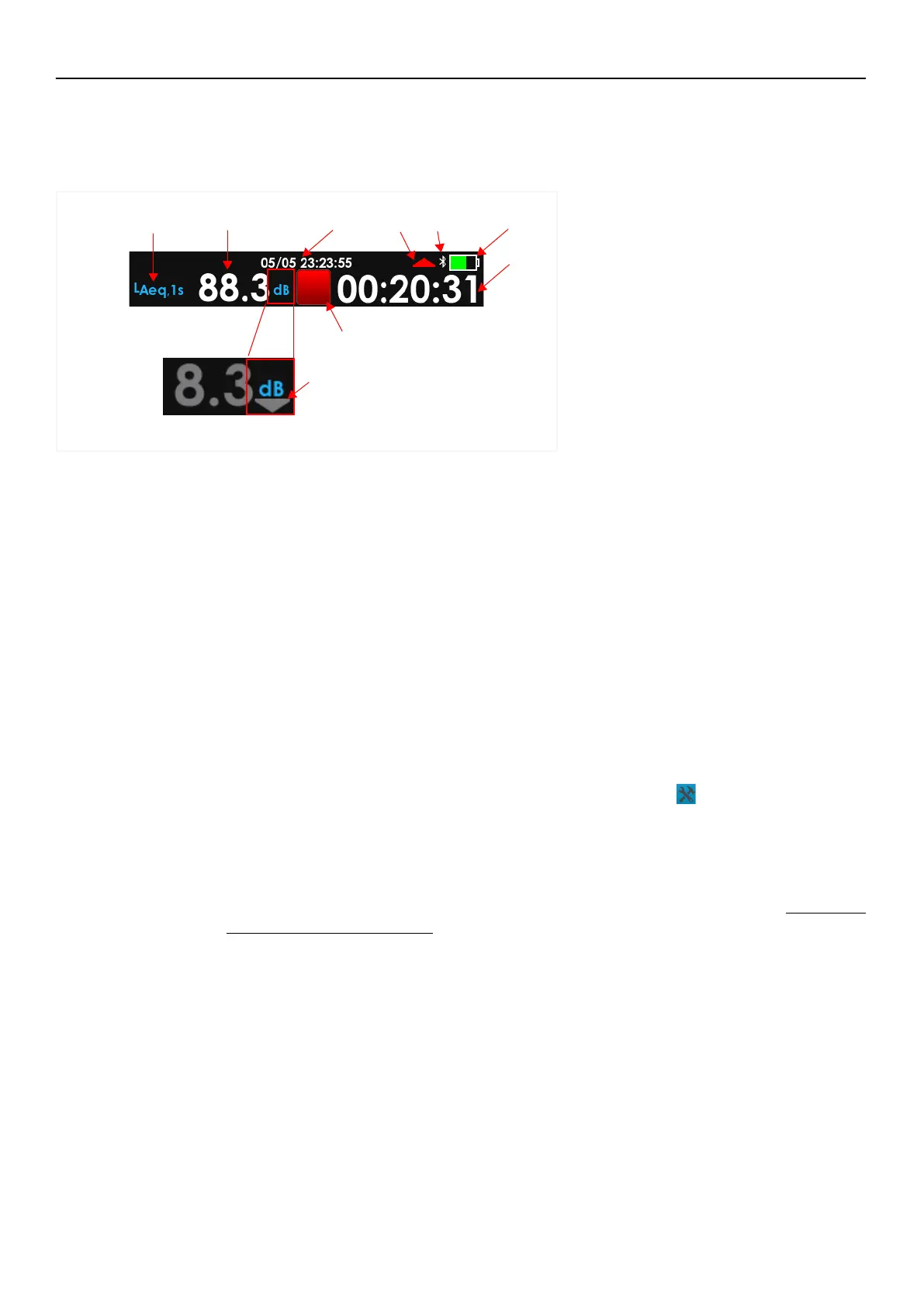
The status bar at the top of the screen displays the measurement, and battery status as
shown in Figure 2-5.
FIGURE 2-5 Elements of the Status Bar
1. Live Metric
2. Live Metric Level (dB)
3. Current Date, Time
4. Overload Indicator
5. Under Range Indicator
6. Bluetooth Indicator
7. Meter State Indicator
8. Battery Level/Charge Status
9. Overall Run Time
1. Live Metric
You may change the metric displayed by tapping the name and select from the popup list.
2. Live Metric Level (dB)
The live level of the selected live metric.
3. Current Date, Time
The date and time of the meter. Connect to G4 to update.
4. Overload Indicator
An overload occurs when the sound level exceeds the upper limit of the meter. The
Overload Indicator flashes to indicate an overload is occurring. The indicator remains
solid (not flashing) indicating an overload has occurred during the current measurement.
Reset the measurement to clear the indicator. Tap Tools
Reset to reset the
measurement.
5. Under Range Indicator
The meter displays the Under Range Indicator when the sound level is too low to measure
accurately. For additional detail about the range of your model, see A.2.1 SLM
Performance Specifications.
6. Bluetooth Indicator
The Bluetooth Indicator displays only when the meter has an active Bluetooth connection.
2.
3. 4.
7.
8.
6.
1.
5.
9.



 To Next Page