44
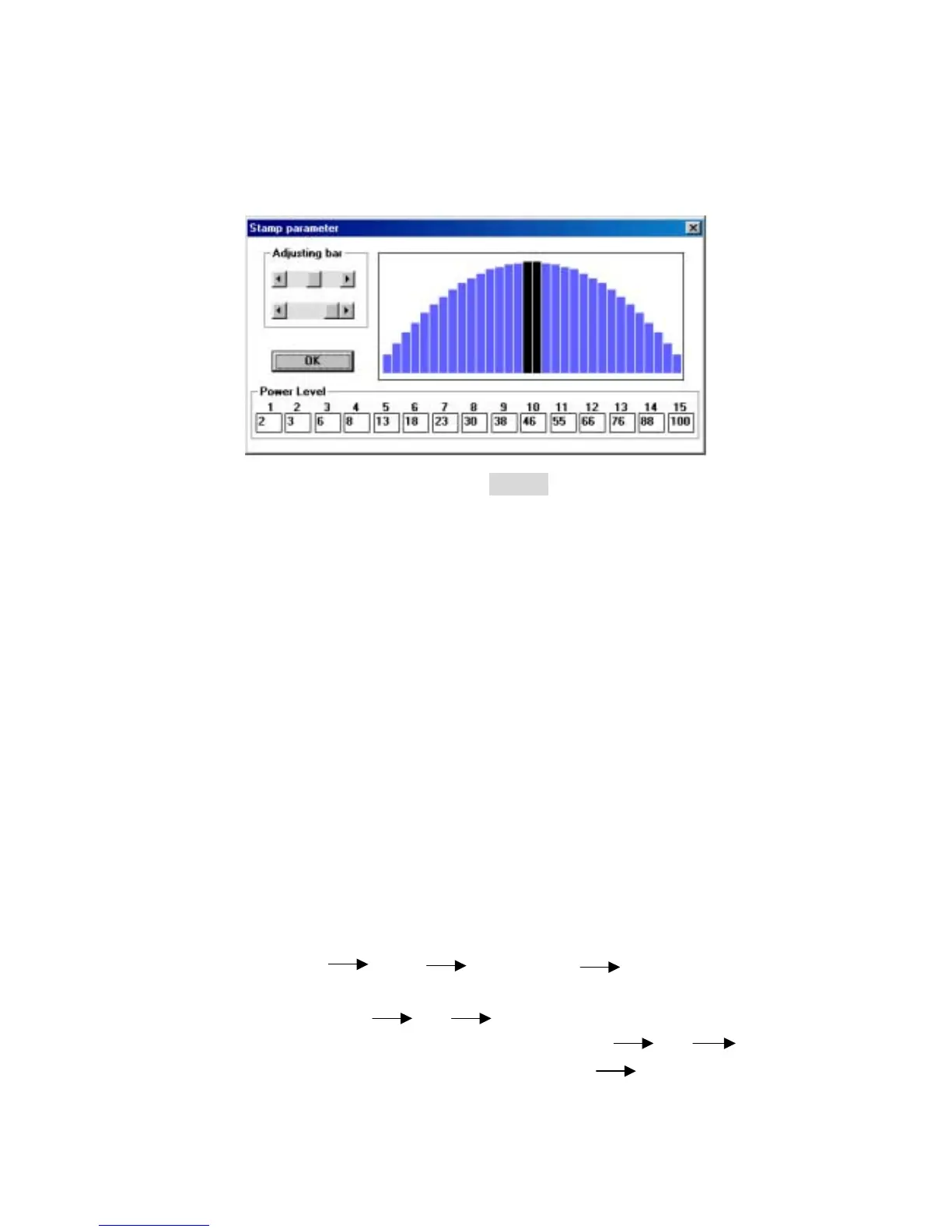
“Options”. Enter the dialog box of stamp parameter. The black bars in the
center are for the surface of each letter, while the blue bars are for the
shoulders. Adjust the value of power level by adjusting bar or the left click of
mouse to edit the shape of the shoulders (refer to Fig. 12).
! P.P.I.
P.P.I. stands for the laser firing pulse per inch.
$ Purpose: By changing the laser firing pulses per inch, the distribution of
energy would be changed.
#
Description: The adjusted range is 30 to 1500 PPI or you can choose auto
mode. When choosing auto mode, the system will come up with the proper
PPI value automatically. In order to maintain the quality of raster graph, the
PPI value will at least equal to DPI value automatically even you set the
lower PPI value than DPI value.
! Advance (Color Map)
Apply this function to detect if the power and speed settings linked to the right
color used in your layout. Thus, some areas can be engraved deeper than others
for desired effects. These settings can be saved for future use. The Advance
function can map vector data for all four types of modes. While the raster layout
(except bitmap files) can only be applied with the Manual color fill.
Operation: Two steps to complete the process.
Step 1: Edit file Print Properties Click Advance
Select Generate Color Map File (refer to Fig.13) on the Advance
Option dialog OK click Print, dialog shows “Generate
Color Map?” choose Yes then enter file name OK map
the desired parameters and colors accordingly Save
X. Fi



 To Next Page