Remove the cover, and press [SETTING] button to enter setting mode.
Note: When "9999" appears on display, input the password first.
Press [FUNCTION] button and position " " above "DAYLIGHT SAVING" mark.
Set the starting date.
Press [+] or [-] button to select number of starting date (year, month, and date), and press
[SET] button to accept. Then, move to next.
Set the ending date.
Press [+] or [-] button to select number of ending date in the same manner, and press
[SET] button to accept.
Press [SETTING] button to exit setting mode, and attach the cover.
Note:
- If you press [FUNCTION] button before pressing [SETTING] button, you can continue
setting for function.
- To cancel Daylight Saving Time, change month of starting date into " ".
Date
Year
Month
DAYLIGHT
SAVING
Date
Year
Month
DAYLIGHT
SAVING
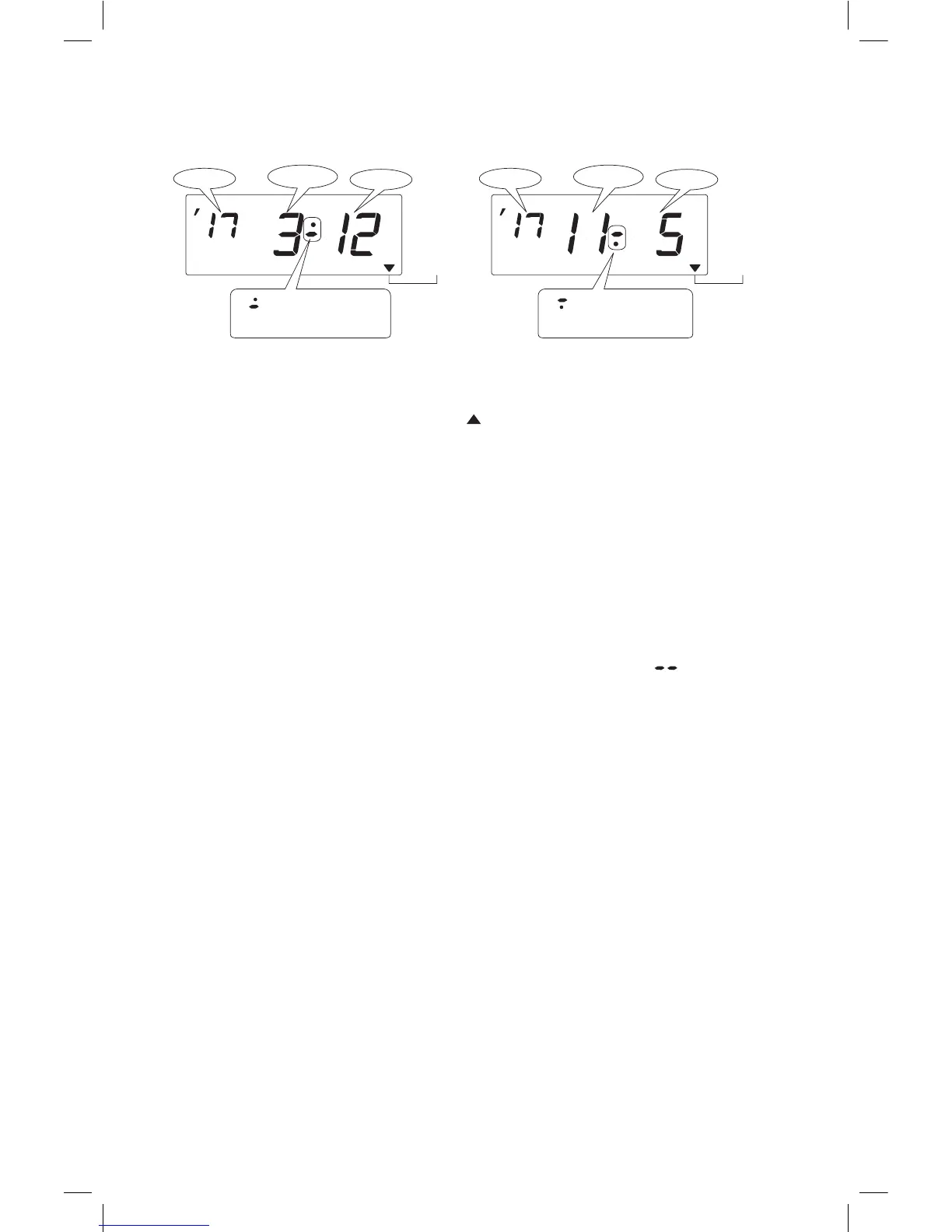
" " mark means
"starting date" setting.
" " mark means
"ending date" setting.
Below image shows examples that "March 12, 2017" and "November 5,
2017" are set as starting / ending date.
24



 To Next Page