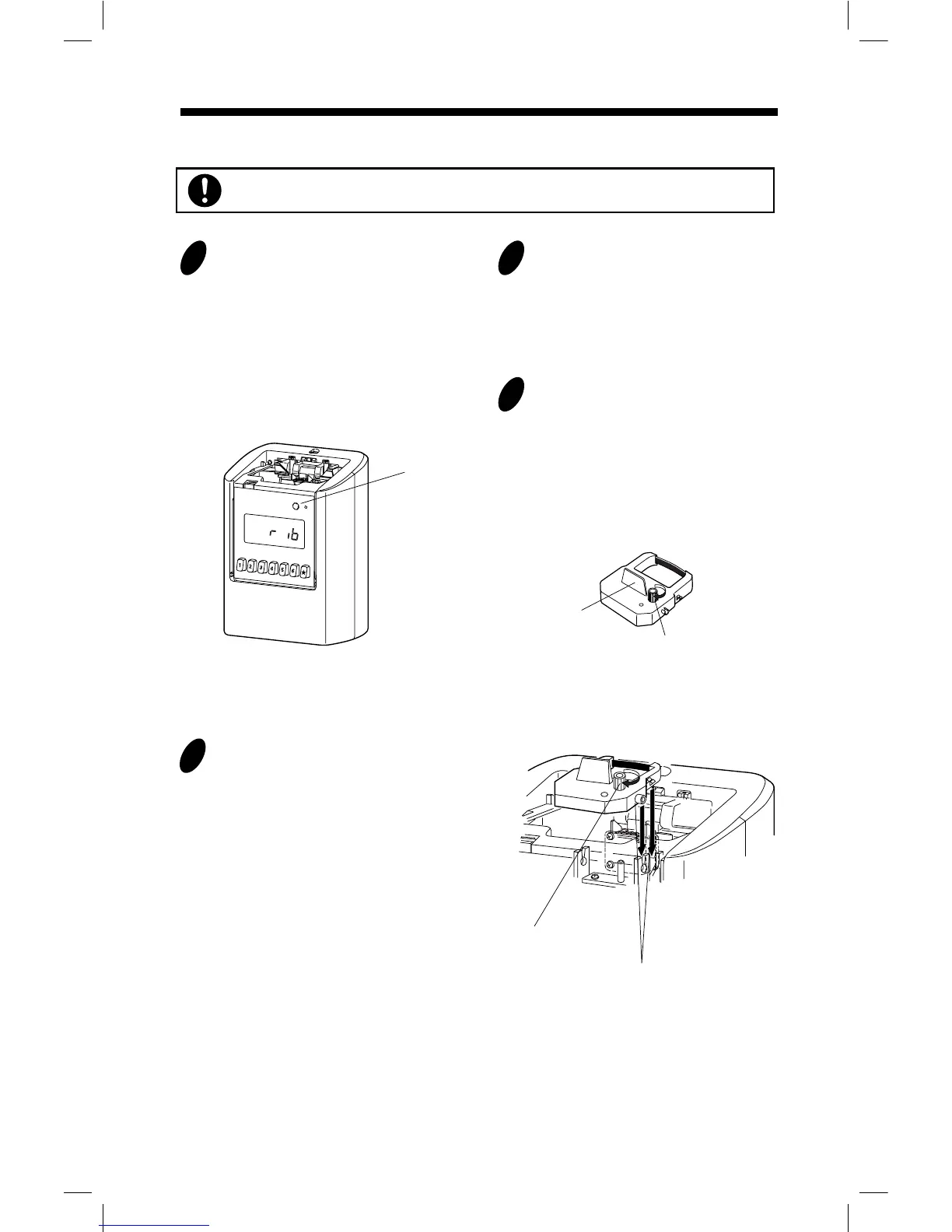
Place the ribbon cassette inside the
time recorder as shown in the figure.
Push the ribbon cassette until it snaps
into the clasps on both sides. If it is
difficult to insert the ribbon cassette,
try it while turning the knob.
Knob
Tab
Clasps
(located on both sides)
Knob
Installing the Ribbon Cassette
Remove the cover, and press
[SETTING] button for three seconds.
Then, display will change as follows
and a ribbon cassette moves to the
replacement position.
Note: Ribbon cassette is not factory
installed.
When you replace an installed ribbon
cassette to a new one, pull up the ribbon
cassette just above with the tab.
Make sure the power is on before installing.
[SETTING]
button
21
Turn the knob of the new ribbon cassette
in the same direction as the arrow to
tighten the ribbon.
Note: Must not turn the knob in the
opposite direction. Improper handling
causes malfunction of a ribbon cassette.
3
4
8



 To Next Page