LAUNCH X-431 PRO (DBSCar V) User Manual
4
2 Knowledge of X-431 PRO
X-431 PRO is mainly composed of one X-431 PRO tablet and one VCI
connector.
X-431 PRO tablet – the central processor and monitor for the system (See
Chapter “2.1”).
VCI connector – the device for accessing vehicle data (See Chapter “2.2”).
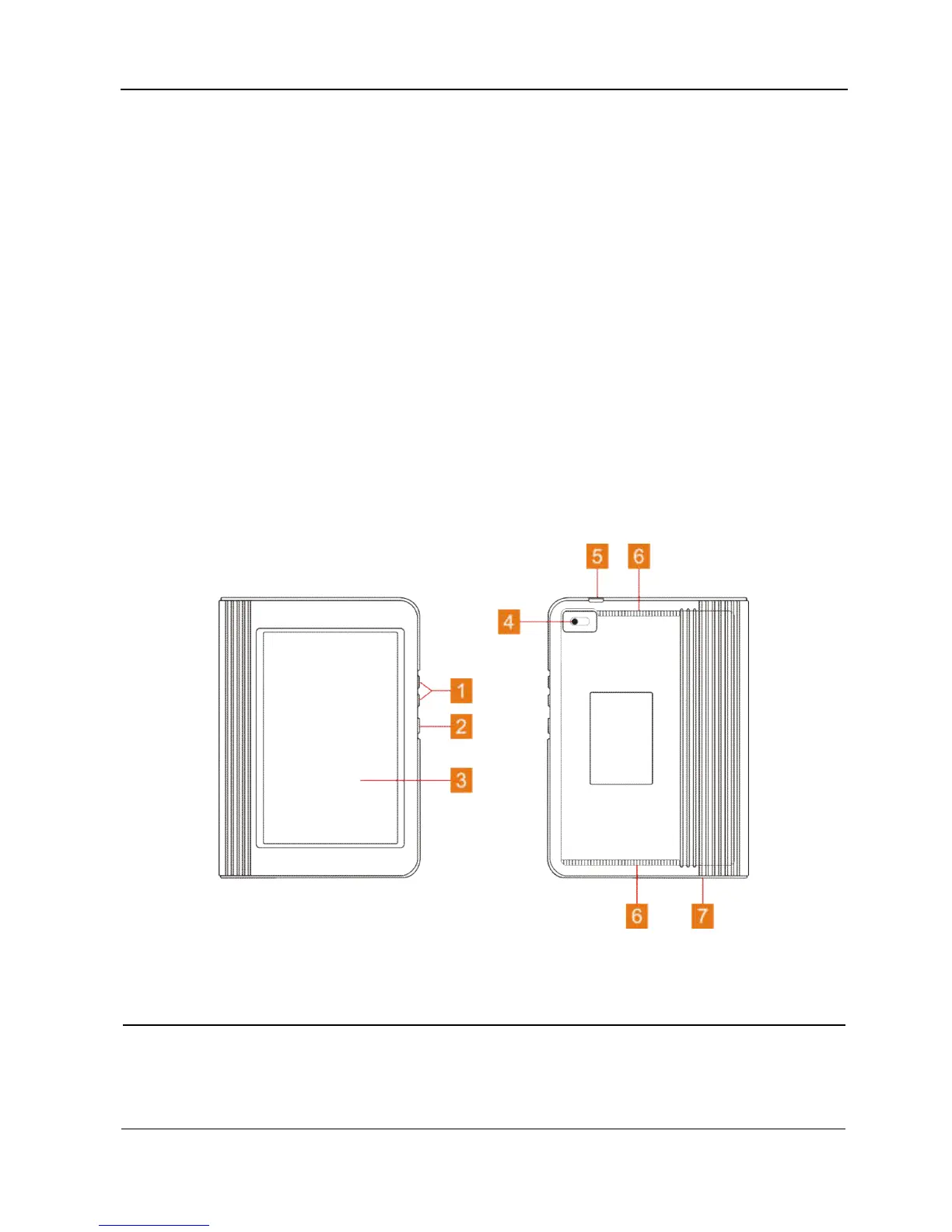
2.1 X-431 PRO tablet
The handset acts as the central processing system, which is used to receive and
analyze the live vehicle data from the VCI connector and then output the test
result.
Fig. 2-1 X-431 PRO handset
1 VOLUME +/- Key To adjust the volume.
2 POWER Key
In Off mode, press it for 3 seconds to turn the
handset on.
In On mode:















 To Next Page