LAUNCH X-431 PRO (DBSCar V) User Manual
19
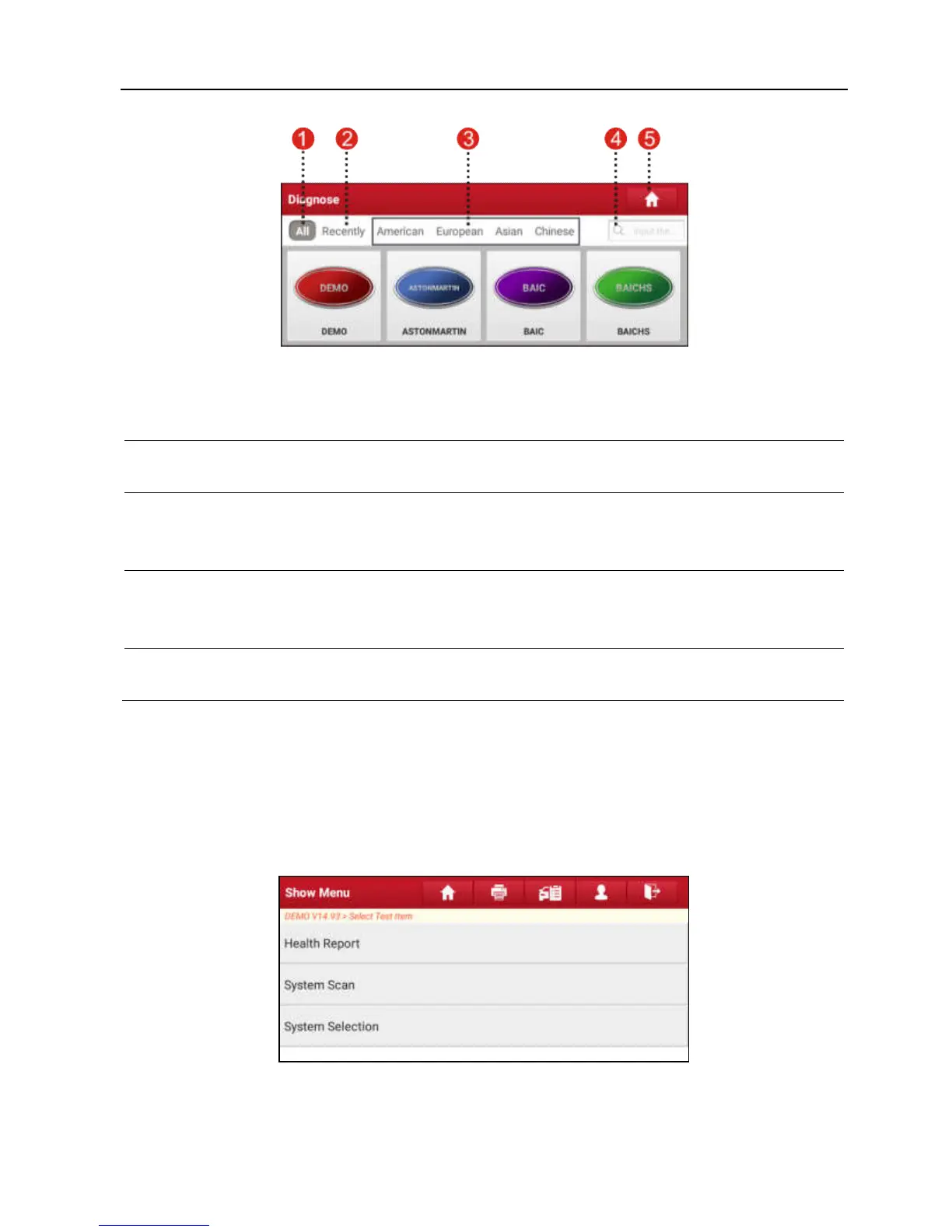
Fig. 4-8
1 All
Tab: Displays all the vehicle makes in the vehicle menu.
2 Recently
Tab: Displays all the recently tested vehicle makes.
3
Vehicle region buttons: Tap different buttons to switch to corresponding
vehicles.
4
Search bar: Enables you to use the virtual keyboard to quickly locate
the vehicle model. Input the desired vehicle model to start searching.
5 Home Button: Returns to the Job menu.
4.2.4 Diagnostics toolbar
The diagnostics toolbar contains a number of buttons that allow you to print the
displayed data or make other controls. It is displayed on the upper right corner of
the screen and goes through the whole diagnostic session. The table below
provides a brief description for the operations of the diagnostics toolbar buttons:
Fig. 4-9















 To Next Page