LAUNCH X-431 PRO (DBSCar V) User Manual
14
4.2 Register & Download Diagnostic Software
4.2.1 User registration
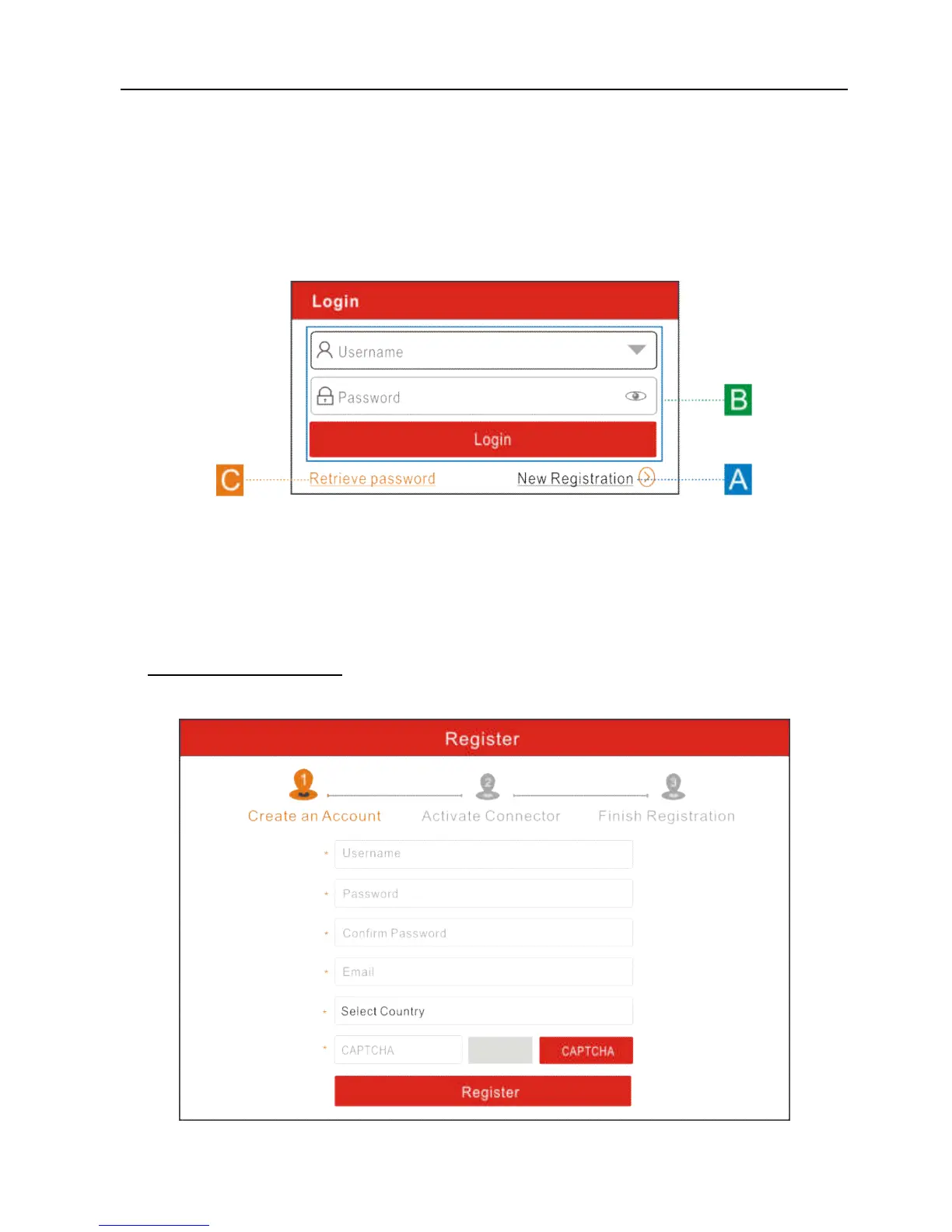
On the home screen, tap the application icon to launch it, and then tap “Login” to
enter the login interface of diagnosis software.
Fig. 4-2
(If you are a new user, follow A to proceed.)
(If you have registered to be a member, go to B to login the system directly.)
(In case you forgot password, refer to C to reset a new password.)
A. If you are a new user, tap “New Registration” to enter registration page. See
Fig. 4-3.
Fig. 4-3















 To Next Page