LAUNCH X-431 PRO (DBSCar V) User Manual
41
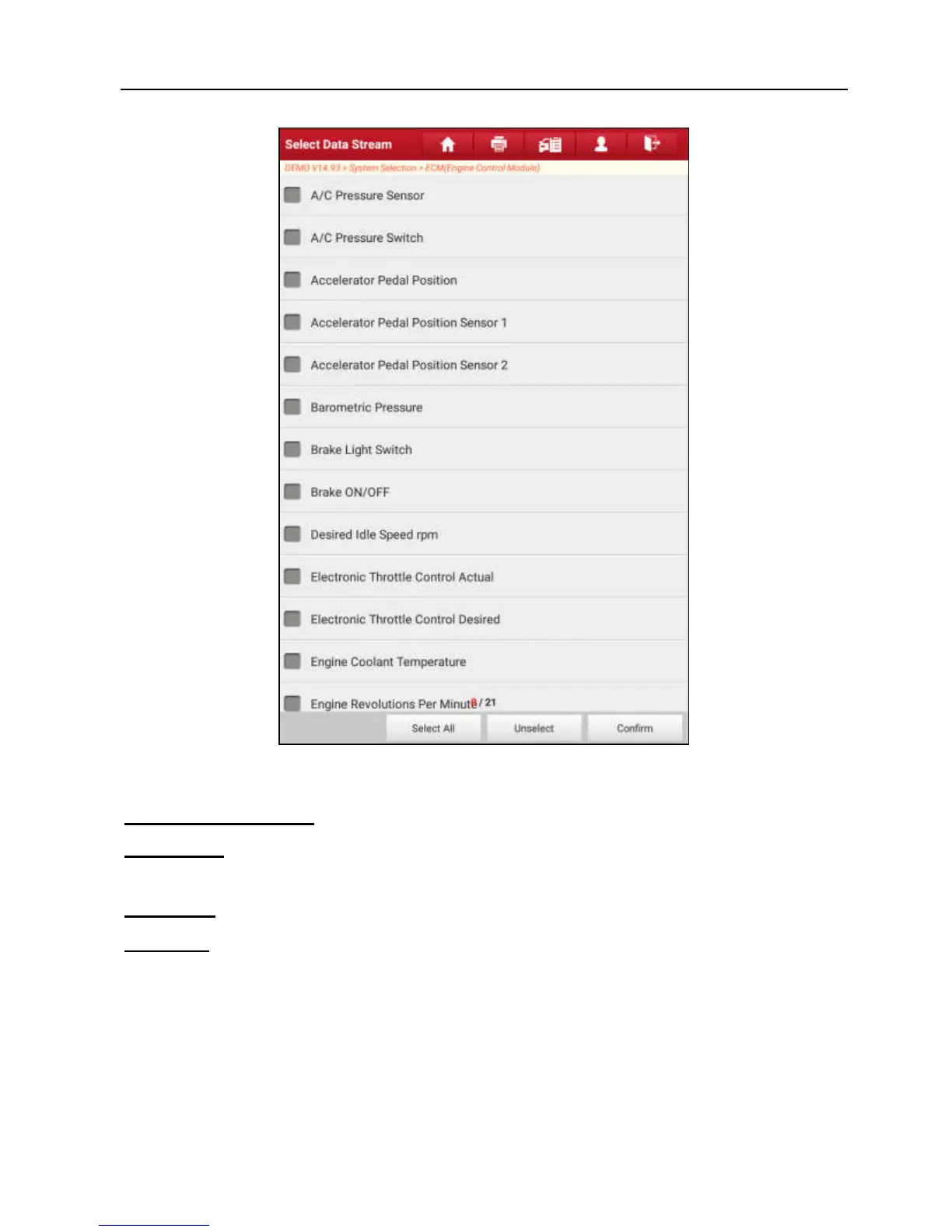
Fig. 5-22
On-screen Buttons:
Select All:
Tap it to select all items of the current page. To select certain data
stream item, just check the box before the item name.
Unselect:
Tap it to deselect all data stream items.
Confirm:
Tap it to confirm and jump to the next step.
After selecting the desired items, tap “Confirm” to enter the data stream reading
page.















 To Next Page