8
Operation
Basic operation
All functions are controlled through the seven front panel buttons. Each function is invoked when
the key is released. Some commands are indicated by the length of time you hold a button before
releasing it. There are three lengths of press: short (less than 0.5 seconds), medium (0.5 – 2.5
seconds) and long (more than 2.5 seconds). This sounds a lot more complicated than it actually is;
this interface will quickly become familiar and easy.
Setting Options
All settings are retained in EEPROM memory indefinitely, even if power is disconnected.
Separate settings are stored for each antenna, except for Antenna selection.
Startup Options
Your AT-200Pro has two startup commands, invoked by holding down one or more keys while
applying DC power to the unit (usually by plugging in the coaxial power connector).
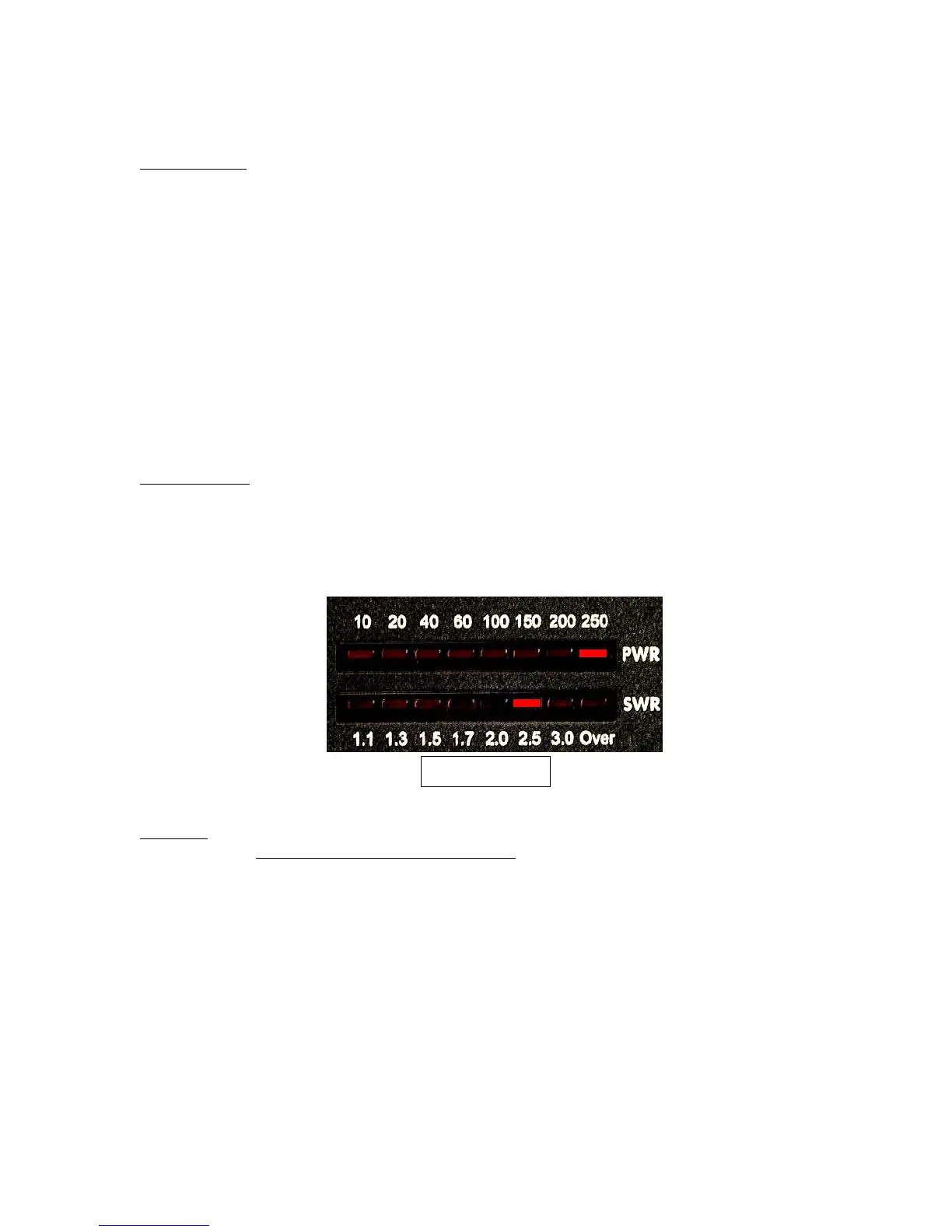
Version display
: Press and hold Func while powering up. This will display the version number
of the firmware in your tuner on the LED meters. The first digit of the version number is
displayed on the PWR meter, the second on the SWR meter. The LEDs use a one-of-eight
display, indicating 1, 2, 3, etc from right to left. In the example below, version 1.3 is displayed
(this is just an example; your version number may be different).
All Reset
: Press and hold Func+Ant+Tune while powering up. This will reset the unit to
factory defaults, and will erase all frequency memories
.
Version Display



 To Next Page