BT/S Variable-Speed Peristaltic Pump
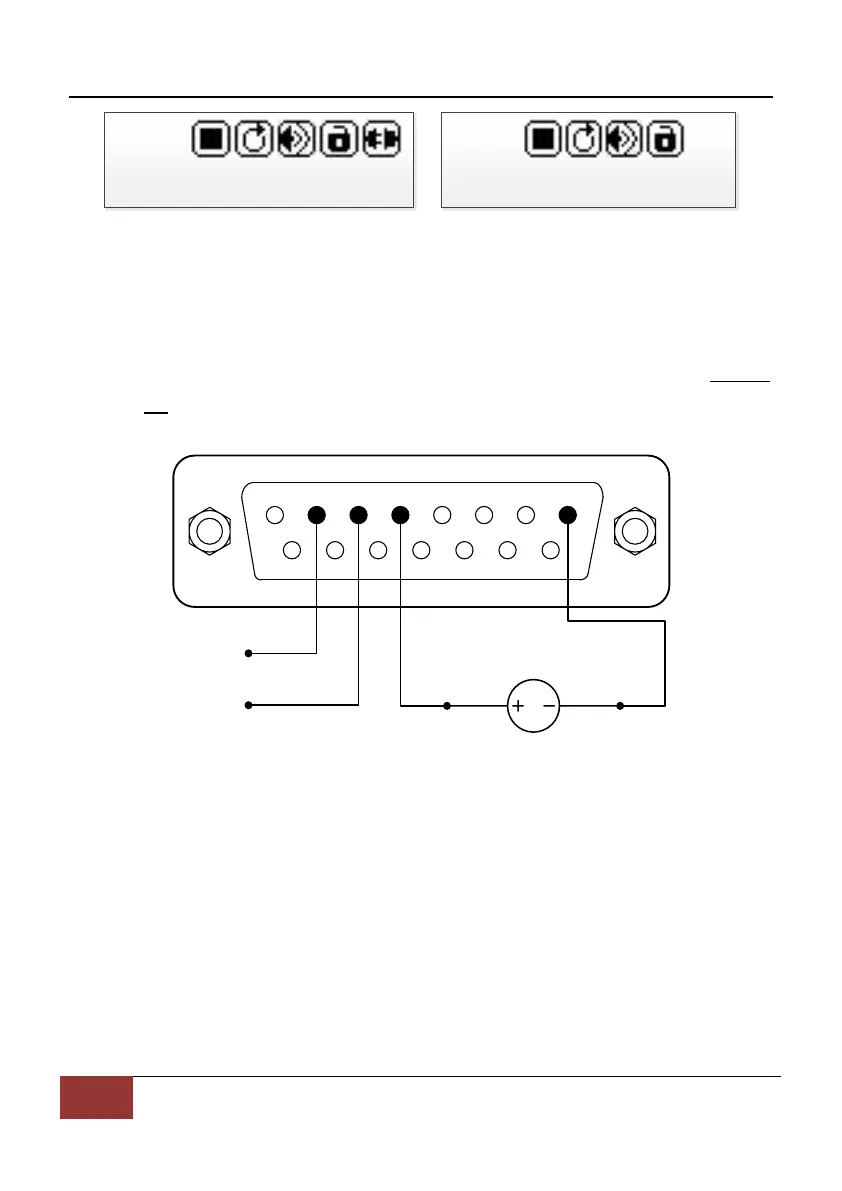
Communication Disconnected Communication Connected
Pump number is set to 1.
Figure 27. Communication Mode
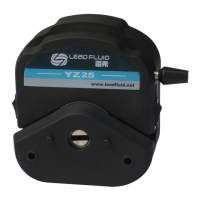
1) When the power is off, wire the DB15 connector as shown on Figure
28, and connect it to the DB15 port on the rear of the pump. External
DC power source is recommend to avoid electrical interference.
1 2 3 4 5 6 7 8
9 10 11 12 13 14
15
12VDC
VCC_W
COM
B
A
Figure 28. RS485 MODBUS Wiring
2) Turn on the power switch. Pump will display the main screen.
3) Press MODE key to change the mode to Internal Control mode or
Time Dispense mode.
4) Control pump with communication interface.
5) Press the START/STOP key to stop the drive anytime.
7.10 Speed Setting
On the main screen, the speed resolution is 0.1 rpm when the speed is
21 Tel:0312-3250677 3250877 3250977 Fax:0312-3250877-804


 To Next Page