EasyManua.ls Logo

Leadshine Technology EM2RS Series - I;O Connection; Digital Inputs

Leadshine Technology EM2RS Series
62 pages
Print Icon
To Next Page IconTo Next Page
To Previous Page IconTo Previous Page
Loading...
EM2RS Modbus RS485 Stepper Drive User Manual
- 12 -
16
on
on
on
on
off
17
off
on
on
on
off
18
on
off
on
on
off
19
off
off
on
on
off
20
on
on
off
on
off
21
off
on
off
on
off
22
on
off
off
on
off
23
off
off
off
on
off
24
on
on
on
off
off
25
off
on
on
off
off
26
on
off
on
off
off
27
off
off
on
off
off
28
on
on
off
off
off
29
off
on
off
off
off
30
on
off
off
off
off
31
off
off
off
off
off
Note: (1) When the SW1-SW5 is default (all are on), the Slave ID can be configured by the PC software
(2) Baud Rate: SW6 - SW7
Baud Rate
SW6
SW7
115200 (Default)
on
on
38400 (Factory)
off
on
19200
on
off
9600
off
off
Note: (1) When the SW6-SW7 is default (all are off), the Baud Rate can be configured by the PC software
(3) Terminal Resistance Selection: SW8
SW8=ON: terminal resistance is valid;
SW8=OFF: terminal resistance is invalid (Factory setting)
Note: (1) The last slave in the network needs to connect a 120Ω terminal resistance, it means set the SW8 to on
3.4 I/O Connection
3.4.1 Digital Inputs
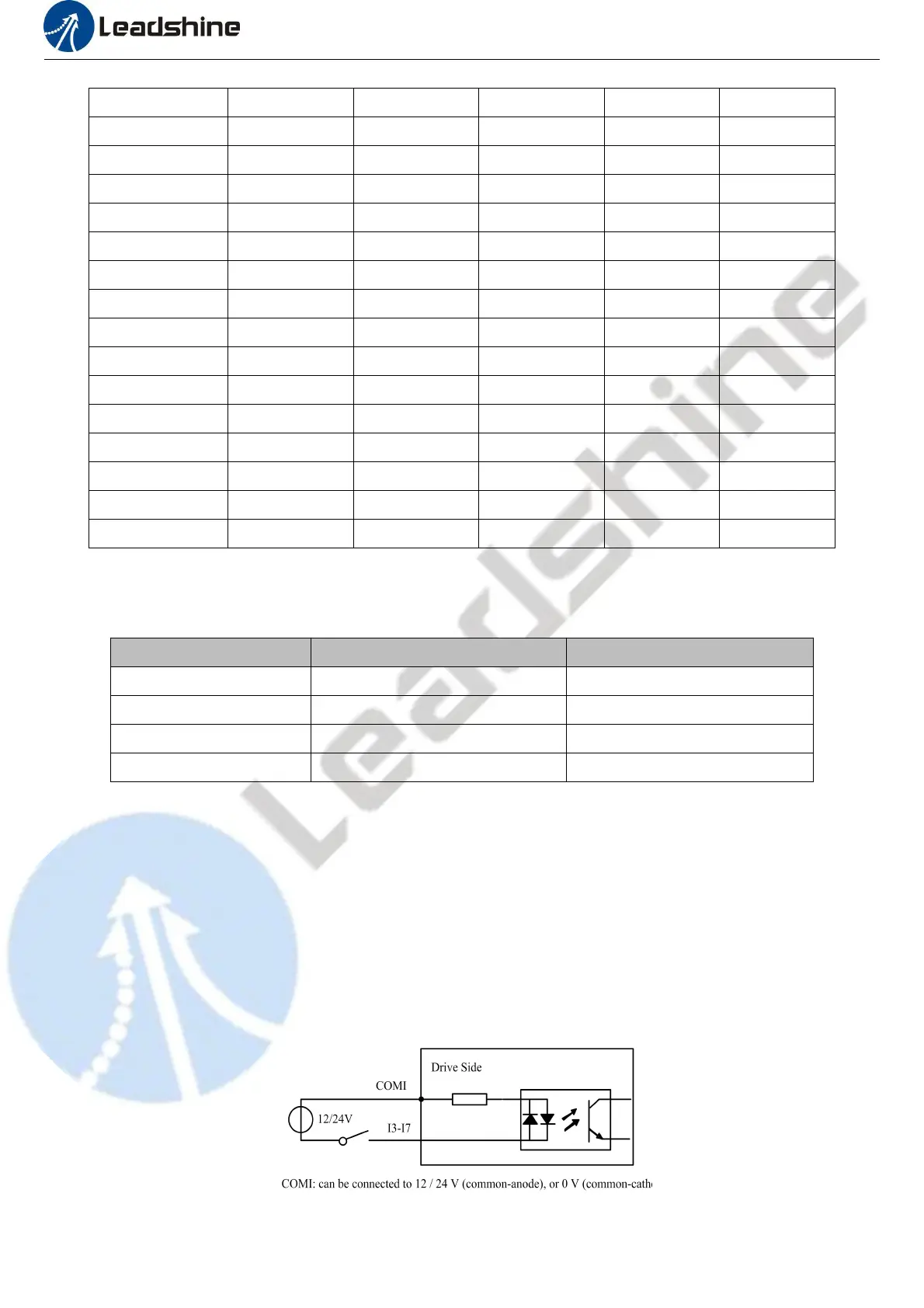
The connections of input signals are as below:

Table of Contents

Related product manuals