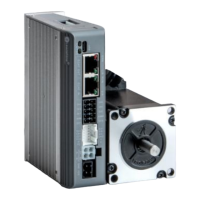
DMA882S Digital Stepper Drive User Manual
Page | 8
8.2 Output Current Configurations
For a given motor, higher drive current will make the motor to output more torque, but at the same time causes more
heating in the motor and drive. Therefore, output current is generally set to be such that the motor will not overheat for
long time operation. Since parallel and serial connections of motor coils will significantly change resulting inductance
and resistance, it is therefore important to set drive output current depending on motor phase current, motor leads and
connection methods. Phase current rating supplied by motor manufacturer is important in selecting drive current,
however the selection also depends on leads and connections.
The first three bits (SW1, 2, 3) of the DIP switch are used to set the dynamic current. Select a setting closest to your
motor’s required current.
8.2.1 Dynamic Current Configurations
Notes: Due to motor inductance, the actual current in the coil may be smaller than the dynamic current setting,
particularly under high speed condition.
8.2.2 Idle Current Configuration
SW4 is used to set motor idle current percentage. At OFF position it means the standstill current is set to be 50% of the
selected output current. At ON position it means standstill current is set to be the same as the selected dynamic current.
The current automatically reduced to 50% of the selected dynamic current 0.4 second after the last pulse.
7.3 Automatic Motor Matching & Self Configuration
When powered on a DMA882S will automatically configure itself with the best settings to match the driven stepper
motor for optimal performance. No action is needed.
7.4 Motor Selection via Rotary Switch
There is a rotation switch used for the motor selection.
Every time change the rotary switch, you need to restart the power supply to
Make the setting effective.


 To Next Page