12 Chapter 2– Turn on Your Camera Back and Camera
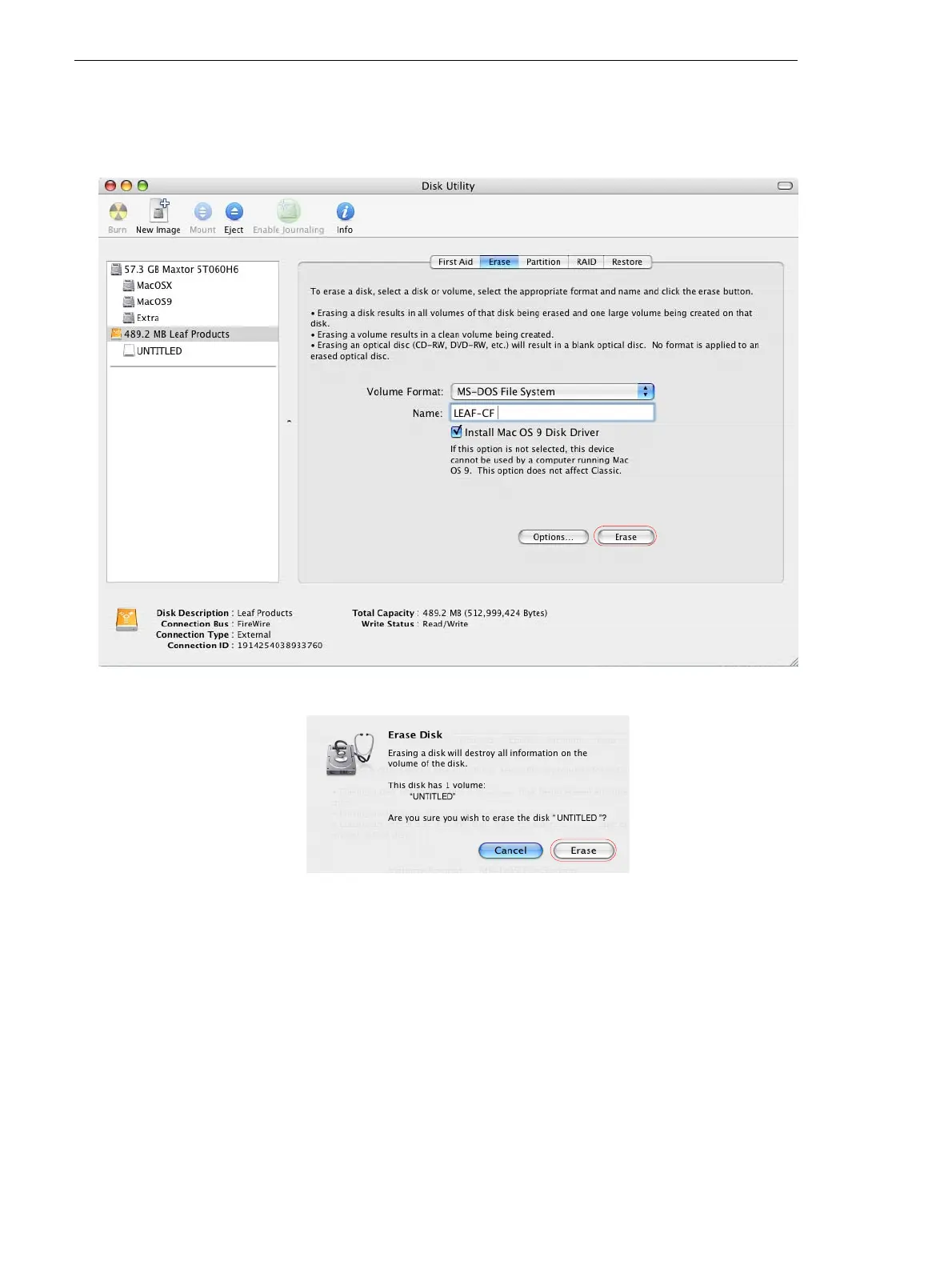
7. In the Volume Format box, select MS-DOS File System
8. In the Name box, type LEAF-CF.
9. Click Erase.
10. In the confirmation message that appears, click Erase.
Formatting is complete when the progress bar disappears from view
and the
Volume Format box shows Mac OS Extended (journaled)
and the Name box shows Untitled.
11. Go to the desktop, and select the LEAF-CF volume.
12. Go to File>Get Info.
13.
In the Leaf-CF Info window, ensure that Format shows Macintosh
PC Exchange (MS-DOS)
.



 To Next Page