Formatting a Compact Flash Card 11
Formatting a Compact Flash Card
You can use a card reader or the Leaf Aptus digital camera back to format
a compact flash card. The format procedure depends on the operating
system that you are using, Windows or Macintosh OS®X. If you use the
Leaf Aptus digital camera back to format the card, we recommend that you
use a computer running Macintosh OSX. The format procedure for
Macintosh OSX and Windows are described separately in this section.
Formatting a Compact Flash Card With Macintosh OSX
1. Insert the compact flash card in a card reader or in the Leaf Aptus
digital camera back.
2. Using a FireWire cable, connect the card reader or the Leaf Aptus
digital camera back to the computer.
3. On the desktop, double-click the system disk.
4. Go to Applications>Utilities>Disk Utility.
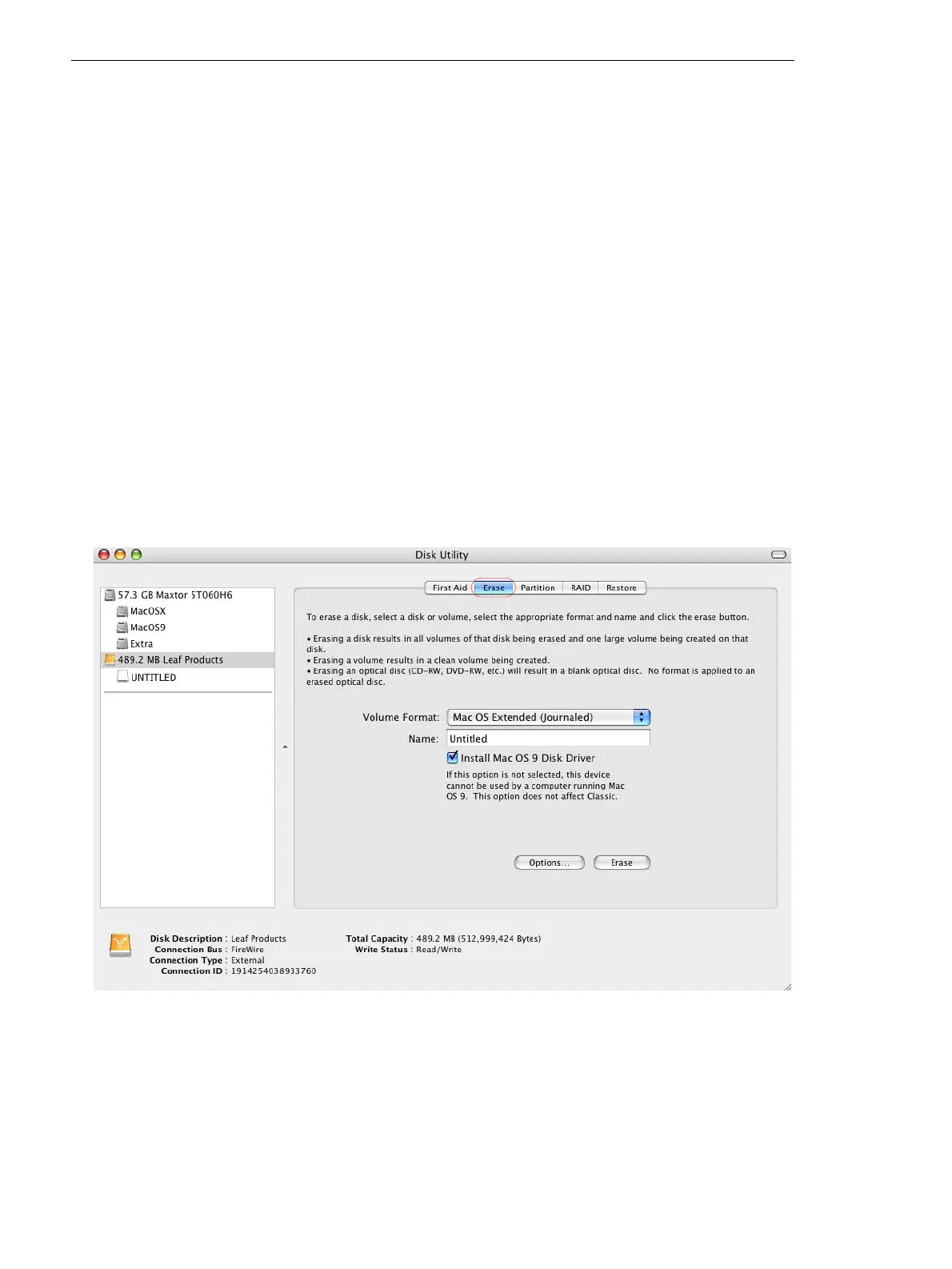
5. In the left panel of the Disk Utility dialog box, select the CF removable
disk.
6. Select the Erase tab.



 To Next Page