2 Chapter 1 – Introduction
Overview
The Leaf™ Aptus digital camera back is the world’s first camera back that
includes a built-in large (6 x7 cm) LCD screen and an innovative graphic
user interface. An integrated battery and compact flash (CF) storage card
ensure easy shooting. New hardware offers continuous non-stop shooting
and a faster capture rate. These shooting capabilities, combined with large
storage options, give professionals the flexibility to meet the most
demanding shooting situations. A new raw HDR format that uses lossless
compression to reduce file size and a completely new Leaf Capture
application, enhance workflow and teamwork both on location and in the
studio.
This user guide explains how to setup the camera back for first time use,
take a shot, evaluate, and edit shots.
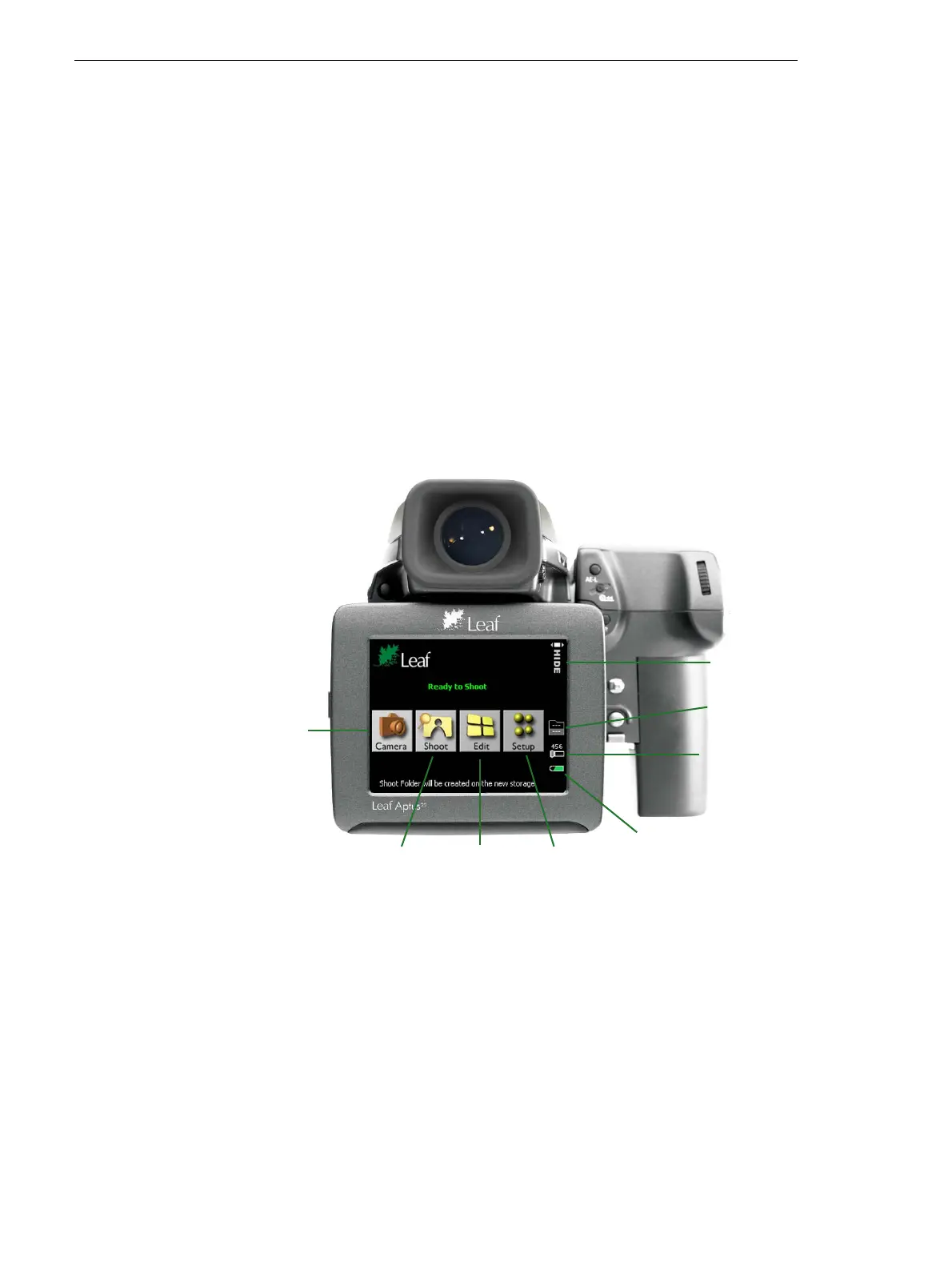
The following picture shows the Leaf Aptus opening screen and menu
buttons:
Camera settings
Shoot view
Edit view
Setup menu
Remaining battery power
Number of images in the
current folder or on the disc
Current user button action
Number of shots you can still take



 To Next Page